home chevron_right Apps chevron_right Music & Audio chevron_right Spotifuck


Music Player – Light Cone
v1.3.0
• premium
| Updated On | |
|---|---|
| Package Name | it.deviato.spotifuck |
| Category | Music & Audio |
| Version | 1.6.3 |
| Size | 10 MB |
| MOD Feature | Not available |
| Requires | Android |
| Price | |
| Free | |
| Content Rating | |
| Everyone | |
| Internet Required | |
| Required | |

Spotifuck APK brings Spotify’s web player experience to Android with additional interface tweaks and ad-blocking features. It offers convenient playback controls, playlist access, Android Auto compatibility, and several tools for managing music. However, since it is an unofficial third-party application, users should understand its limitations and potential account risks before installing it.
Spotify is one of the most recognized music streaming platforms, but its free experience comes with restrictions such as advertisements and limited playback controls. Spotifuck was developed as an alternative for listeners who want a different way to access Spotify’s web-based music experience.
The application was originally shared by a user named deviato on the MOBILISM forum. Rather than functioning as a modified version of Spotify’s official Android app, it relies on the web player and applies additional customizations to make the experience more convenient on mobile devices.
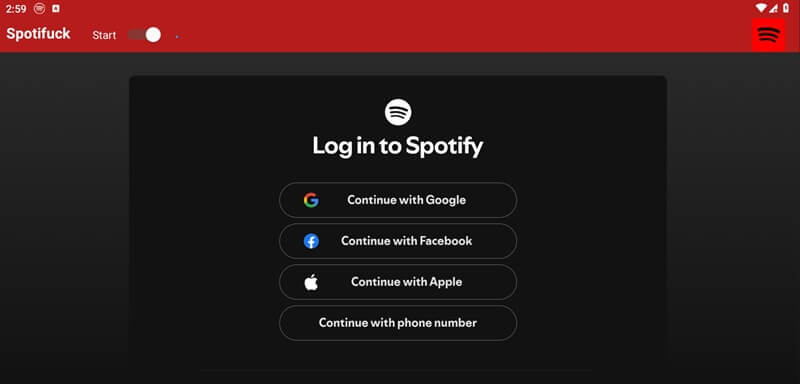
Spotifuck essentially wraps Spotify’s web player in an Android application. Its developer adapted the browser-based experience for mobile use and introduced customizations intended to reduce advertising interruptions and improve navigation. This approach allows users to access Spotify content without relying on the official Android client.
The application also uses CSS-based interface modifications to adjust how the web player appears on different screens. Because it depends on web technologies instead of a fully native playback system, performance may vary between devices. Network quality, browser compatibility, and the underlying Spotify web player can all affect how smoothly it operates.
Spotifuck and the official Spotify application work through different systems. The former relies on a WebView-based interface, while the latter uses Spotify’s dedicated Android application. Therefore, installing Spotifuck does not simply replace or modify the original client.
Running both applications simultaneously may cause conflicts involving playback controls, notifications, or media sessions. The original release instructions recommend removing the official Spotify app before using Spotifuck to avoid such issues. However, this behavior may vary depending on your Android version and device configuration.
Despite being an unofficial project, Spotifuck includes several additions designed to make everyday music playback more convenient:
Ad-blocking customizations: Attempts to reduce advertising interruptions during playback.
Improved playback controls: Skip tracks and switch songs with fewer restrictions than the standard free experience.
Playlist access: Provides access to Spotify playlists without the empty-playlist behavior described by its developer.
Android Auto compatibility: Offers support for accessing music while using compatible car systems.
Media notifications: Enables device-level playback controls and music notifications.
Home screen widget: Includes a 4×1 widget for managing playback without opening the application.
Scheduled playback: Provides an option to arrange music playback around your preferred schedule.
Spotify link handling: Opens supported track, artist, and playlist links directly inside Spotifuck.
Feature availability may depend on the current release, Android version, and changes to Spotify’s web player.
Spotifuck appeals to users who want additional control over Spotify’s free web experience. Its ad-blocking modifications and playback utilities are the main reasons people consider it, particularly when they prefer not to use the official Android client.
Another advantage is its active sharing and update history on MOBILISM. Users can follow discussions, check release information, and review feedback from other members. This community-based distribution also means that the application’s development and support are different from those of an officially published product.
Before installing Spotifuck, keep in mind that it is not an official Spotify application and has not gone through the usual app-store review process. Downloading APK files from unofficial sources always carries potential security risks, so check the source and file details carefully.
There are several other limitations worth considering:
Spotify policy concerns: Using an unofficial client or ad-blocking modifications may conflict with Spotify’s terms. Account restrictions are possible, so there is no guarantee that an account will remain unaffected.
Device compatibility: Some Android versions or WebView configurations may cause display problems, playback errors, or unexpected crashes.
Variable performance: Since the application depends on web-based playback, its responsiveness is influenced by your internet connection and device.
Unofficial support: Updates and troubleshooting depend on the third-party developer and community rather than Spotify’s official support team.
For users who prioritize reliability, account security, and consistent updates, the official Spotify application remains the safer choice.
Spotifuck offers a different approach to accessing Spotify on Android, combining a web-based player with interface modifications and additional playback tools. Its features may appeal to users who want fewer interruptions, but its unofficial status and compatibility limitations deserve careful consideration.
Instead of treating this like a regular Play Store installation, take a moment to check the following:
Verify the source: Visit the Spotifuck discussion on MOBILISM or another source you trust. Check the uploader and release details before downloading.
Review the APK: Confirm that the version matches your Android device and scan the downloaded file with a reputable security tool.
Prepare your device: If you decide to proceed, review whether the official Spotify app needs to be removed to prevent media-control conflicts. Back up any relevant settings first.
Install carefully: Open the APK file and follow Android’s installation prompts. Only grant permissions that are necessary for the features you intend to use.
Test playback: Launch Spotifuck, check its basic functions, and avoid entering sensitive account information if you have concerns about the application’s trustworthiness.