UnWX (Severe Weather Alerts)
v5.5.6
• Unlocked
| Updated On | |
|---|---|
| Google Play ID | com.enzuredigital.weatherbomb |
| Category | Weather |
| Version | 4.653 |
| Size | 13 MB |
| MOD Features | Unlocked |
| Requires | Android 9 |
| Price | |
| Free | |
| Content Rating | |
| Everyone | |
| Internet Required | |
| Unknow | |

Flowx: Weather Map Forecast is a weather app designed for users who want to understand forecasts through interactive maps, graphs, and weather data. Instead of presenting information only as simple temperature numbers and weather icons, the app visualizes changing conditions over time. Users can explore precipitation, clouds, wind, temperature, and other weather information by moving through the forecast timeline. This approach can be useful for people who want more detail when planning outdoor activities, travel, photography, sailing, hiking, or simply following changing weather patterns.
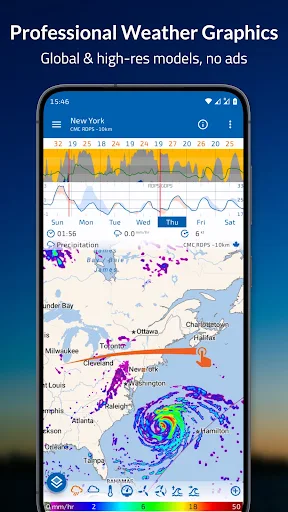
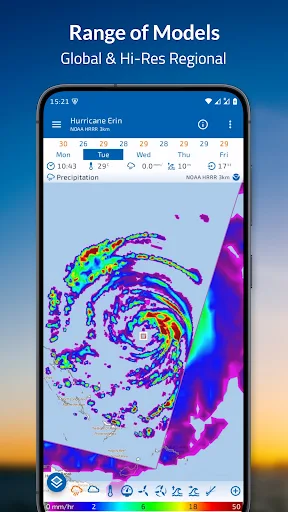
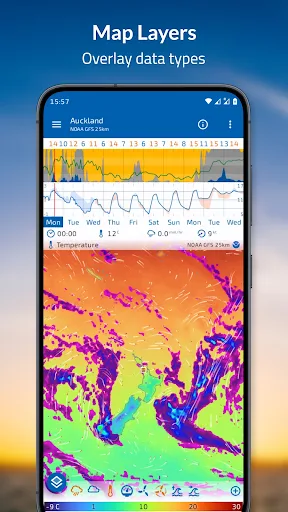
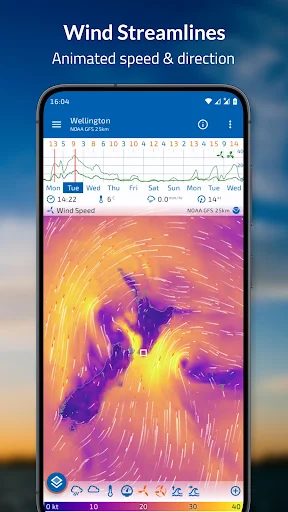
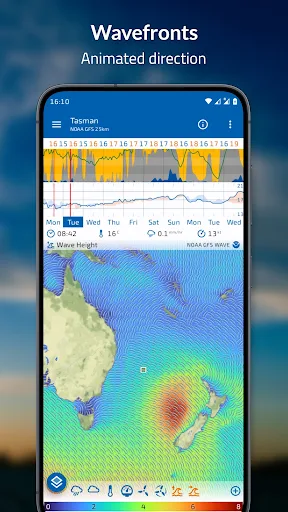
The main feature of Flowx: Weather Map Forecast is its interactive weather map. Users can swipe across the map to move through different forecast times and observe how weather conditions are expected to change. The map can display different layers, allowing users to examine information such as precipitation, temperature, clouds, and wind. This visual approach makes it easier to understand how weather systems may develop rather than checking individual forecast values one at a time.
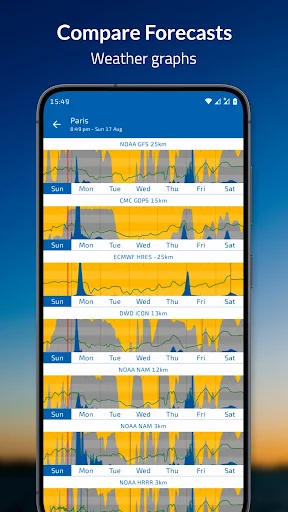
In addition to the map, Flowx provides graphs that summarize forecast information. The graphs can show factors such as precipitation, cloud cover, wind, and temperature across a period of time. This gives users a quick way to identify trends, such as a period of increasing rain or a significant temperature change. The app also allows users to compare forecast information from different data sources, which can provide additional context when predictions vary.
One notable feature of Flowx: Weather Map Forecast is its support for multiple weather models. The available data sources include global models such as GFS, GDPS, and ECMWF, while additional models are available through the Gold subscription. Comparing models can help users see where forecasts agree or differ. This can be particularly useful when monitoring weather conditions that may change significantly over several days.
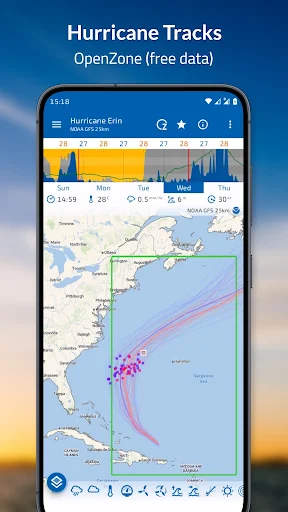
The app goes beyond basic temperature and precipitation information. Depending on the available data source and subscription level, users can explore information related to air quality, UV levels, ocean conditions, waves, smoke, visibility, storm tracks, and other specialized weather data. Features such as sun and moon information can also be useful for users who plan activities around daylight or astronomical conditions.
The visual presentation can initially feel more detailed than a conventional weather application. However, users can customize the data shown on the map and graphs. The ability to select data layers and adjust the presentation allows users to focus on the information that matters most to them. Recent Android updates have also added further map and visualization improvements, including customizable streamline settings and additional smoke and visibility data.
Start by selecting a location that you want to monitor. On the weather map, use the time controls to move forward or backward through the forecast. You can change the displayed weather layer to examine precipitation, clouds, temperature, wind, or another available data type. Pinch the map to zoom and move around the map to inspect another area. The app’s controls allow users to focus on specific locations and forecast periods.
For everyday planning, begin with the main graphs to get a quick overview of upcoming conditions. Then use the map when you need more detail about how weather patterns may develop. If several forecast models are available, compare them when predictions appear uncertain. Remember that weather models are predictions rather than guarantees, so significant outdoor activities should also consider official warnings and local weather information.
Flowx: Weather Map Forecast offers a detailed approach to weather forecasting through interactive maps, graphs, multiple forecast models, and a wide selection of weather data. Its visual timeline makes it possible to see how conditions may change instead of relying only on static forecast cards. The ability to compare models can provide additional context, while specialized data makes the app useful for activities ranging from hiking and cycling to sailing and photography. Although its extensive information may require some time to learn, users who want a deeper look at weather patterns can benefit from its flexible visualization tools and customizable forecast experience.