Transparent clock and weather
v9.20.4
• Premium
| Updated On | |
|---|---|
| Google Play ID | yo.app |
| Category | Weather |
| Version | 2.61.6 |
| Size | 68 MB |
| MOD Feature | Not available |
| Requires | Android 4.4 |
| Price | |
| $9.99 | |
| Content Rating | |
| Everyone | |
| Internet Required | |
| Required | |

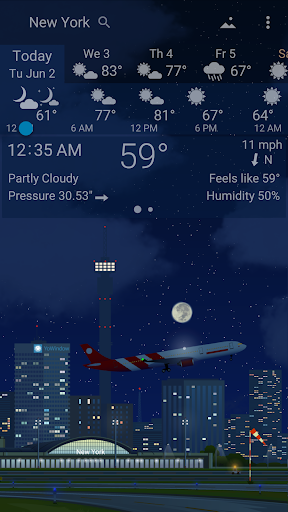
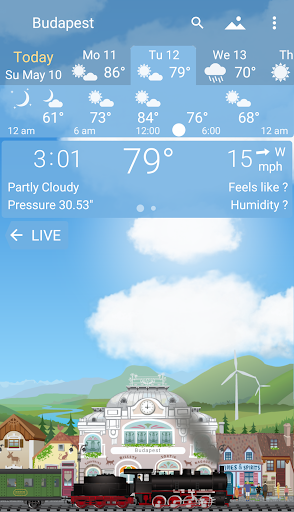
YoWindow Weather makes checking the forecast a more enjoyable experience by presenting weather conditions through animated landscapes. Instead of relying entirely on numbers and symbols, the app lets you see rain, sunshine, snowfall, and other atmospheric changes reflected in a virtual environment. Whether you’re planning an outdoor activity or simply curious about the weather, this application offers an engaging way to stay informed.
A conventional weather application usually displays temperatures, precipitation probabilities, wind speeds, and other measurements. While these details are useful, reading a collection of figures doesn’t always make it easy to imagine what the weather will actually look like outside. YoWindow Weather approaches this problem differently by combining forecast information with animated scenery.
Weather conditions can influence almost every outdoor activity. Farmers need to monitor rainfall and temperature, cyclists may want to avoid strong winds, while travelers often check forecasts before choosing their destinations. Even a simple walk or weekend camping trip can become inconvenient when unexpected rain or extreme temperatures appear.
Having a reliable forecast within reach helps users prepare for these changes. YoWindow Weather makes this routine more appealing by turning ordinary weather updates into an experience that is easier to follow visually.
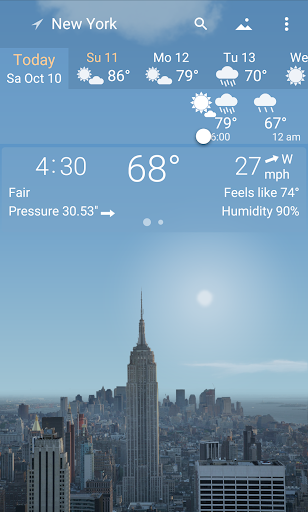
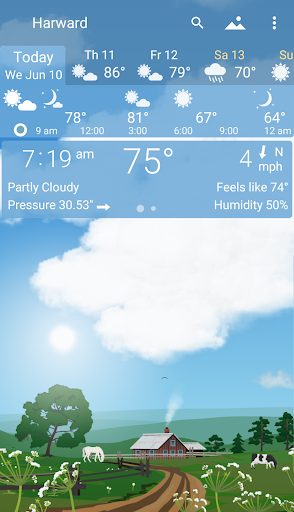
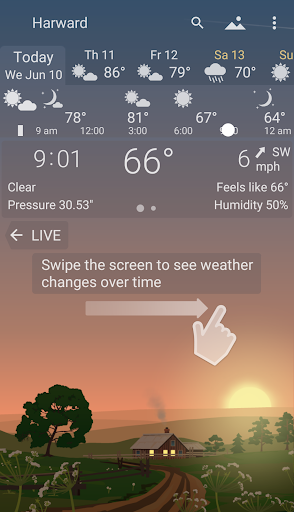
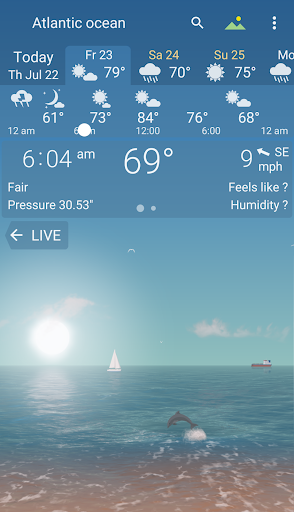
The defining feature of YoWindow Weather is its animated landscape, which changes according to the weather conditions of the selected location. When the forecast indicates rain, for example, raindrops appear in the virtual environment. Sunny conditions bring brighter scenery, while sunrise and sunset are represented through corresponding changes in the sky.
This visual approach gives users a clearer impression of the atmosphere outside without having to interpret every weather symbol individually. It also adds a personal touch to the forecast, making the selected location feel more familiar whenever the application is opened.
YoWindow Weather allows users to explore forecast conditions by moving backward or forward along the displayed timeline. As the selected time changes, the landscape adjusts to represent the corresponding weather, while essential information such as temperature and atmospheric conditions updates accordingly.
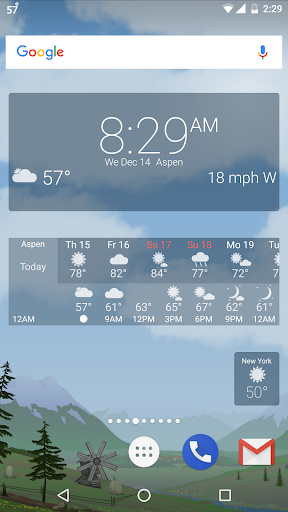
This makes it easier to understand how the weather may develop throughout the day. Rather than checking separate forecast screens repeatedly, users can browse different time periods through a simple interaction. The application also extends its forecasts to upcoming days, helping users prepare for plans beyond the immediate future.
Although its animated scenery receives much of the attention, YoWindow Weather also focuses on presenting practical forecast details. Users can check current conditions and upcoming weather information without relying solely on the visual effects.
The app’s information is associated with meteorological sources such as yr.no and the US National Weather Service (NWS), as described in its original introduction. Forecast availability and accuracy may vary depending on the selected location and data provider, so users should still check local updates when making important weather-related decisions.
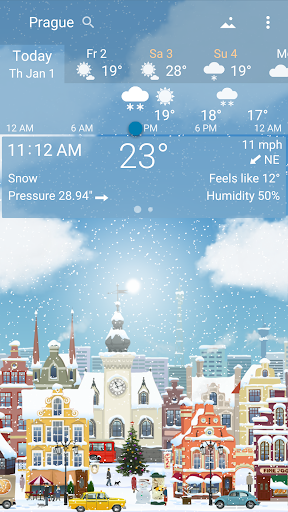
YoWindow Weather offers more than changing rain and sunshine effects. Its virtual environments also reflect seasonal differences, creating a varied backdrop as the year progresses. Depending on the conditions being displayed, users may see bright summer scenery, snowy surroundings, or landscapes with different seasonal atmospheres.
Each scene combines static visual details with animated weather effects to create a more immersive presentation. These changes give the application a distinctive identity, making routine forecast checks feel less repetitive. Instead of looking at the same collection of icons every day, users can enjoy a landscape that evolves alongside the weather.
If you want to make daily weather checks more visually engaging, YoWindow Weather is worth exploring. Follow this quick route to get the Android version through APKMODY:
Open the APKMODY website using your preferred mobile browser.
Search for YoWindow Weather and select its application page.
Review the available version details and Android compatibility information.
Tap the download option, then locate the APK file on your device.
Open the downloaded file and follow Android’s installation prompts. If necessary, allow installation from your browser or file manager in the device settings.