home chevron_right Apps chevron_right Entertainment chevron_right YouTube Morphe

GoodShort – Short Dramas Hub
v3.2.8.2128
• Unlocked

| Updated On | |
|---|---|
| Package Name | app.morphe.android.youtube |
| Category | Entertainment |
| Version | 21.45.82 |
| Size | 207 MB |
| MOD Features | Unlock |
| Requires | Android |
| Price | |
| Free | |
| Content Rating | |
| Everyone | |
| Internet Required | |
| Unknow | |

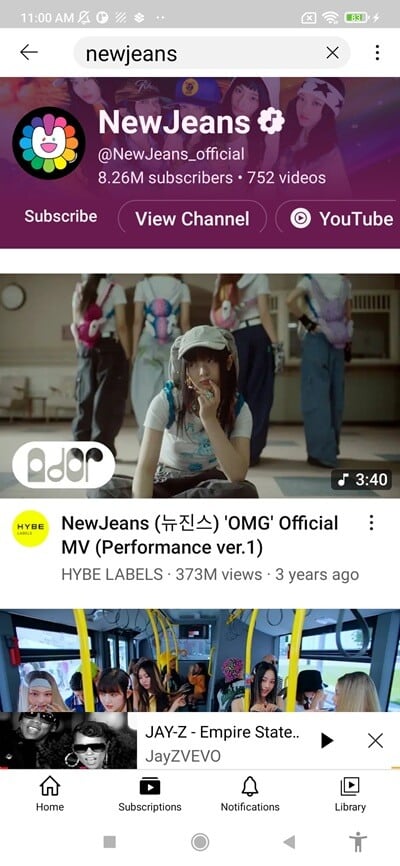
YouTube Morphe APK offers an alternative way to enjoy YouTube videos with fewer interruptions and additional playback controls. The application introduces features such as ad filtering, background listening, video looping, and customizable thumbnails without requiring a traditional YouTube Premium subscription. It also provides numerous interface and playback adjustments, allowing Android users to personalize their viewing experience according to their preferences.
One of the biggest attractions of YouTube Morphe is its integrated advertisement-filtering functionality. While using the regular YouTube application, viewers may encounter different types of advertisements before, during, or around their favorite videos. These interruptions can make longer viewing sessions less convenient, particularly when watching educational content or listening to music.
YouTube Morphe provides tools designed to filter many of these advertising elements from the playback experience. Its filtering capabilities can be adjusted through the application settings, giving users more control over how advertisements appear. Since YouTube frequently changes its platform and playback mechanisms, compatibility may vary between releases. Therefore, checking for updates is important if certain features stop working as expected.
Rather than forcing users to apply one universal filtering configuration, YouTube Morphe provides individual controls for different advertising-related elements. This flexibility is useful when you encounter playback problems or want to adjust how the application handles promotional content.
For example, you might temporarily disable certain filters to troubleshoot an issue or allow promotional content to appear when you want to support creators. You can also restore a more traditional YouTube experience by turning off the available blocking options. Having these controls makes it easier to find a configuration that balances convenience, compatibility, and personal preferences.
YouTube Morphe also includes two useful playback tools: video looping and a sleep timer. The looping function is particularly convenient when listening to a favorite song, practicing a language lesson, or repeatedly watching a tutorial. Instead of manually restarting the video, you can configure it to play continuously.
Meanwhile, the sleep timer helps prevent videos from continuing indefinitely when you’re resting or preparing to sleep. Both functions can be accessed through the playback interface. Open the video settings using the gear icon, select the additional options section, and look for the corresponding controls. These tools make everyday playback more convenient without requiring you to rely on external applications.
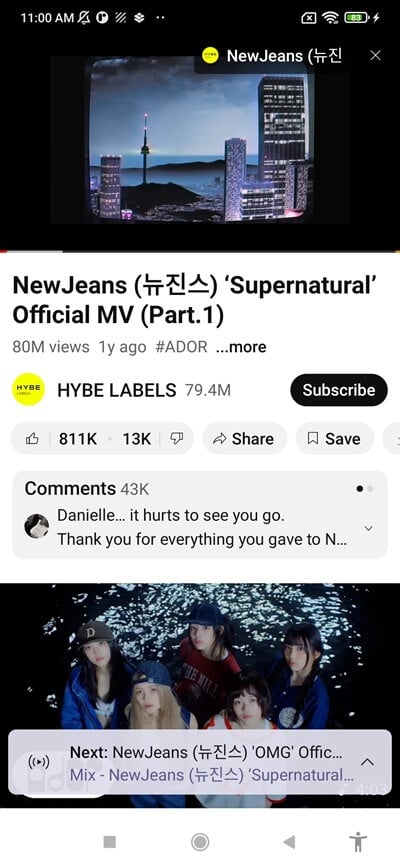
Another valuable addition is background playback, which allows audio to continue even after you leave the YouTube Morphe interface. On the standard YouTube application, this capability is generally associated with a Premium subscription, depending on the content and region. YouTube Morphe aims to provide a similar experience through its modified playback environment.
Once background playback is available, you can switch to another application, browse the web, or lock your phone while continuing to listen. Android may display a compact media control in the notification area or lock screen, allowing you to pause playback, skip tracks, or resume listening without reopening the application.
Keep in mind that background playback depends on the application remaining active. If you force-stop it or remove it from a system process that terminates playback, the audio session may also end. Battery optimization settings can influence this behavior on certain Android devices.
Video thumbnails strongly influence which content viewers decide to open. However, some creators use exaggerated images or misleading visuals to attract attention, even when those pictures have little connection with the actual video. YouTube Morphe addresses this issue through DeArrow, a community-driven service that provides alternative thumbnails and more descriptive presentation options.
This feature can be especially helpful when browsing educational material, tutorials, and news content. Instead of relying exclusively on the creator’s original artwork, you can select alternative images or still frames extracted from the video.
To configure this feature, open YouTube Morphe’s settings and navigate to the Alternative Thumbnails section. You will find several available display modes:
Original Thumbnail: Retains the image uploaded by the video creator. This is the default option and preserves the original presentation.
DeArrow & Original Thumbnail: Prioritizes community-submitted DeArrow images and falls back to the creator’s thumbnail when no alternative is available.
DeArrow & Still Image: Uses a DeArrow image whenever possible. If none exists, the application selects a frame from the video instead.
Still Image: Replaces the original artwork with a frame captured from the video’s content.
These settings let you choose between familiar thumbnails and alternatives that may better represent what a video actually contains.
Advertisement filtering and playback improvements are only part of what YouTube Morphe offers. The application also includes numerous additional adjustments covering navigation, interface behavior, compatibility, and advanced configuration. These tools help users create a more streamlined environment instead of accepting every default setting.
Some notable options include opening external links directly in a preferred browser rather than the built-in viewer and hiding suggested videos displayed at the end of playback. Other settings focus on troubleshooting, debugging, and compatibility with different application versions. With more than 45 additional options described in its feature collection, YouTube Morphe provides plenty of room for experimentation and personalization.
Unlike an ordinary application installation, setting up YouTube Morphe may require an additional component called MicroG. This service helps modified YouTube clients access certain Google-related functions, including account sign-in, depending on the supported configuration. You should install a compatible MicroG package alongside the application if the release requires it.
Follow this installation sequence to prepare your Android device:
Download the required files: Visit APKMODY and locate the YouTube Morphe APK along with the compatible MicroG package if it is provided or required by the release.
Install MicroG first: Open the downloaded MicroG package and complete the installation. If your device displays a security prompt, review the source before allowing the installation.
Set up YouTube Morphe: Locate its APK file in your Downloads folder, open it, and follow the Android installation instructions.
Launch the application: Open YouTube Morphe and check whether it requests additional MicroG configuration or Google account permissions.
Adjust background restrictions: Navigate to your phone’s App Info section, open Battery or Power Usage, and select an unrestricted or no-restrictions option if background playback is being interrupted.
Test the available features: Sign in if supported, play a video, and check background playback, advertisement settings, and other customization options.
You need to install MicroG before install the MOD.
You need to install MicroG first, then install YouTube Morphe to use it.