home chevron_right Apps chevron_right Entertainment chevron_right YouTube Music Morphe

ShortsWave: Watch Drama Series
v2.70.00
• Unlocked

| Updated On | |
|---|---|
| Package Name | app.morphe.android.apps.youtube.music |
| Category | Entertainment |
| Version | 9.45.51 |
| Size | 84 MB |
| MOD Features | Unlock |
| Requires | Android |
| Price | |
| Free | |
| Content Rating | |
| Everyone | |
| Internet Required | |
| Required | |

YouTube Music Morphe APK offers a convenient way to explore YouTube Music features without purchasing a Premium subscription. Beyond uninterrupted listening, this modified application introduces background playback, cleaner navigation, and useful playback controls. Let’s discover what makes this version worth trying and how to install it on your Android device through APKMODY.
YouTube Music Morphe provides several useful improvements for people who regularly listen to music on their Android phones. Although some functions depend on signing in with a Google account, the application also supports local audio playback, giving users more flexibility in different situations.
Even without signing into an account, YouTube Music Morphe remains useful for playing audio files stored directly on your device. This option is particularly handy when you are traveling, have limited internet access, or simply want to enjoy your personal music collection without streaming.
Compared with many basic music players, the application offers a familiar interface and convenient playback controls. However, accessing your online library, searching for streaming content, and using other account-based functions requires a successful login.
Frequent advertisements can easily ruin the listening experience on the standard YouTube Music application. Without a Premium subscription, users may encounter promotional content before playback, between tracks, or during longer listening sessions. Some advertisements also require manual interaction before the music resumes, making uninterrupted entertainment difficult.
YouTube Music Morphe addresses this inconvenience with an integrated ad-blocking function. Once activated, it helps prevent advertising interruptions during playback while removing promotional banners from the interface. As a result, the listening environment feels cleaner and more focused, without requiring complicated configuration. This feature is enabled by default, although playback errors may occasionally occur depending on the application version or settings. If you experience problems, check the simulated video stream option or install a newer release when available.
Listening to music while browsing the web, chatting, or completing other tasks is much more convenient with background playback. On the standard YouTube Music application, this functionality is generally reserved for Premium subscribers. Without the appropriate subscription, playback may stop when users leave the application or lock their screens.
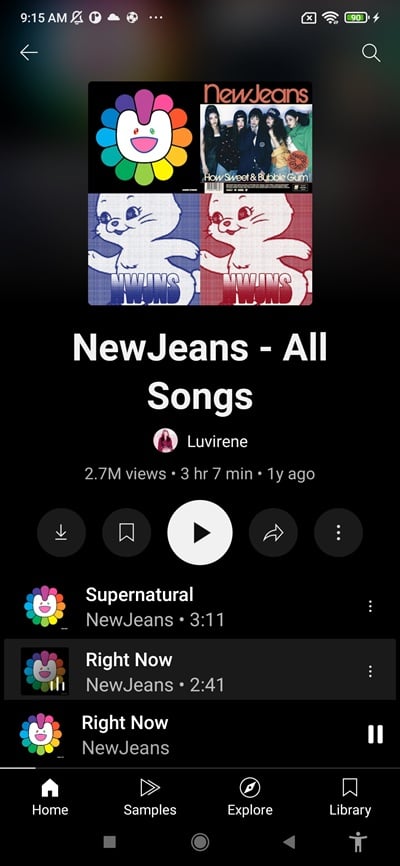
YouTube Music Morphe removes this limitation by allowing audio to continue playing in the background. A media control panel also appears in your Android notification area, letting you pause, resume, skip tracks, or adjust playback without reopening the application. Tapping the player notification takes you directly back to the music interface. Background playback is enabled automatically, so there is no need to search through complicated settings.
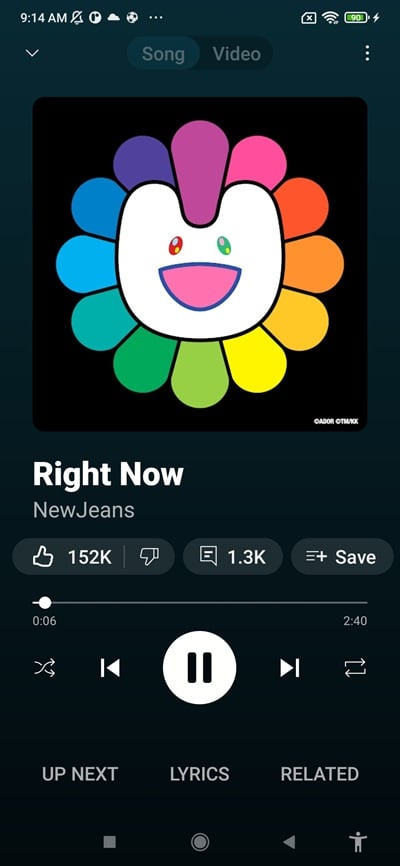
Sometimes, listening to a song is not enough, especially when you also want to enjoy its official music video. YouTube Music supports switching between audio and video playback within the same interface, eliminating the need to open another application. Users can return to audio-only mode whenever they want to reduce battery consumption or save mobile data.
YouTube Music Morphe makes this switching functionality accessible without requiring a Music Premium subscription. Simply tap the corresponding music or video icon on the playback screen to change the viewing mode. This flexibility is particularly useful when you want to watch a performance at home before switching back to audio while traveling.
Another advantage of YouTube Music Morphe is its straightforward installation process. Unlike certain Android modifications that require root access, this application can be installed through standard APK installation procedures.
Its interface retains the familiar design of YouTube Music, so existing users will not need much time to get accustomed to the controls. The additional functions are integrated into the application rather than requiring extensive system-level modifications. Nevertheless, users should download installation files from trustworthy sources and review the requested permissions before proceeding.
Before using YouTube Music Morphe, you need to install MicroG, which provides the necessary Google account integration for signing in. You can install this component either before or after the main application. If MicroG is missing when you first launch YouTube Music Morphe, a notification will guide you through the installation process.
Follow these steps to complete the setup:
Download MicroG: Obtain the compatible MicroG installation package and install it on your Android device.
Get YouTube Music Morphe: Download the APK file from APKMODY and complete the installation.
Launch the application: Open YouTube Music Morphe after both components have been installed.
Sign in to your account: Use your Google account to access online music features. Huawei users can select the Huawei login option when it is available on the login screen.
Once everything is ready, you can explore your music library and configure the available playback options according to your preferences.
YouTube Music Morphe is worth exploring if you want additional playback convenience without subscribing to YouTube Music Premium. Its combination of background listening, local audio support, video switching, and advertising controls makes it an interesting alternative for Android users. However, remember that modified applications are unofficial and may not receive the same security updates or support as the original release.
To get started, visit APKMODY and follow these instructions:
Open the APKMODY website using your Android browser.
Search for YouTube Music Morphe APK in the website’s search bar.
Visit the application page and review the available version information.
Tap the download option to obtain the APK file.
Open the downloaded package and follow Android’s installation prompts.
After installation, complete the MicroG setup if necessary, then launch the application and start exploring its features. Choose a compatible release and avoid downloading files from unfamiliar third-party sources to reduce potential security risks.
You need to install MicroG before install the MOD.
You need to install MicroG first, then install YouTube Morphe to use it.