home chevron_right Apps chevron_right Entertainment chevron_right Twitch

ToonShort -Popular Dramas & TV
v1.3.8
• Premium
| Updated On | |
|---|---|
| Google Play ID | tv.twitch.android.app |
| Category | Entertainment |
| Version | 32.2.0 |
| Size | 183 MB |
| MOD Feature | Not available |
| Requires | Android 5.0 |
| Price | |
| Free | |
| Content Rating | |
| Teen | |
| Internet Required | |
| Required | |

Twitch is a live-streaming application developed by Twitch Interactive, connecting content creators and audiences through real-time broadcasts. From gaming sessions and esports tournaments to music performances and creative content, the platform offers entertainment for a wide range of interests. With interactive chat, channel following, and video playback options, Twitch makes it easier to discover creators and stay connected with their communities.
Live streaming has transformed the way people consume digital entertainment, particularly among gaming enthusiasts. Instead of simply sharing recorded gameplay, creators can broadcast their activities in real time, explain strategies, showcase their skills, and communicate directly with viewers. This development has also opened up opportunities for gamers to build personal communities and establish careers as online content creators.
Twitch responds to this demand by providing a dedicated environment for broadcasting and watching live content. Streamers can interact with their audiences through chat, while viewers can follow channels and participate in ongoing discussions. Beyond gaming, the platform also covers music, creative projects, talk shows, and other forms of entertainment, making it suitable for different audiences.
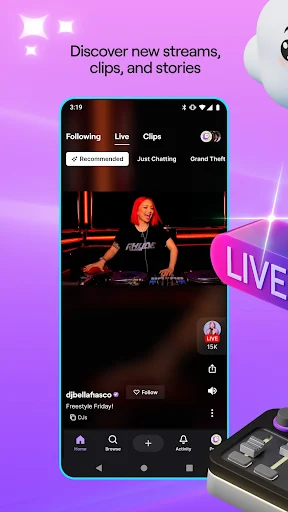
One of Twitch’s main attractions is its extensive international community. Users can discover thousands of creators, follow popular gaming personalities, and watch major esports competitions as they happen. The platform also provides access to various entertainment categories, allowing viewers to explore content beyond their usual interests.
Missing a live broadcast does not necessarily mean losing access to its highlights. Depending on the creator’s channel settings and video availability, Twitch allows users to revisit past broadcasts and watch saved clips. This is particularly useful for people with busy schedules who cannot always follow their favorite streamers in real time.
Twitch makes sharing content straightforward. When you discover an entertaining broadcast, you can copy its link and send it to friends through messaging applications or other social platforms. This helps creators reach new audiences while allowing viewers to recommend interesting channels and memorable streaming moments.
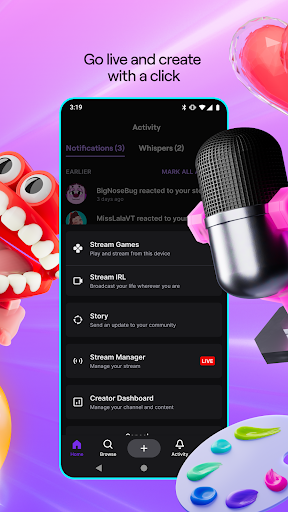
The application also features a relatively straightforward navigation system, with dedicated sections for browsing content, following channels, and managing personal accounts. Its organized layout makes it easier to switch between different activities without having to search through complicated menus. Even first-time users can become familiar with the essential controls after a short period of exploration.
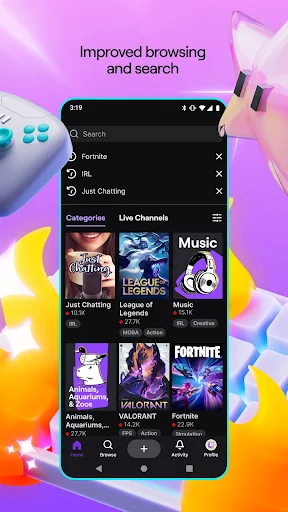
With so many creators broadcasting simultaneously, finding a particular channel can be difficult without suitable discovery tools. Twitch includes a search function that helps users locate streamers, games, and specific content categories. You can enter a channel name or browse available topics to find broadcasts that match your interests.
The category system further simplifies content discovery by grouping streams according to games and other subjects. For example, competitive gaming fans can explore popular esports titles, while users interested in music or creative activities can browse their corresponding sections. These features make it easier to discover new creators without spending too much time navigating unrelated broadcasts.
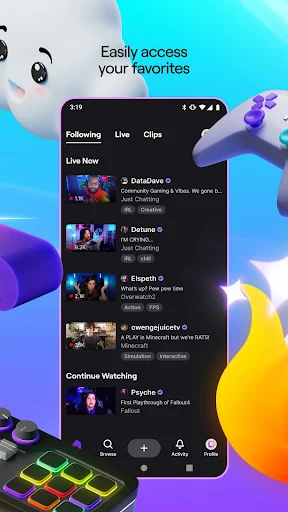
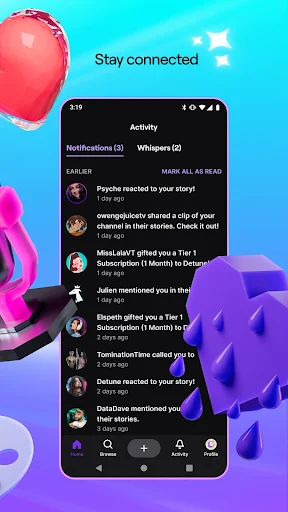
Following channels is a convenient way to keep track of streamers you enjoy. Once you follow a creator, their content becomes easier to access through your personalized following list. You can also enable notifications to receive alerts when selected channels begin broadcasting, depending on your account and notification settings.
Twitch also supports several account and social features that help users connect with other viewers. You can participate in live conversations, share broadcasts, and interact with communities built around particular creators. Rather than functioning as a simple video player, the application creates an environment where viewers can actively participate in the content they enjoy.
A smooth viewing experience depends heavily on audio and video performance. Twitch offers different playback quality options, allowing viewers to adjust resolution according to their internet connection and device capabilities. This flexibility is useful when watching high-action gameplay, where visual details and smooth playback can make a noticeable difference.
Audio is another important part of live streaming. Viewers can listen to commentary, in-game sounds, and conversations between streamers and their audiences. Although actual sound quality depends on the broadcaster’s equipment and network conditions, Twitch provides the playback environment needed to enjoy these different audio elements.
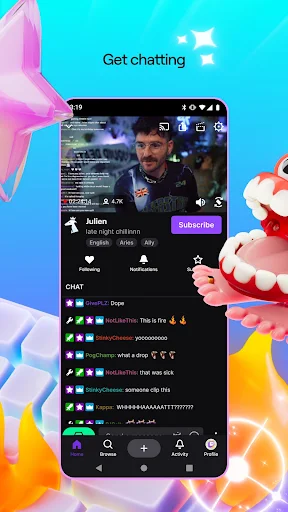
Live chat is one of the defining features of Twitch. While watching a broadcast, users can send messages, react to exciting moments, and discuss gameplay with other viewers. Streamers can respond directly to their audiences, creating a more personal experience than watching prerecorded videos.
Some channels also provide additional engagement features, including subscriptions, channel points, and community activities. These options give viewers more ways to support creators and participate in their favorite channels. Availability may vary depending on the creator’s settings, account eligibility, and the platform’s current features.
Want to follow your favorite streamers without being tied to a computer? You can install Twitch on your Android device through APKMODY. Here is an alternative installation guide:
Download and installation guide:
Open the APKMODY website: Use your Android browser to access the Twitch application page.
Review the available release: Check the version number, file information, and compatibility details before choosing a download.
Save the installation package: Tap the appropriate APK download option and allow the browser to finish saving the file.
Prepare your Android device: If your device blocks the installation, open its security settings and grant the necessary permission to the application handling the APK file.
Install Twitch: Find the downloaded package in your device’s file manager, open it, and confirm the installation.
Start watching: Once the process is complete, launch Twitch, sign in to your account, and explore available live broadcasts.