home chevron_right Apps chevron_right Music & Audio chevron_right Stellio – Music and mp3 Player


Ongaku — Offline Music Player
v6.22.0-215
• Premium
| Updated On | |
|---|---|
| Google Play ID | io.stellio.music |
| Category | Music & Audio |
| Version | 7.3.0 |
| Size | 31 MB |
| MOD Features | Premium |
| Requires | Android 6.0 |
| Price | |
| Free | |
| Content Rating | |
| Everyone | |
| Internet Required | |
| Unknow | |

Stellio – Music and MP3 Player is a feature-rich music player designed for Android users who want more control over their personal music library. The app focuses on local audio playback while offering customization tools, sound adjustments, playlist management, and an interface built for everyday listening. For users who prefer storing music directly on their devices rather than relying entirely on streaming platforms, it provides a practical way to organize and enjoy a personal collection.
Stellio Music Player is built around the idea of giving listeners a flexible environment for playing their own audio files. The app supports common music formats and provides tools that can make everyday playback more convenient. Instead of offering only basic play, pause, and skip controls, it includes additional options for users who like to customize their listening experience.
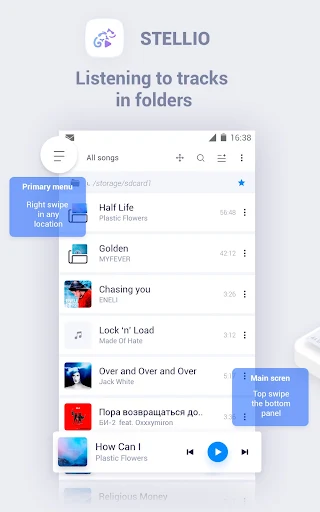
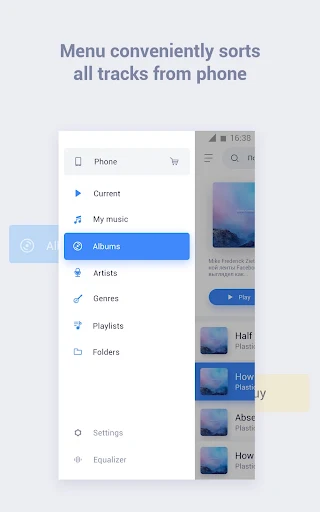
The interface is designed to keep essential controls accessible while giving users different ways to browse their library. Songs can be organized through categories such as artists, albums, genres, or playlists. This makes it easier to locate specific tracks when a music collection contains hundreds or thousands of files.
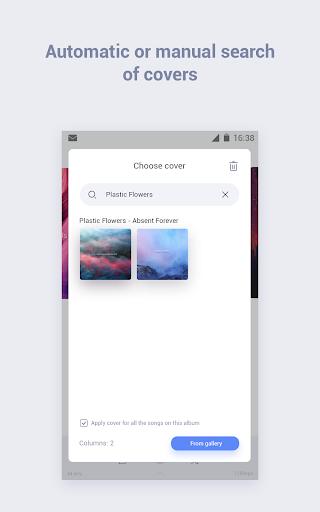
One of the main strengths of the app is its focus on personal music collections. Users can scan music stored on their devices and access tracks through a structured library. Album artwork and song information can also make browsing more visually appealing, especially for listeners who have carefully organized their collections.
Playlist support adds another layer of convenience. Users can create collections for different moods, activities, or genres. A playlist for commuting, studying, exercising, or relaxing can reduce the need to manually select individual tracks every time.
Stellio MP3 Player offers various customization options for people who want more than standard playback. The app provides audio-related settings that allow listeners to adjust the sound according to their preferences. These options can be useful when different headphones, speakers, or music genres require different sound profiles.
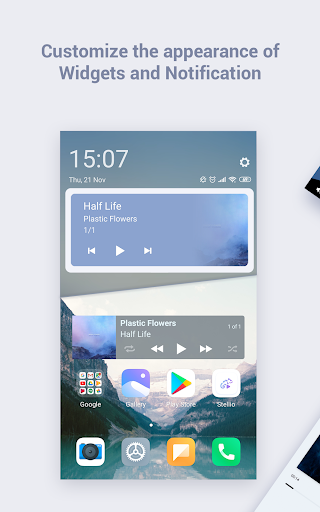
Visual customization can also contribute to the overall experience. Users who spend a lot of time listening to music may appreciate having an interface that feels personal rather than being limited to a fixed appearance.
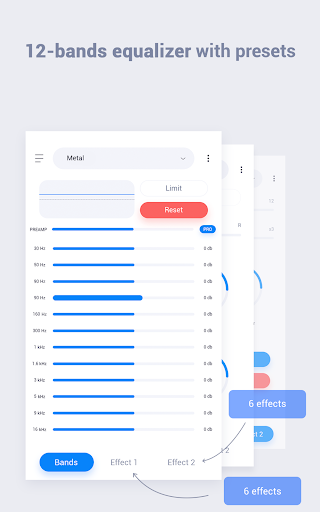
A key attraction of music player apps is the ability to fine-tune audio output. Stellio provides sound customization features that can help users experiment with different listening profiles. An equalizer can be especially useful for adjusting bass, treble, and other aspects of playback depending on personal preferences and the equipment being used.
These controls give experienced listeners more flexibility. Beginners can keep the default settings, while users with a stronger interest in audio can spend more time adjusting the sound to suit particular headphones or music styles.
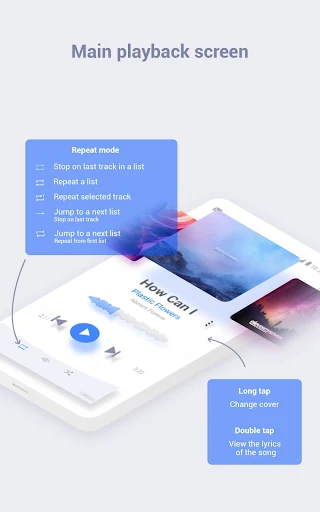
The app includes practical playback features designed for regular listening. Users can manage queues, create playlists, and move between tracks without navigating through complicated menus. Such features become particularly useful when the app is used as a primary music player throughout the day.
For people who listen before going to sleep, playback-related options can also make the experience more convenient. Meanwhile, users who listen during other activities can benefit from having their preferred tracks and playlists readily available.
After installing Stellio – Music and MP3 Player, allow the app to access the appropriate music files on your device. Once the library has been scanned, browse your collection by artist, album, genre, or individual songs. Creating playlists is a useful first step if you have a large music library.
For better audio results, open the sound settings and explore the available equalizer options. Start with a balanced profile before making major adjustments. Different headphones and speakers can produce different results, so small changes are usually easier to manage than extreme settings.
It is also useful to organize your music files and keep their metadata accurate. Correct artist, album, and track information can make the library easier to navigate. Once your collection is organized, you can create playlists for different activities and use the app as a convenient daily music companion.
Stellio – Music and MP3 Player is a versatile option for Android users who prefer listening to locally stored music. Its combination of library organization, playlist management, audio controls, and customization features gives users more flexibility than a basic music player.
The app is particularly suitable for listeners who already maintain a personal collection of MP3 and other audio files. While streaming services remain convenient for discovering new music, a dedicated local player can offer greater control over an existing library. With the right organization and sound settings, Stellio Music Player can provide a comfortable and personalized listening experience for everyday use.