home chevron_right Apps chevron_right Music & Audio chevron_right Muzio Player


Lyrics for Poweramp
v3.0.2
• Unlocked

| Updated On | |
|---|---|
| Google Play ID | com.shaiban.audioplayer.mplayer |
| Category | Music & Audio |
| Version | 7.8.5 |
| Size | 103 MB |
| MOD Feature | Not available |
| Requires | Android 7.0 |
| Price | |
| Free | |
| Content Rating | |
| Everyone | |
| Internet Required | |
| Unknow | |

Muzio Player APK is a versatile offline music player designed for Android users who want more control over their personal audio collections. Developed by Red Sky Labs, this application combines an attractive interface with useful tools for organizing songs, adjusting sound quality, and creating personalized playlists. Beyond ordinary music playback, it also supports audiobooks, podcasts, ringtone editing, and various audio formats for a more complete listening experience.
Not everyone wants to rely on online streaming platforms to enjoy their favorite songs. Sometimes, having a personal music library stored directly on your smartphone is more convenient, especially when traveling or dealing with an unstable internet connection. Muzio Player focuses on this offline listening experience while providing several customization options to make everyday playback more enjoyable.
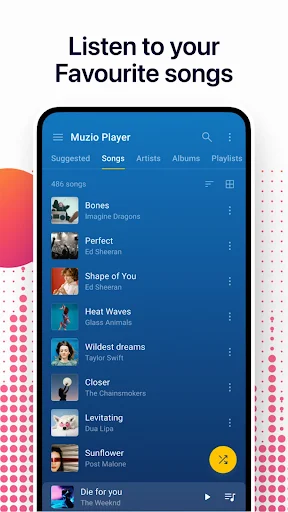
One of the first things you’ll notice when opening Muzio Player is its clean and well-organized layout. Instead of placing everything in a complicated menu, the application arranges your music library into accessible sections such as Songs, Albums, Artists, Playlists, and Folders. This structure makes browsing your collection much easier, even when you have hundreds of audio files.
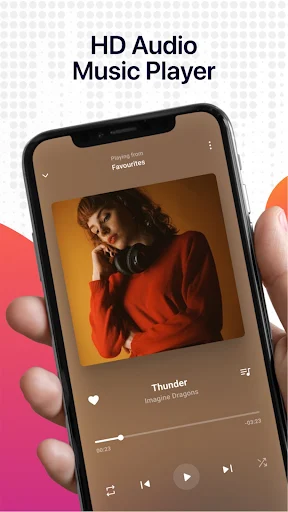
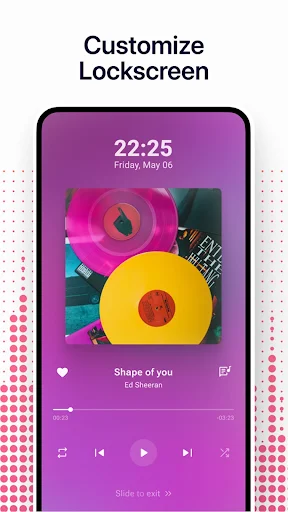
What makes the interface more interesting is its visual customization system. Muzio Player offers around 30 color themes that you can switch between depending on your preferences. You can also select pictures from your device to personalize the playback screen, creating a more distinctive atmosphere whenever a song starts playing.
Muzio Player does more than simply play music files. It includes several practical functions that help you manage your listening habits without installing multiple applications.
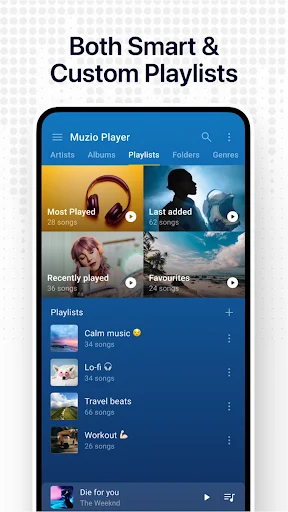
One notable feature is lyric support, which helps display song lyrics while music is playing when the relevant information is available. You can also organize tracks into custom playlists based on different activities, such as exercising, studying, relaxing, or traveling. This makes it easier to find suitable music without repeatedly searching through your entire collection.
Another advantage is its support for multiple audio formats, including MP3, WAV, FLAC, and AAC. The application also includes a sleep timer that automatically stops playback after a selected period. This is particularly useful if you enjoy listening to music before going to bed and don’t want your phone playing throughout the night.
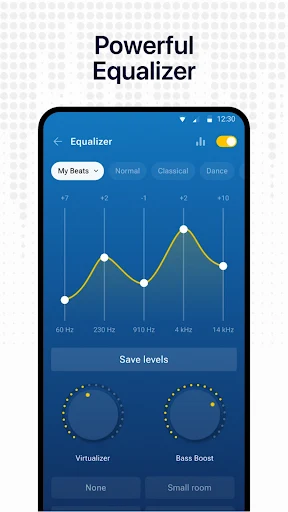
For users who care about audio quality, Muzio Player provides a built-in five-band equalizer that allows you to modify different frequency ranges. Instead of accepting the default sound profile, you can adjust bass, treble, and other available controls to achieve a listening experience that matches your preferences.
If manual tuning seems confusing, the application also offers 10 preset equalizer profiles for different musical styles. Options such as Rock, Pop, Jazz, Classical, and Hip-hop give you a convenient starting point when adjusting the sound. Whether you prefer powerful bass, clearer vocals, or a more balanced output, these settings make experimentation much easier.
Creating a custom ringtone is another useful feature included in Muzio Player. Rather than using an entire song as your incoming call notification, you can select a specific section and trim it to capture your favorite moment.
The built-in audio cutting tool allows you to choose the beginning and ending points of a track before saving the selected portion. You can then use the resulting audio clip as a ringtone, notification sound, or another supported audio file. This feature is especially appealing if you want your phone to have a distinctive sound instead of relying on standard system notifications.
Muzio Player is not limited to traditional music collections. It also provides playback support for audiobooks and podcasts, making it a convenient choice for people who enjoy listening to spoken content.
The application supports various audio formats, including M4B, which is commonly associated with audiobooks. It can organize these files using information such as titles, authors, and playback duration. More importantly, Muzio Player remembers your previous listening position, allowing you to continue from where you stopped instead of searching through the recording again.
This bookmarking functionality is particularly helpful when listening to lengthy stories, educational materials, or podcast episodes. You can switch between different audio content while keeping your progress organized.
If you want to manage your offline music collection with Muzio Player, you can find its APK version through APKMODY. Follow this installation method to get the application running on your smartphone.
1. Open the APKMODY website
Launch Chrome or another browser on your Android device and access APKMODY. Use the website’s search function to find the Muzio Player APK download page.
2. Check the application information
Before downloading, review the available release details, supported Android version, and application information to make sure you have selected the correct package.
3. Download the APK file
Tap the download option provided on the page. Wait for the installation package to finish downloading before moving to the next step.
4. Install Muzio Player
Open your device’s Downloads folder and locate the saved APK file. Select it, grant the necessary installation permission if Android requests it, and follow the on-screen instructions.
5. Import your music and customize playback
Once installation is complete, launch Muzio Player and grant access to the audio files you want to manage. You can then explore your music library, create playlists, select a theme, and adjust the equalizer to suit your listening preferences.