home chevron_right Apps chevron_right Music & Audio chevron_right Anghami


Symfonium
v15.1.0
• Premium Unlocked
| Updated On | |
|---|---|
| Google Play ID | com.anghami |
| Category | Music & Audio |
| Version | 8.0.34 |
| Size | 118 MB |
| MOD Features | Plus Unlocked |
| Requires | Android 12 |
| Price | |
| Free | |
| Content Rating | |
| Teen | |
| Internet Required | |
| Required | |
| Languages | |
| English, Arabic, French | |

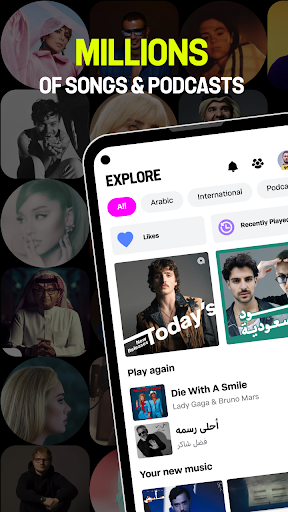
Anghami opens the door to an extensive music collection featuring Arabic hits, international releases, podcasts, and carefully curated playlists. Its intelligent recommendations, personalized radio stations, and flexible listening options make discovering new music an enjoyable daily experience. Explore the application’s standout features, Anghami Plus benefits, and MOD edition before downloading it through APKMODY.
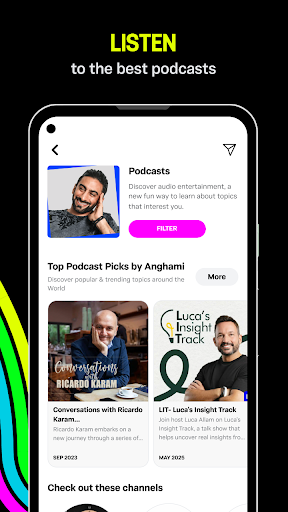
Anghami is an online music streaming application designed for listeners who want convenient access to songs across different genres and cultures. Its library combines Arabic music with international releases, giving users an extensive selection without having to switch between multiple platforms. Alongside music playback, the application offers personalized playlists, podcast collections, artist updates, and social sharing tools.
Finding the right music application can be challenging when every platform offers a different catalog, subscription model, and listening experience. Anghami addresses this demand by bringing together a wide range of musical styles, from Tarab and Arabic classics to Hip-Hop, Pop, and K-pop. Whether you enjoy familiar favorites or want to discover artists from other countries, its extensive collection provides plenty of options.
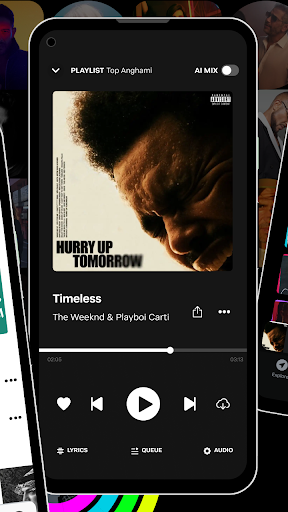
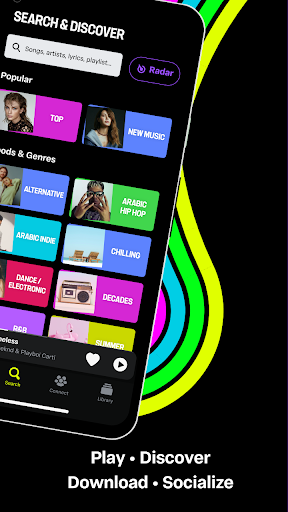
The application also focuses on sound quality and convenient navigation. Depending on the available track, subscription, and playback settings, users can enjoy high-quality streaming with supported audio bitrates of up to 320 kbps. Its search system makes locating specific songs, albums, and performers straightforward, while personalized suggestions help reduce the time spent browsing through endless categories.
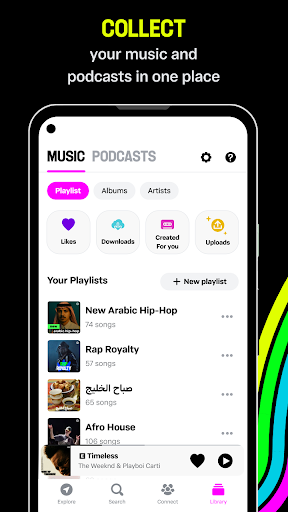
Anghami gives listeners several ways to organize their favorite entertainment. Instead of relying entirely on preselected collections, you can create playlists based on personal preferences, daily activities, special occasions, or particular moods. Songs, albums, and podcasts can be gathered in one place, making it easier to revisit the content you enjoy most.
Its recommendation system also helps users discover music that matches their listening habits. By considering interactions such as searches and playback history, the application can identify recurring preferences and suggest relevant tracks. This creates a more personalized discovery experience, introducing listeners to trending releases and unfamiliar artists that fit their musical interests.
Some useful playlist and discovery options include:
Personal music collections: Keep favorite songs, albums, and podcasts organized in your library.
Custom playlists: Arrange tracks according to genres, moods, activities, or individual preferences.
Smart suggestions: Discover additional music based on your listening patterns.
Content exploration: Browse recommended releases and curated collections without manually searching for every track.
A music platform becomes more valuable when its catalog continues to grow. Anghami regularly introduces new releases and updates its collections across different genres, helping listeners keep up with changing musical trends. You can explore popular playlists, discover recent albums, and follow artists to receive updates about their latest releases.
The platform has been associated with a library containing more than 57 million Arabic and international tracks, alongside thousands of podcasts and hundreds of curated playlists. Its extensive selection makes it particularly appealing to listeners who enjoy exploring music beyond mainstream international charts.
Social interaction is another convenient part of the experience. You can share your favorite tracks and playlists through Instagram, WhatsApp, Facebook, X, and Messenger, making it easier to introduce friends to new discoveries. Anghami also supports playback across compatible devices, including Android smartphones, Android Wear devices, Chromecast, and Android TV, depending on device compatibility.
If you prefer listening without constantly choosing individual tracks, Anghami also offers radio-style entertainment. These stations provide a convenient way to enjoy continuous music based on particular genres, artists, or musical interests.
You can explore options such as Tarab Live Radio or enjoy stations focused on K-pop, Pop, and Hip-Hop. This feature is particularly useful when you want background music while studying, working, relaxing, or spending time with friends. Rather than building a playlist manually, simply choose a suitable station and let the music continue.
The free version of Anghami provides access to a substantial music collection, but certain listening options are reserved for paid subscribers. Anghami Plus expands the experience with additional playback controls, offline listening, and fewer interruptions.
Its premium benefits include:
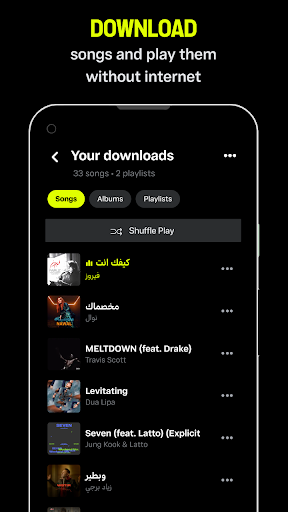
Offline downloads: Save supported songs, albums, playlists, and podcasts for listening without an internet connection.
Unlimited listening: Enjoy an expanded music streaming experience without the usual free-tier limitations.
Flexible playback: Play specific songs, artists, albums, podcasts, and playlists on demand.
Ad-free entertainment: Listen to music without interruptions from advertisements.
Improved audio quality: Access enhanced streaming quality where supported.
Live Radio access: Enjoy radio stations and personalized listening experiences.
Personal music uploads: Add supported MP3 files from your device to your Anghami library and organize them with your favorite tracks.
Anghami also offers subscription options designed for different audiences. The Family plan supports up to six individual accounts under one subscription, allowing each member to maintain separate music preferences and playlists. Meanwhile, the Student plan provides eligible students with a discounted subscription, making premium entertainment more accessible on a limited budget. Availability and subscription conditions may vary by region.
Looking for another music streaming platform? Check out Spotify for an alternative way to explore songs and personalized playlists.
For users interested in exploring additional listening options, the modified edition offers access to premium functionality. This version focuses on unlocking Anghami Plus features, providing an alternative experience compared with the standard application.
Plus Unlocked: Unlocks premium features associated with the Anghami Plus experience.
With this modification, users can explore additional listening capabilities and enjoy a more flexible music experience. However, individual features may depend on the application version, account status, and server-side restrictions.
Want to discover new Arabic hits, international music, and engaging podcasts in one place? You can find Anghami’s Android installation packages on APKMODY. Here is a quick way to get started: