home chevron_right Apps chevron_right Music & Audio chevron_right Groovepad
Equalizer & Bass Booster Pro
v2.0.4
• Music & Audio
| Updated On | |
|---|---|
| Google Play ID | com.easybrain.make.music |
| Category | Music & Audio |
| Version | 1.28.1 |
| Size | 121 MB |
| MOD Features | Premium Unlocked |
| Requires | Android 8.0 |
| Price | |
| Free | |
| Content Rating | |
| Everyone | |
| Internet Required | |
| Not Required | |

Groovepad MOD APK turns your smartphone into a compact music studio where you can experiment with rhythms, beats, and sound effects. Designed for beginners as well as music enthusiasts, the app makes beat production accessible without requiring expensive equipment or professional training. Explore different genres, combine audio samples, and develop your own musical style through an intuitive interface.
Producing music often involves learning complex software, understanding audio equipment, and spending considerable time mastering technical skills. Groovepad offers a more approachable alternative by bringing essential beat-making tools into one mobile application.
Developed by Easybrain, this music creation app has attracted a large community of users who enjoy experimenting with electronic sounds and rhythm combinations. Its straightforward controls, extensive sample collection, and accessible workflow make it a convenient starting point for anyone interested in music production.
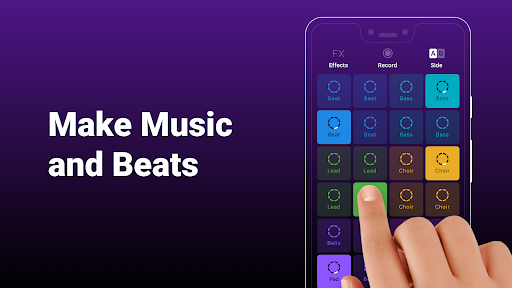
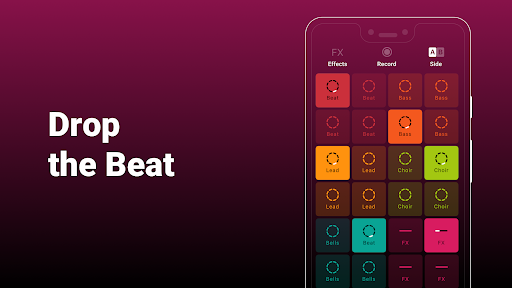
Groovepad removes many of the technical barriers associated with traditional music production. Instead of working with complicated recording equipment, users can tap interactive pads to activate different sounds and combine them into original compositions.
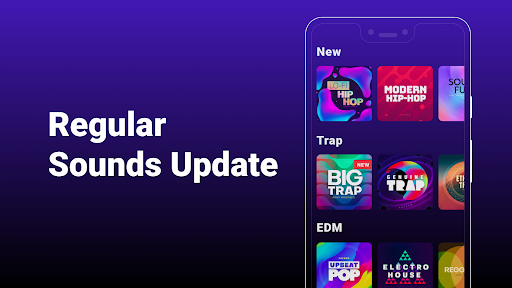
The app provides ready-made samples covering various musical styles, including Hip-Hop, Rap, Pop, EDM, and Dubstep. Each sound is arranged into an accessible layout, allowing you to experiment with different combinations, adjust the rhythm, and develop a track that reflects your personal taste.
Whether you want to create a simple beat or experiment with several overlapping sounds, the process feels approachable. You can also switch between samples during playback to discover combinations that work well together.
You do not need previous experience as a DJ or music producer to get started with Groovepad. The interface organizes its main functions around interactive sound pads, making it easy to understand how individual samples contribute to a complete composition.
Clear visual elements help users identify different sounds and control their playback. Beginners can start by following the available guidance, then gradually explore more combinations as they become familiar with the tools.
This simple layout also benefits experienced music enthusiasts who want to experiment with ideas without opening complicated desktop software. It offers a convenient way to sketch out rhythms whenever inspiration strikes.
A diverse sound library plays an important role in keeping music production interesting. Groovepad provides collections of beats, melodies, and effects across multiple genres, giving users plenty of material to explore when developing a new track.
You can move between different musical styles depending on the atmosphere you want to create. Electronic rhythms work well for energetic compositions, while softer melodies offer a different direction for more relaxed experiments.
The available sound packs also encourage users to try unfamiliar combinations rather than relying on the same patterns repeatedly. New content may be added through app updates, expanding the selection of sounds available for creative projects.
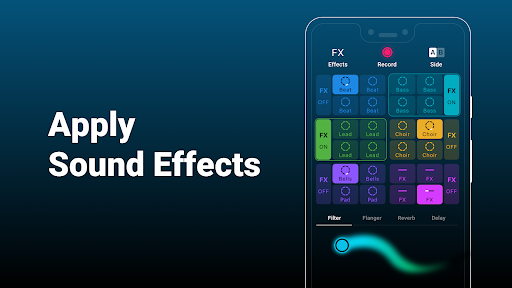
Beyond activating individual samples, Groovepad gives users tools to make their compositions more expressive. Different effects help change the character of a beat, introduce transitions, and create variations throughout playback.
You can experiment with how sounds interact, combine rhythmic patterns, and adjust the overall feel of a composition. These options make it easier to move beyond basic loops and produce mixes with a more distinctive identity.
The creative process remains flexible, allowing you to test different arrangements until you find a combination that suits your idea. Rather than following a fixed production method, you are free to explore sounds at your own pace.
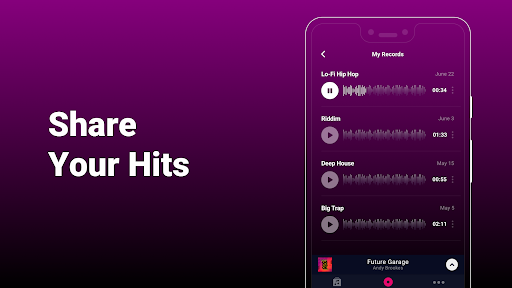
Once you have developed a mix that sounds right, recording tools let you preserve the result for later listening. This is useful when you want to save an interesting musical idea before changing the arrangement or starting another project.
Groovepad also provides sharing options that make it easier to send your creations to friends or publish them through supported platforms. You can introduce others to your mixes through social networks, email, or messaging services.
For music enthusiasts, this feature adds another enjoyable part to the experience: creating a track is only the beginning, while sharing it allows other people to hear and appreciate your work.
The modified edition is intended for users who want access to additional app features without the usual premium restrictions.
Premium Unlocked: Provides access to premium features and content that are otherwise restricted to standard users.
Availability may vary depending on the app version. Since this is a modified package rather than the official release, download it from a source you trust and review the requested permissions before installation.
Groovepad offers an enjoyable way to explore music production without investing in a dedicated studio setup. Its collection of samples, interactive pads, and mixing tools gives beginners room to experiment while providing music fans with a convenient creative outlet.
To get started, visit APKMODY and find the Groovepad version that matches your needs. Open the download page, check the available version details, then save the APK file to your Android device. Once the download finishes, open the file, allow installation from that source if Android requests permission, and follow the on-screen instructions to complete the setup. Launch the app afterward, explore the sound packs, and start creating your own beats.