
SuperChinese: Learn Chinese
v6.9.0
• Premium



| Updated On | |
|---|---|
| Google Play ID | com.quizlet.quizletandroid |
| Category | Education |
| Version | 10.61 |
| Size | 52 MB |
| MOD Features | Unlocked Premium |
| Requires | Android 8.0 |
| Price | |
| Free | |
| Content Rating | |
| Everyone | |
| Internet Required | |
| Unknow | |

Struggling to remember vocabulary, complicated formulas, or endless pages of study notes? Quizlet offers a more interactive approach to learning by turning important information into digital flashcards, practice exercises, and entertaining educational games. Whether you’re preparing for an upcoming exam or developing new skills, this learning application provides useful tools to help you study more efficiently and track your progress.
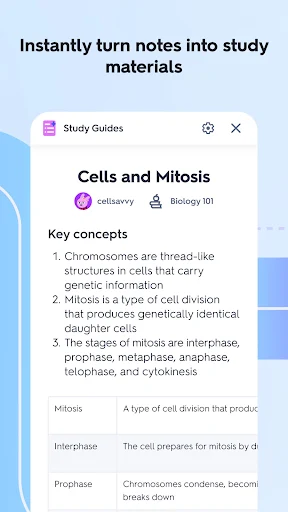
Quizlet is an educational application designed to help users memorize information through interactive study materials. Its main feature revolves around digital flashcards, which allow learners to connect questions, keywords, and concepts with their corresponding answers. Beyond basic memorization, the platform provides several learning activities that encourage active recall and repeated practice.
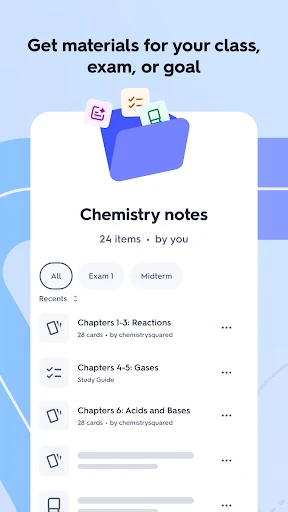
One of the application’s biggest advantages is its flexibility. You can create personal study sets, explore materials shared by other users, or customize existing cards to suit your learning goals. From foreign-language vocabulary and scientific terminology to mathematical equations and professional knowledge, Quizlet supports a wide range of subjects. Its combination of individual practice and collaborative activities also makes studying more engaging for students and independent learners.
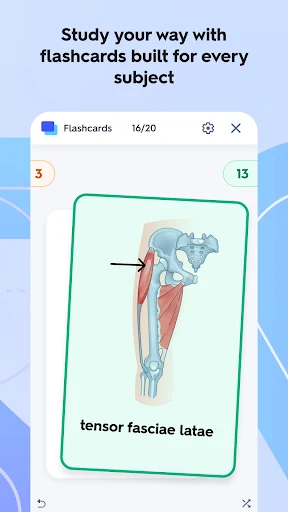
Flashcards are the foundation of Quizlet’s learning experience. Each card contains two sides, usually presenting a question, keyword, or concept on one side and its definition or explanation on the other. This simple structure encourages learners to recall information instead of repeatedly reading the same material.
You can build your own flashcard collections or browse study sets created by other members of the community. For a more personalized experience, supported cards can include images, written notes, and audio elements. Some vocabulary collections also provide pronunciation recordings, helping language learners connect spelling with spoken words.
The applications of flashcards extend far beyond language learning. Students can use them to review SAT, TOEFL, and IELTS vocabulary, memorize chemical equations, understand medical terminology, or practice mathematical formulas. Adding memorable images and creative associations can make difficult concepts easier to recognize during revision. For instance, connecting the word “catastrophe” with a funny image of a cat causing a mess might help you remember its meaning more effectively.
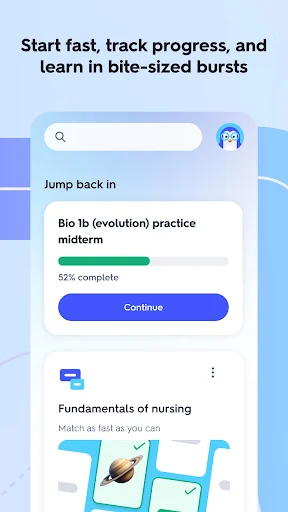
Simply looking at information doesn’t always mean you’ve memorized it. Quizlet addresses this problem with Learn mode, which provides structured practice based on your study materials. Instead of reviewing every card equally, the feature helps you focus on concepts that require additional attention.
During a session, you’ll encounter different question formats designed to check your understanding. Incorrect responses can be brought back for further practice, while information you’ve already mastered receives less attention. Depending on the available features and study set, the experience may incorporate adaptive learning techniques and repeated review.
This approach is particularly useful when preparing for examinations involving large amounts of information. Medical students, for example, can use their flashcard collections to practice complex terminology and revisit difficult definitions. Breaking a large subject into manageable exercises makes revision easier to organize and maintain.
Write mode takes memorization a step further by asking you to produce answers rather than simply recognize the correct option. You’ll see a prompt and need to enter the corresponding definition, term, or explanation yourself. Without multiple-choice hints, this exercise requires more active participation.
The main benefit is that learners must retrieve information from memory instead of relying on visual recognition. Repeatedly practicing this process can help identify knowledge gaps and reinforce concepts that haven’t been fully understood.
Language learners may find this mode especially helpful when studying unfamiliar vocabulary or written characters. For example, students learning Japanese, Korean, or Chinese can use written exercises to practice recalling words and their meanings. Supported input options may also provide additional flexibility depending on the device and application version.
Knowing how much you’ve learned is just as important as reviewing the material itself. Quizlet’s test functionality transforms existing flashcard sets into practice assessments, allowing you to evaluate your understanding without manually creating every question.
Depending on the available test options, exercises may include multiple-choice questions, written responses, fill-in-the-blank tasks, and true-or-false statements. You can also adjust certain settings, such as the number of questions and question formats, to create a practice session that matches your objectives.
These assessments are useful when preparing for formal examinations or checking your understanding after completing a study chapter. Rather than assuming you’ve memorized everything, you can use test results to identify weaker topics and decide what deserves another review session.
Studying doesn’t always have to involve reading definitions and answering traditional questions. Quizlet includes game-inspired activities that introduce competition and time-based challenges to the learning process.
Match: Challenge yourself to pair terms with their correct definitions as quickly as possible. The goal is to clear the board efficiently while improving your recognition speed.
Gravity: Answer questions by entering the correct information before incoming asteroids reach the bottom of the screen. This creates a fast-paced environment where quick thinking and accurate recall are essential.
Both activities add variety to ordinary revision sessions. They can also motivate learners to repeat exercises and improve their previous performance. Availability may depend on the current Quizlet version and account access.
Quizlet Live introduces a social dimension to studying by turning existing flashcard sets into interactive group activities. Teachers or participants can select suitable study materials and create a game session for others to join. Depending on the selected format, learners can compete individually or work together in teams.
The team-based experience encourages communication because participants must coordinate their answers rather than simply complete questions independently. Players work together to identify the correct matches, making cooperation an important part of the activity. Incorrect answers can affect team progress, adding a competitive element that keeps everyone involved.
This feature is particularly suitable for classrooms, study groups, and collaborative revision sessions. Instead of reviewing the same vocabulary individually, classmates can challenge one another while reinforcing the information through discussion and teamwork.
The modified edition of Quizlet advertises additional access to premium learning functions, giving users more opportunities to explore the application’s study tools.
Premium Unlocked: Provides access to selected premium features that are normally associated with a paid Quizlet subscription.
Quizlet’s Solution feature relies on server-side functionality. Therefore, it isn’t unlocked through the Quizlet MOD APK, even when other premium-related modifications are available. Its accessibility may still depend on the account, subscription, and current service conditions.
Want to explore Quizlet’s enhanced study tools on your smartphone? You can locate the Quizlet MOD APK listing through APKMODY and use the following instructions to prepare the application for installation.
Follow this download and installation sequence:
Open APKMODY: Launch your preferred browser and access the APKMODY website.
Search for Quizlet: Enter “Quizlet MOD APK” in the search box to find the relevant application page.
Inspect the MOD information: Read the release details, available premium modifications, and compatibility requirements before choosing a file.
Download the package: Navigate to the download area and select the APK option provided on the page.
Locate the saved file: Open your Android file manager and find the downloaded installation package, usually inside the Downloads folder.
Review installation permissions: If Android blocks the installation, check the relevant settings and allow installation from that source only if you trust the file.
Complete the process: Confirm the installation, wait for it to finish, and launch Quizlet to explore its learning tools.

The Solution feature is server-side, so it’s not unlocked in the Quizlet MOD version.