

Test Paper Generator – TPG
v2026.09.28
• Premium
| Updated On | |
|---|---|
| Google Play ID | com.mazii.dictionary |
| Category | Education |
| Version | 6.8.64 |
| Size | 123 MB |
| MOD Features | Premium Unlocked |
| Requires | Android 8.0 |
| Price | |
| Free | |
| Content Rating | |
| Everyone | |
| Internet Required | |
| Unknow | |

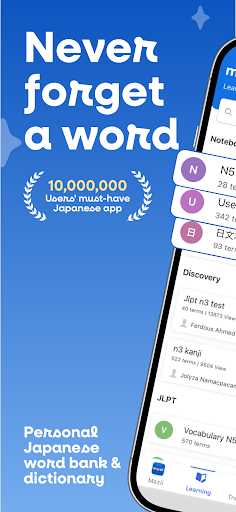
Learning Japanese involves more than memorizing vocabulary. Understanding Kanji, choosing the right grammar structures, and recognizing natural expressions can be challenging, especially when studying without proper guidance. Mazii MOD APK brings several learning tools together, helping you translate sentences, explore Japanese characters, practice conversations, and prepare for JLPT exams through one convenient application.
Developed by Mastering Japanese, Mazii is a language-learning application designed for students at different proficiency levels. Whether you’re just starting with Hiragana and Katakana or working toward advanced JLPT qualifications such as N2 and N3, the app provides resources to support your progress. Its combination of dictionary functions, AI assistance, listening materials, and practice exercises makes it a versatile companion for independent study.
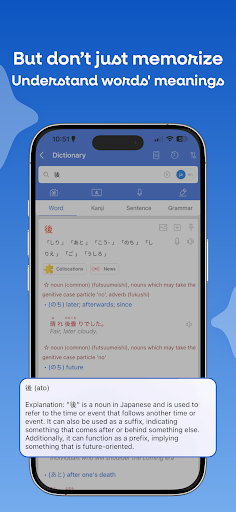
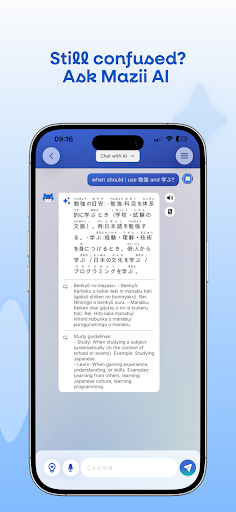
Mazii’s dictionary and translation tools are among its most useful features. Enter a Japanese word, phrase, or complete sentence to receive its meaning, pronunciation, Furigana reading, and related grammatical information. The integrated AI assistant also helps explain unfamiliar expressions, allowing you to understand how words function within their original context rather than relying solely on direct translations.
For learners who want to study Japanese writing in greater depth, the app provides detailed Kanji information. You can examine individual radicals, Onyomi and Kunyomi readings, along with the correct stroke order. These explanations are particularly helpful when distinguishing characters that look similar or remembering how to write unfamiliar Kanji.
Mazii also supports several input methods to make translation more convenient. Besides typing text manually, you can use voice input or the camera to recognize Japanese writing in photographs and handwritten documents. The application then converts recognized content into text for translation, saving time when working with longer passages, printed materials, or unfamiliar signs.
Building confidence in spoken Japanese requires regular practice, and Mazii provides interactive tools to help learners develop this ability. Its AI-powered conversation feature allows you to simulate discussions in different situations, giving you opportunities to respond naturally instead of simply memorizing isolated phrases. This approach helps you become more familiar with everyday communication while practicing how to form appropriate sentences.
The application also evaluates your spoken responses and provides feedback on pronunciation. By comparing your speech with standard Japanese pronunciation, the system helps identify areas that need attention. You can use these assessments to recognize recurring mistakes, adjust difficult sounds, and gradually become more comfortable speaking Japanese aloud.
Listening practice is another important part of the experience. Mazii offers a collection of Japanese videos covering subjects such as everyday conversations and JLPT listening exercises. Many learning materials include subtitles, making it easier to follow the dialogue, recognize unfamiliar vocabulary, and connect spoken expressions with their written forms.
Mazii is also suitable for learners who want to expand their vocabulary or prepare for Japanese proficiency examinations. Its dictionary contains more than 200,000 vocabulary entries, organized according to JLPT levels from N5 through N1. This classification makes it easier to select suitable study materials based on your current ability and gradually move toward more advanced language skills.
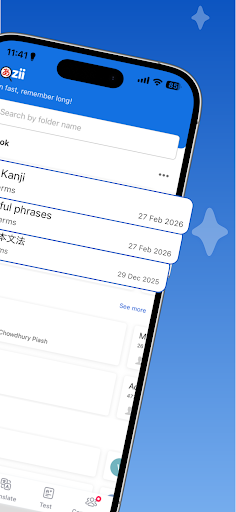
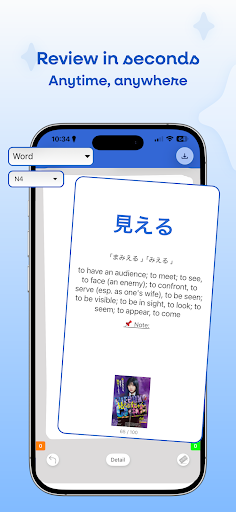
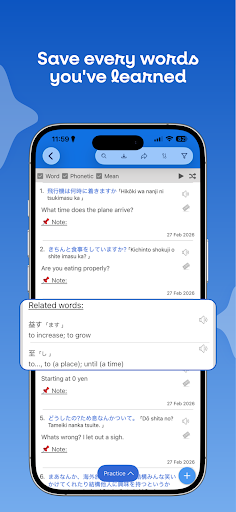
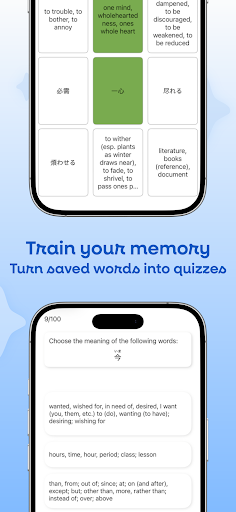
Each vocabulary entry may include Hiragana, Katakana, and Kanji representations, helping you become familiar with different writing systems. You can also create personalized flashcards and review words according to your learning progress. Instead of repeatedly studying the entire vocabulary list, this approach allows you to focus on terms that you find difficult to remember.
Beyond vocabulary exercises, Mazii provides mock tests based on the structure of JLPT examinations. These practice sessions introduce different question formats and allow you to complete exercises under timed conditions. After finishing a test, the automatic scoring system helps you assess your performance and identify weaker areas. Regular practice can make you more familiar with the exam format while helping you decide which subjects deserve additional attention.
Studying independently doesn’t mean you have to learn everything alone. Mazii includes a community space where Japanese learners can exchange experiences, discuss difficulties, and share useful study resources. Members can contribute learning materials, recommend preparation strategies, and offer advice to people working toward different JLPT levels.
This social aspect adds another dimension to the application. You can discover study methods that have worked for other learners, ask questions about confusing expressions, and find encouragement when your progress feels slow. Connecting with people who share similar goals may also help you maintain a consistent learning routine.
The modified version of Mazii offers an additional benefit for users who want to access premium functions.
Premium Unlocked: Provides access to premium features without requiring the standard subscription.
To experience the modified version, you need to obtain the APK package and install it on your Android device. Follow this installation checklist to prepare the application:
| Stage | What to Do |
|---|---|
| Find the package | Visit APKMODY and search for Mazii MOD APK. Open the corresponding game or application page. |
| Check the details | Read the available version information, feature description, and compatibility notes before proceeding. |
| Save the file | Select the provided APK download option and wait until the package is fully saved to your device. |
| Prepare Android | If installation is blocked, open your device’s security settings and authorize the browser or file manager to install apps from that source. |
| Complete setup | Locate the downloaded APK, open it, confirm installation, and launch Mazii once the process finishes. |