home chevron_right Apps chevron_right Photos & Videos chevron_right Picshiner


Photo Gallery – Album, Vault
v5.7.6
• Premium



| Updated On | |
|---|---|
| Google Play ID | com.adoreapps.photo.editor |
| Category | Photos & Videos |
| Version | 1.0.121 |
| Size | 107 MB |
| MOD Features | Premium Unlocked |
| Requires | Android 7.0 |
| Price | |
| Free | |
| Content Rating | |
| Everyone | |
| Internet Required | |
| Unknow | |

Picshiner MOD APK is an AI-powered photo editor that helps you transform ordinary pictures into eye-catching creations with just a few adjustments. Combining traditional editing controls with intelligent features, the application makes it easier to restore old photos, remove unwanted objects, swap faces, and experiment with artistic effects. Whether you enjoy casual photography or creative image design, Picshiner offers a convenient collection of tools to bring your ideas to life.
Artificial intelligence has changed the way people approach photo editing. Instead of spending hours adjusting individual details, users can now rely on automated tools to handle complicated tasks in just a few moments. Picshiner – AI Photo Editor follows this approach by bringing conventional editing functions and AI-powered effects together in one accessible application.
Before applying artistic effects, you can use Picshiner’s standard editing toolkit to improve the overall quality of your pictures. These basic adjustments are particularly useful when your original image needs a little correction before receiving more advanced treatments.
The application allows you to crop and rotate images, adjust brightness, refine contrast, modify saturation, and balance colors. You can also experiment with different settings to achieve the visual tone you want. Even if you are not familiar with professional editing software, the straightforward controls make these operations relatively easy to understand.
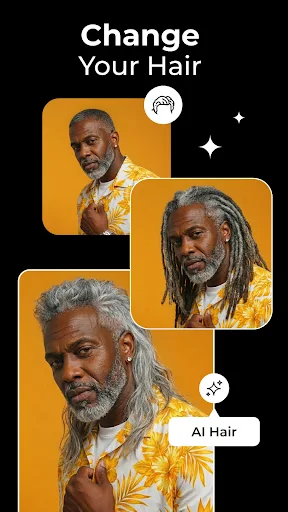
Beyond conventional adjustments, Picshiner introduces several artificial intelligence tools designed to automate specific editing tasks. Each feature serves a different purpose, giving you more options when working with portraits, old photographs, or creative compositions.
Face Swap: Replace a face in a supported template or image with another person’s facial appearance to create entertaining transformations.
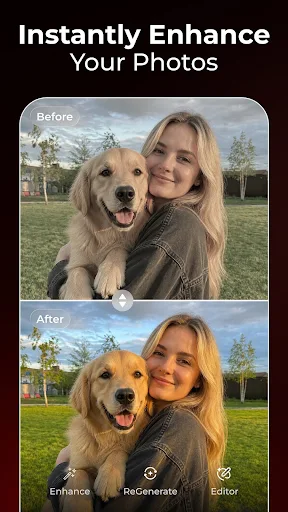
Restore: Improve the appearance of old, damaged, or blurry photographs by enhancing visible details.
Colorize: Add colors to black-and-white pictures or refine existing tones to produce a more vibrant result.
Remove Object: Erase unwanted elements from an image while allowing the AI system to process the surrounding area.
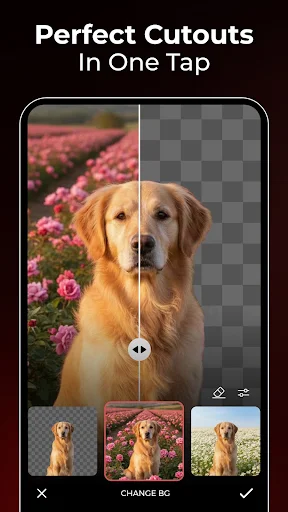
RemoveBG: Separate the main subject from its original background, making it easier to create transparent images or new compositions.
These tools reduce the amount of manual work required for common editing tasks. However, the final results may differ depending on image quality, lighting conditions, and the complexity of the selected subject.
If you enjoy experimenting with different artistic styles, Picshiner also provides a collection of filters organized into several categories. Rather than manually adjusting every image, you can preview different effects and select a look that matches your creative direction.
Some of the main filter sections include:
Trending Right Now: Discover popular effects and visual styles that are currently attracting attention.
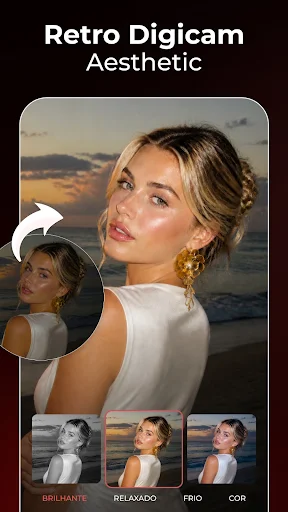
AI Filter: Transform ordinary photographs into distinctive artistic creations, including anime-inspired, comic, and classic looks.
For You: Browse personalized recommendations based on your activity and the types of effects you frequently explore.
The categorized layout makes it easier to discover new ideas without browsing through the entire collection. You can try several effects on the same photograph before deciding which version looks best.
A photo editor should balance creative flexibility with ease of use. Picshiner brings several useful functions into a single interface, although some technical limitations and usage conditions are worth considering.
After exploring its editing tools and available features, several strengths make this application worth considering:
Beginner-friendly interface: Clearly arranged menus help new users become familiar with the available editing options.
AI-powered restoration: The restoration tool provides a convenient way to improve the appearance of older photographs.
Versatile editing options: Combines standard adjustments with automated AI transformations.
Creative filter selection: Offers multiple visual styles for users who enjoy experimenting with photography.
Convenient processing: Automated tools can reduce the time needed for common editing operations.
Despite its extensive toolkit, Picshiner still has a few weaknesses that may become noticeable during regular use:
Frequent advertisements: The free edition may display promotional content when opening tools or switching between editing functions.
Large file limitations: High-resolution images and RAW files may not perform as smoothly as standard image formats.
Inconsistent AI results: Certain transformations may produce unnatural details, particularly when processing complicated backgrounds or facial features.
Internet dependency: Some AI functions require a stable network connection, which can cause delays when connectivity is poor.
Premium costs: Access to the complete feature collection may require a subscription or paid upgrade, depending on the available plan.
For users who want to explore additional editing capabilities, the modified edition offers an alternative to the standard application. Its main attraction is access to premium functionality without following the usual upgrade process.
The primary modification in this release is Premium Unlocked, which provides access to features associated with the paid edition. This may include premium editing tools, additional effects, and an expanded creative experience, depending on the application build.
With more editing options available, you can experiment with different styles and AI transformations without being restricted to the standard feature selection. However, individual tools may still depend on internet access or server-side processing. Modified APK files can also carry security and privacy risks, so always check the source and permissions before installation.
APKMODY provides a convenient place to find Android application packages. If you want to try Picshiner’s premium editing features, use the following installation guide to get started.
Search for Picshiner: Open your browser and visit APKMODY. Enter Picshiner MOD APK in the website’s search field to locate the correct application page.
Review the release: Open the download page and check the available version, application details, and installation information.
Download the package: Select the appropriate APK download option and wait for the file to finish saving to your Android device.
Prepare Android for installation: Open your file manager and locate the downloaded package. If prompted, allow your browser or file manager to install applications from that source.
Finish the setup: Tap the APK file, follow the installation instructions, and wait for the process to complete.
Start editing: Open Picshiner, review the requested permissions, and explore its available photo editing and AI tools.