home chevron_right Apps chevron_right Entertainment chevron_right Netflix

Melolo
v5.5.0
• Premium Unlocked
| Updated On | |
|---|---|
| Google Play ID | com.netflix.mediaclient |
| Category | Entertainment |
| Version | 9.90.0 build 10 74712 |
| Size | 58 MB |
| MOD Features | Premium Unlocked |
| Requires | Android |
| Rating Score | |
| Price | |
| Free | |
| Content Rating | |
| Teen | |
| Internet Required | |
| Required | |
| Languages | |
| English, Arabic, Croatian, Czech, Danish, Dutch, Finnish, French, German, Greek, Hebrew, Hindi, Hungarian, Indonesian, Italian, Japanese, Korean, Malay, Norwegian Bokmål, Polish, Portuguese, Romanian, Russian, Simplified Chinese, Spanish, Swedish, Thai, Traditional Chinese, Turkish, Ukrainian, Vietnamese | |

Netflix provides convenient access to a broad collection of movies, series, documentaries and original productions. Its organized interface makes it easier to browse different genres and discover entertainment that matches your interests. This article explores the platform, its key features and the viewing experience it provides. Read on to learn more about what the platform offers to its users.
After a long day of work or study, watching a good movie or series is one of the simplest ways to relax. From blockbuster films and original productions to documentaries and reality programs, streaming services have made entertainment more accessible. Among the many platforms available today, Netflix stands out through its extensive catalog, intuitive interface and personalized viewing experience.
Netflix is a subscription-based streaming service that originated in the United States. Founded in 1997, the company initially focused on DVD rentals before gradually transitioning toward online entertainment. Its move into streaming helped reshape how audiences around the world watch movies and television programs. Today, the service is available across many countries and regions, with content libraries that vary according to local licensing agreements. Users can access the platform through smartphones, tablets, computers, smart TVs and other compatible devices.
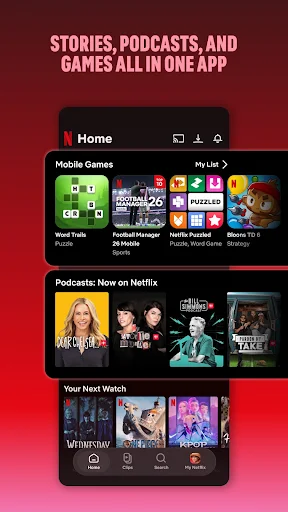
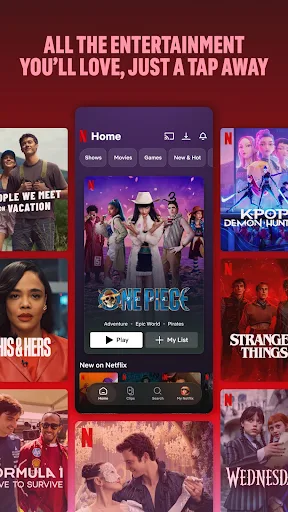
Netflix offers a broad selection of entertainment, allowing viewers to switch between different genres and formats without relying on a single type of content. Its catalog can include feature films, television series, documentaries, reality programs, animated productions and other digital entertainment, depending on regional availability.
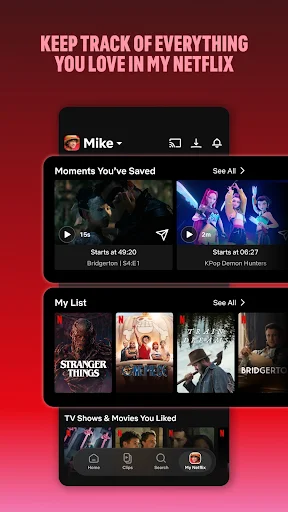
A large content library is only useful when the viewing experience is equally convenient. Netflix is designed to adapt playback quality according to available network conditions and compatible devices, although actual performance can still depend on internet speed, device capability and network congestion. Another useful function is viewing-progress synchronization. If you stop watching before finishing a movie or episode, the system can remember your previous position and allow you to continue later. Recommendations and notifications can also help viewers keep track of new episodes or recently added content.
Language support is particularly valuable for audiences who enjoy international productions. Many titles provide multiple subtitle and audio options, although the exact selection depends on the specific program, country and applicable licensing agreements. Users can select available subtitle languages directly from the playback interface, while supported productions may also offer dubbed audio. Because language options can differ between titles and regions, checking the available settings for each program is recommended.
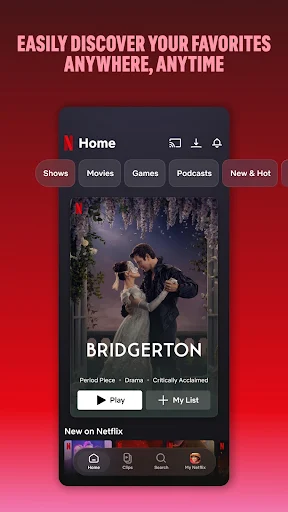
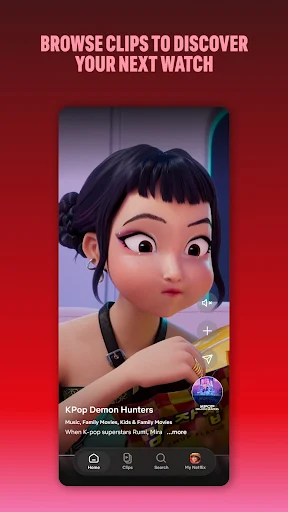
Finding something interesting to watch on Netflix can sometimes take longer than expected. To make discovery easier, the platform organizes its homepage around viewing habits, popular content and personalized recommendations.
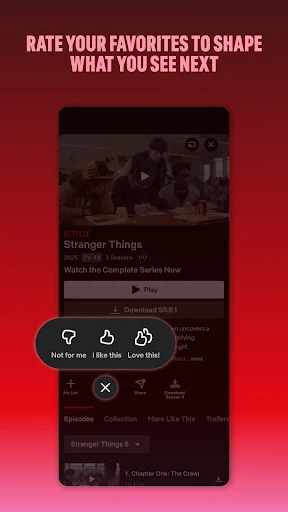
The recommendation system can become more relevant as users continue watching. For example, someone who frequently watches Korean dramas may receive suggestions featuring similar genres, themes or actors.
An internet connection is not always available when traveling, commuting or staying in areas with limited coverage. For supported titles and subscription plans, the download function allows users to save selected movies or episodes to a compatible device for offline playback. This option can be useful during flights, long journeys or situations where mobile data needs to be conserved. Download availability, expiration periods and supported devices may vary by title and plan, so users should check the information provided for each program before saving it.
The Netflix provides several subscription options designed to accommodate different viewing habits and device requirements. Pricing, plan names and available features can vary by country and may change over time, so users should always check the current information displayed in their region before subscribing. Based on the plan structure provided, the main differences involve monthly pricing, simultaneous screens, download devices and supported video quality.
Plans | Mobile | Basic | Standard | Premium |
Monthly cost | $3.99 | $9.99 | $15.49 | $19.99 |
Number of screens you can watch on at the same time | 1 | 1 | 2 | 4 |
Number of devices you can have downloads on | 1 | 1 | 2 | 4 |
Unlimited movies, TV shows and mobile games | ✓ | ✓ | ✓ | ✓ |
Watch on mobile or tablet | ✓ | ✓ | ✓ | ✓ |
Watch on PC and TV |
| ✓ | ✓ | ✓ |
HD available |
|
| ✓ | ✓ |
Ultra HD available |
|
|
| ✓ |
Modified APK releases may advertise additional functions that differ from the official application. However, features can vary between unofficial versions and may involve security or compatibility risks.
This FAQ section covers common questions about playback problems, subtitle settings, offline viewing, device compatibility and family-friendly features. The answers below are designed to help users understand the available options and troubleshoot basic issues more easily.
The app can’t load movies, even though the internet is normal?
If movies fail to load despite having a stable internet connection, the issue may be related to the selected media player or regional network conditions. Try the following options:
I want to change the subtitle language, what should I do?
Open Settings, select Subtitles, and then choose Primary Subtitle. Select your preferred language from the available options and return to playback to apply the change.
What do I have to do to change the size and color of the subtitles?
Subtitle appearance can usually be customized through the playback or application settings. Go to Menu → Settings, then select the option for Subtitle Color or Subtitle Size and choose your preferred display settings.
Is Netflix MOD APK safe?
Unofficial modified APK files cannot be considered automatically safe because they are altered by third parties. Before installing any modified package, users should consider its source, requested permissions, privacy implications and potential security risks.
Do you have to pay like the original Netflix app?
Some unofficial releases advertise access to premium functions without a conventional subscription or with fewer restrictions. However, these claims may vary between packages, and users should check the terms and risks associated with unofficial software rather than assuming every advertised feature will work.
I use an iPhone, can I install Netflix MOD APK?
APK files are designed for Android-based devices and cannot normally be installed directly on iOS. Users with iPhones or iPads should use the official iOS-compatible version distributed through Apple’s authorized channels.
How to download movies on Netflix?
For supported titles, open the movie or series page and look for the Download icon. You can also browse categories that specifically identify content available for offline viewing, although download availability may depend on the title, device and subscription plan.
How to change movie subtitles on Netflix?
During playback, open the audio and subtitle controls, then select the Subtitle option. Choose the language you want from the available list, and the selected subtitle track should appear during playback.
Is it possible to watch new episodes of a current season on Netflix?
Yes, newly released episodes can become available as they are added to the service. Release timing depends on the specific title and its distribution agreement, so some series may arrive all at once while others follow a scheduled weekly release.
Is it easy to find movies and shows on Netflix?
The platform provides search and recommendation tools that make content discovery relatively straightforward. Entering a title, actor, genre or other relevant keyword can help narrow the results, while viewing activity may influence future recommendations.
Is Netflix good for kids?
The service provides dedicated Kids profiles and parental-control options that allow parents or guardians to manage the type of content children can access. Depending on the available settings, parents can restrict maturity ratings, block specific titles and protect selected controls with a PIN.
Turn your free time into a relaxing entertainment session with a wide selection of movies, series and exclusive productions available for Android users. Whether you prefer trending shows, international films or familiar favorites, the platform makes it convenient to discover content whenever you want. Download the Netflix app now and start exploring your favorite entertainment on your Android device.