home chevron_right Apps chevron_right Music & Audio chevron_right Meld


ReFreezer
v0.7.15
• Music & Audio
| Updated On | |
|---|---|
| Package Name | com.meld.app |
| Category | Music & Audio |
| Version | 0.6.7 |
| Size | 23 MB |
| MOD Feature | Not available |
| Requires | Android |
| Price | |
| Free | |
| Content Rating | |
| Everyone | |
| Internet Required | |
| Required | |

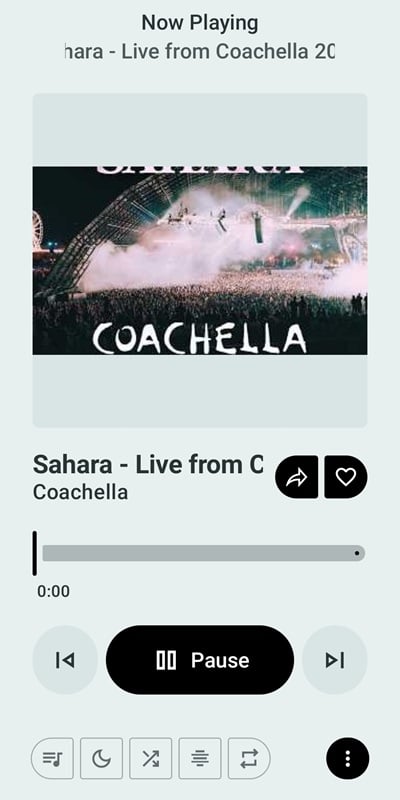
Meld APK introduces an interesting way to enjoy music by bringing Spotify’s music discovery features together with YouTube Music’s extensive audio catalog. Developed by Francesco Grazioso, this unofficial open-source Android application synchronizes your Spotify playlists and listening preferences while using YouTube Music as its playback source. If you want to explore a different approach to music streaming without requiring a Spotify Premium subscription, Meld is worth discovering.
Created by Francesco Grazioso, Meld is an independent Android application distributed through APK packages, with its source code available on GitHub. Instead of operating as another conventional music streaming service, it connects features from two established platforms to create a more flexible listening experience.
The idea behind Meld is relatively straightforward: use Spotify to organize music information, discover tracks, and synchronize personal playlists, then rely on YouTube Music to find and play the corresponding audio. This approach creates an interesting alternative for listeners who enjoy Spotify’s personalized ecosystem but want access to a broader selection of music.
The most distinctive aspect of Meld is the way it separates music discovery from audio playback. After connecting your Spotify account, the application can retrieve relevant information such as song titles, artists, playlists, and listening preferences. It then searches YouTube Music for matching tracks instead of directly streaming audio through Spotify.
This system allows you to maintain familiar Spotify playlists while accessing corresponding recordings from YouTube Music. Since playback does not depend on Spotify Premium, you don’t need a paid Spotify subscription to use this particular combination of features. However, track matching and playback availability may vary depending on the content found on YouTube Music.
Having access to two music ecosystems gives Meld an interesting advantage when searching for different tracks. You can discover recordings, alternative versions, and music selections that may be difficult to find through your usual Spotify library.
The application also makes it easier to explore different genres without constantly switching between streaming services. Whether you enjoy international hits, independent releases, older recordings, or less familiar artists, YouTube Music’s catalog provides additional possibilities for music discovery.
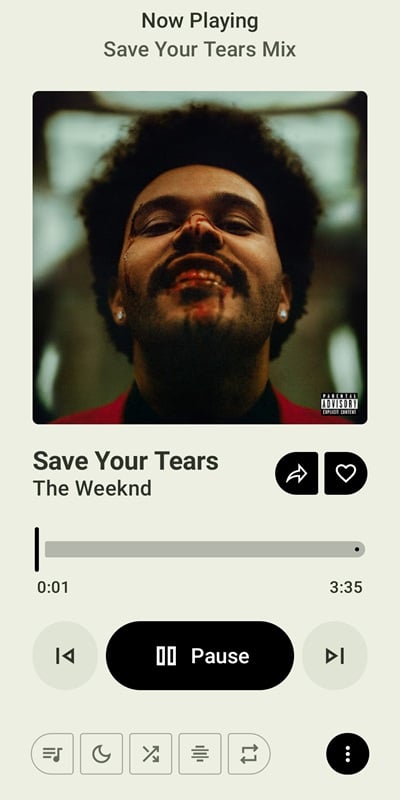
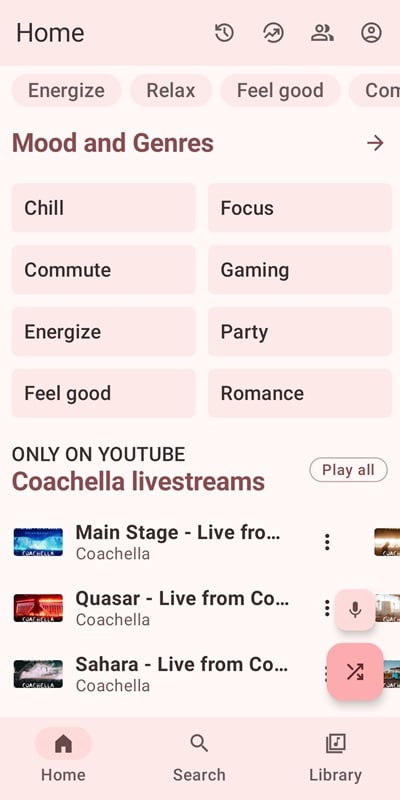
Another appealing detail is the straightforward interface, which keeps the main listening activities relatively accessible. Instead of navigating multiple applications to manage playlists and search for tracks, you can use Meld as a central place to explore your synchronized music collection.
Music discovery becomes more interesting when recommendations reflect individual preferences. Meld uses information associated with your Spotify account to help identify tracks that match your listening habits, giving you more relevant suggestions as you continue using the application.
Its recommendation approach considers several factors, including:
Favorite artists – 30%: Prioritizes performers you frequently listen to or follow.
Musical genres – 20%: Considers the styles and categories represented in your collection.
Song sources – 25%: Uses information about where your preferred tracks come from.
Release freshness – 15%: Introduces newer music alongside familiar favorites.
Popularity – 10%: Takes broader listening trends into account when suggesting tracks.
These percentages describe the recommendation criteria outlined in the original feature information rather than independently verified algorithm settings. Even without connecting Spotify, you can still explore music suggestions, although personalization may become more relevant after the application has enough information about your preferences.
Because Meld is an unofficial application that connects with external music platforms, checking its origin and permissions is important before installation. One positive aspect is its open-source development model, which makes the source code available for public inspection on GitHub.
Nevertheless, open-source availability does not automatically guarantee that every APK package is safe or that every interaction with external services is risk-free. You should pay attention to the permissions requested by the application and understand what account information you authorize it to access.
Consider these points before getting started:
Public source code: Developers and technically experienced users can inspect the available code to understand how the application operates.
Spotify integration: Account authorization may involve access to certain music-related information, depending on the permissions requested.
Device permissions: Review the requested Android permissions and avoid granting access that does not appear necessary.
Independent development: Meld is not officially endorsed by Spotify or Google, so compatibility and continued functionality are not guaranteed.
Self-compilation option: Users with programming experience can examine the project and build their own APK from the source code rather than relying on an unfamiliar installation package.
For additional protection, use official authorization screens whenever available and review connected application permissions through your account settings.
Meld offers an unconventional solution for combining music discovery and playback, but its independent development also introduces certain limitations. Understanding both sides will help you decide whether the application fits your listening habits.
Advantages
Combines Spotify playlist synchronization with YouTube Music playback.
Provides access to a broad selection of songs and alternative recordings.
Offers personalized music discovery based on listening preferences.
Includes caching to reduce repeated loading when previously accessed content is available.
Features a relatively simple interface that makes music exploration easier.
Provides publicly accessible source code for greater development transparency.
Disadvantages
Unofficial integration means changes to Spotify or YouTube Music services could interrupt certain functions.
Initial synchronization and playback matching may take longer, particularly on slower connections.
Different recordings, remixes, and live versions can sometimes cause incorrect song matching.
Account authorization introduces privacy considerations that users should review carefully.
Features and compatibility may change as the independent project receives updates.
If you want to try this alternative music application, you can look for its Android installation package through APKMODY. Since Meld is an independent open-source project, pay attention to the package source and version details before installing it.
Use the following download procedure:
Access APKMODY: Open the APKMODY website in your Android browser.
Find the application: Enter Meld APK in the website’s search field and navigate to the relevant download page.
Review the release: Check the available version, application details, and compatibility information.
Get the installation file: Choose the appropriate APK download option and wait for the file to be saved.
Install on Android: Open the downloaded package and authorize installation if your device requests permission.
Start listening: Launch Meld, review its initial setup instructions, and connect your Spotify account if you want to synchronize your music.