home chevron_right Apps chevron_right Music & Audio chevron_right ReFreezer

Ongaku — Offline Music Player
v6.23.3-220
• Premium

| Updated On | |
|---|---|
| Package Name | r.r.refreezer |
| Category | Music & Audio |
| Version | 0.7.15 |
| Size | 18 MB |
| MOD Feature | Not available |
| Requires | Android |
| Price | |
| Free | |
| Content Rating | |
| Everyone | |
| Internet Required | |
| Required | |

ReFreezer APK offers Android users another way to explore Deezer’s extensive music library, from popular tracks to podcasts and audiobooks. The application combines music streaming, synchronized lyrics, and offline downloads in one convenient interface. If you’re looking for a flexible music player with plenty of listening options, ReFreezer is worth exploring.
Developed by DJDoubleD, ReFreezer is an Android application designed to access music content associated with <Link url=”https://apkmody.com/apps/deezer” title=”Deezer”/>. It provides a familiar streaming experience while adding options for downloading tracks and managing your personal listening habits.
Its music selection extends beyond individual songs. Users can explore podcasts, audiobooks, and radio content, making the app suitable for different moods and interests. Since it draws on Deezer’s music catalog, listeners have access to a broad range of genres and artists through a single platform.
ReFreezer focuses on delivering a convenient listening experience without overwhelming your device. Its catalog includes familiar favorites alongside newer releases, giving you plenty of choices whenever you want to discover something different. Whether you prefer a carefully selected album, a podcast episode, or background music while working, the application brings these options together.
Another notable aspect is its optimized technical foundation. The project has moved away from older C library dependencies in favor of native Java components, alongside support for Flutter null-safety, Dart SDK, and additional audio plugins. These changes help streamline the application and make it more suitable for everyday use.
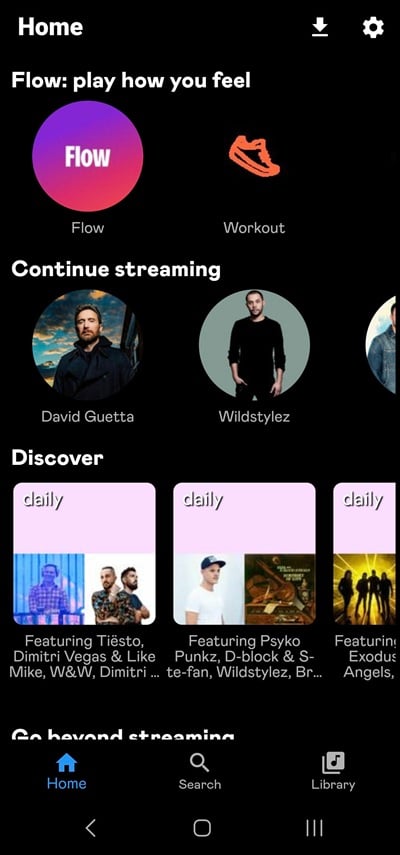
The interface also keeps navigation straightforward. You can search for specific tracks, browse available content, or select music without dealing with an unnecessarily complicated layout.
One of ReFreezer’s appealing features is its synchronized lyrics display. When a supported track is playing, the application shows its lyrics alongside the music, allowing you to follow each line as the song progresses. You can also adjust the synchronization to better match the playback, which is useful when the displayed words fall slightly behind or ahead.
Audio quality is another important part of the experience. The application supports streaming at different bitrates, including 128kbps, while higher-quality options such as 256kbps and 320kbps may depend on account access and available service support. This gives listeners more flexibility when choosing between sound quality and data consumption.
ReFreezer also supports downloading music for offline playback. Save your preferred tracks in advance, then listen when an internet connection is unavailable. On supported devices running Android 11 or later, the application also offers the option to store downloads on external memory, such as an SD card.
Beyond streaming and downloading, ReFreezer includes familiar playback controls that make listening more convenient. You can skip between tracks, shuffle a playlist, repeat songs, or move to a preferred section of a track. These options provide greater control over your listening sessions without requiring complicated adjustments.
The mood-based playlist feature adds another personal touch. You can assign emotions to individual songs, allowing the application to organize music according to how you feel. Choose a playlist that matches a cheerful moment or a quieter mood instead of searching through your entire library each time.
ReFreezer also accommodates different screen orientations and device types. Its layout supports horizontal viewing and works with tablets, giving users more flexibility when listening on larger screens.
ReFreezer brings together a broad music catalog, synchronized lyrics, offline playback, and useful personalization tools. Its lightweight design makes it an interesting option for Android listeners who want more control over how they discover and enjoy music.
Getting started only takes a few steps:
Find the app: Open APKMODY and search for ReFreezer APK.
Check the release: Visit the download page to review the available version and its details.
Save the package: Tap the APK download link and wait until the file is stored on your device.
Install the app: Open the downloaded package. If Android blocks the installation, enable permission for your browser or file manager to install unknown apps.
Start listening: Launch ReFreezer and explore its music features.