
UFO VPN
v2.6.52
• Premium Unlocked

| Updated On | |
|---|---|
| Google Play ID | com.expressvpn.vpn |
| Category | Utilities |
| Version | 12.87.0 |
| Size | 58 MB |
| MOD Feature | Not available |
| Requires | Android 7.0 |
| Rating Score | |
| Price | |
| Free | |
| Content Rating | |
| Everyone | |
| Internet Required | |
| Required | |
| Languages | |
| English, Danish, Dutch, Finnish, French, German, Italian, Japanese, Korean, Norwegian Bokmål, Polish, Portuguese, Russian, Spanish, Swedish, Thai, Turkish | |

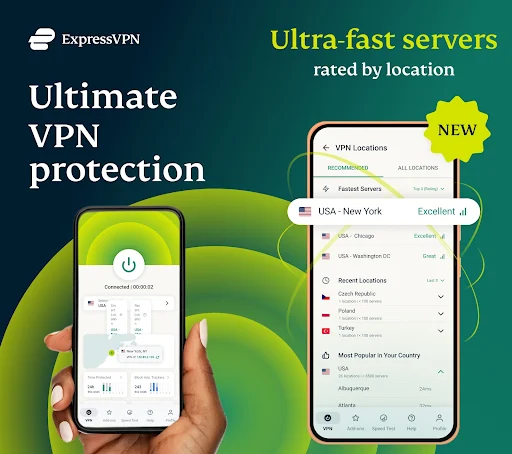
ExpressVPN helps users browse the internet with greater privacy, access geographically restricted content, and protect their online activities through encrypted connections. With a large server network, fast connection speeds, and support for multiple devices, the application offers a convenient solution for everyday internet use. Whether you want to secure public Wi-Fi, change your virtual location, or maintain a more private browsing experience, ExpressVPN provides practical tools without complicated setup.
Developed by Express VPN International Ltd., ExpressVPN is a well-known VPN service designed to improve online privacy and connection flexibility. Its combination of security technologies, server locations, and user-friendly controls makes it suitable for both beginners and experienced users.
ExpressVPN is a virtual private network service that encrypts internet traffic and routes it through remote servers. This helps protect sensitive information from exposure when browsing, particularly when connecting through public or unsecured Wi-Fi networks.
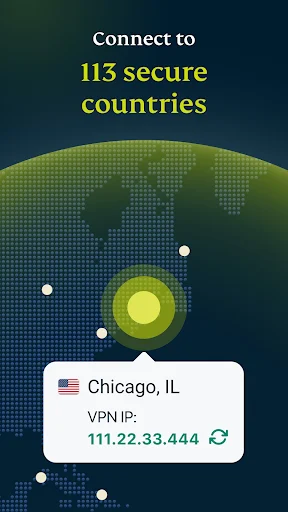
The service has a broad international network covering numerous countries and regions, allowing users to select different virtual locations according to their needs. It can also help access websites and streaming platforms whose content availability varies by location, although restrictions imposed by individual services may still apply.
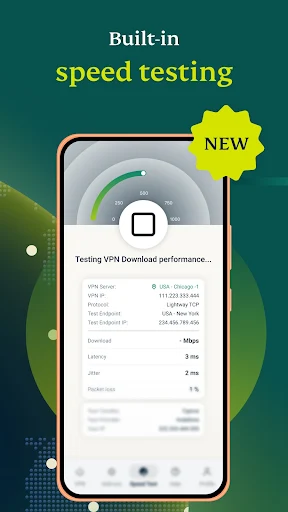
Connection performance is one of the important factors when choosing a VPN. ExpressVPN focuses on maintaining responsive connections so users can browse websites, watch videos, download files, and participate in online activities without unnecessary interruptions.
Its server network and optimized connection technology help reduce performance drops, including when connecting to distant locations. Actual speeds depend on your internet provider, selected server, network conditions, and device. Choosing a nearby server is generally a good starting point if your priority is maintaining a stable connection.
ExpressVPN also offers router compatibility, allowing users to protect several connected devices through a single VPN-enabled network. Once configured on a supported router, devices connected to that network can benefit from the VPN connection without requiring individual application setup.
This approach is particularly convenient for households with smartphones, computers, smart televisions, and other internet-connected equipment. Router compatibility depends on the firmware and hardware model, so users should check the supported configuration before installation.
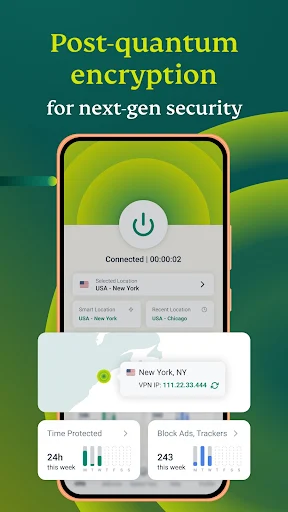
Security is a central part of ExpressVPN’s service. The application uses AES-256 encryption and modern VPN protocols to help protect data transmitted over the internet. These technologies make intercepted traffic significantly harder to read without the necessary encryption keys.
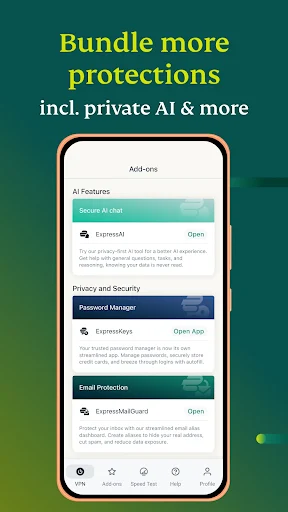
ExpressVPN also provides additional privacy features, including its Network Lock kill switch. When the VPN connection unexpectedly drops, this feature can block internet traffic to reduce the risk of exposing your real IP address. Together, these protections help create a more secure browsing environment.
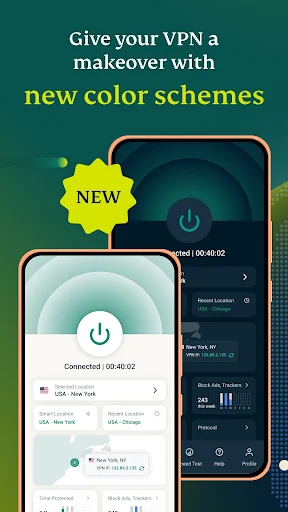
ExpressVPN features a clean interface that makes connecting to a VPN server relatively straightforward. Users can select a location, activate the connection, and monitor its status through clearly displayed controls.
The application also remembers recently used locations, making it easier to reconnect without searching through the entire server list. Supported platforms include Android, iOS, Windows, macOS, and selected smart televisions and routers. This broad compatibility allows users to maintain a familiar VPN experience across different devices.
Before choosing a subscription, you may want to understand its pricing and customer support options. Here are some common questions about the service.
ExpressVPN is a premium VPN service rather than a free application. Its subscription prices depend on the selected plan, billing period, and current promotions. Longer subscriptions may offer a lower average monthly cost than paying for individual months.
The supplied pricing information lists three plans:
Subscription | Monthly price |
|---|---|
1 month | $12.95 |
6 months | $9.99/month |
12 months | $8.32/month |
These figures may be outdated, so check ExpressVPN’s official website for current prices, payment conditions, and available promotions before subscribing.
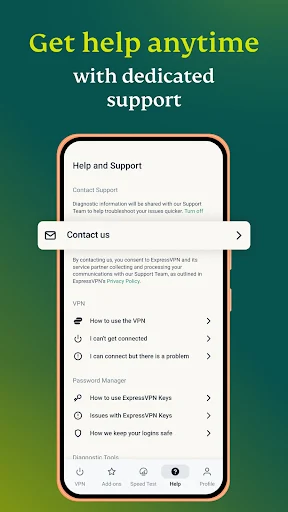
Yes. ExpressVPN offers customer assistance through its online support center and 24/7 live chat. Users can contact the support team for help with installation, connection problems, account management, and other technical questions.
Its help resources also include setup guides and troubleshooting instructions for different devices. This makes it easier to resolve common issues without needing advanced networking knowledge.
If you want to improve your mobile browsing privacy, ExpressVPN provides a straightforward way to connect to a protected VPN server. You can find its Android installation package through APKMODY by following these instructions:
Before installing, prepare your device with this quick checklist:
Check your Android version and available storage.
Make sure your internet connection is stable.
Review the application’s version and compatibility information.
Decide whether you prefer the standard APK or an available alternative release.
Installation instructions:
Access the APKMODY website using your Android browser.
Search for ExpressVPN and open the corresponding application page.
Review the available release information, including file size and update details.
Select the download option and wait for the APK file to finish saving.
Open your device’s download manager, locate the package, and start installation.
If Android requests permission, authorize installation from the selected source and complete the remaining prompts.
Launch ExpressVPN, sign in or create an account, then choose a server location to establish your connection.