home chevron_right Apps chevron_right Music & Audio chevron_right Deezer

ReFreezer
v0.7.15
• Music & Audio


| Updated On | |
|---|---|
| Google Play ID | deezer.android.app |
| Category | Music & Audio |
| Version | 9.0.27.3 |
| Size | 67 MB |
| MOD Features | Premium Unlocked |
| Requires | Android |
| Rating Score | |
| Price | |
| Free | |
| Content Rating | |
| Teen | |
| Internet Required | |
| Required | |
| Languages | |
| English, Arabic, Bulgarian, Croatian, Czech, Danish, Dutch, Finnish, French, German, Hebrew, Hungarian, Italian, Japanese, Macedonian, Malay, Norwegian Bokmål, Polish, Portuguese, Romanian, Russian, Slovak, Spanish, Swedish, Thai, Turkish, Ukrainian | |

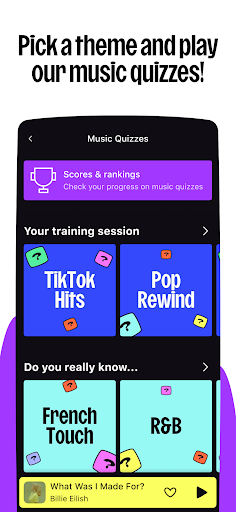
Deezer APK brings millions of songs, podcasts and personalized playlists together in one convenient platform. Users can explore international music, discover new artists and organize favorite tracks according to their preferences. With features such as offline playback, audio-quality settings and multi-device support, the application offers a flexible listening experience. Let’s explore what makes Deezer worth trying.
Deezer is a music and podcast streaming service designed for convenient entertainment. It allows listeners to search for songs, follow artists, create playlists and receive recommendations based on their listening habits. Depending on the subscription plan, users can also download supported content for offline playback.
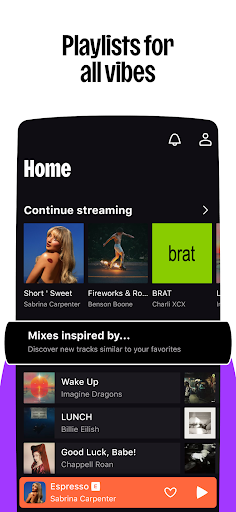
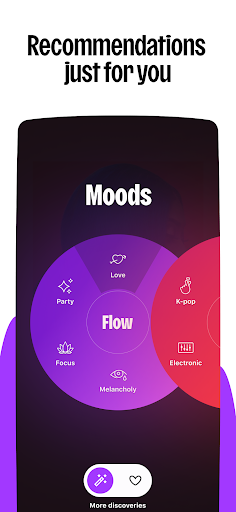
Deezer combines music discovery, streaming and playlist management in one application. Its recommendation system analyzes listening preferences to suggest relevant tracks, helping users find new content without spending too much time searching.
The platform also supports different content categories, including podcasts and curated music collections. Its straightforward navigation makes essential functions accessible to both beginners and regular listeners.
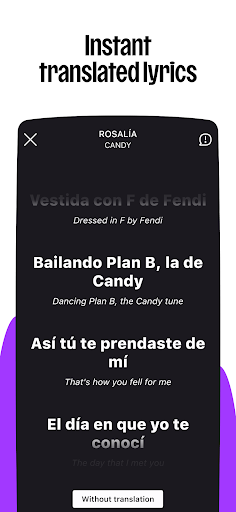
The application features an extensive international music catalog covering various languages, cultures and generations. Users can discover Korean pop, Chinese releases, European hits and numerous other musical styles.
From rock and hip-hop to electronic, classical and acoustic recordings, Deezer offers different collections for diverse listening preferences. Catalog availability may vary depending on regional licensing agreements.
Deezer provides personalized recommendations alongside tools for building custom music collections. Users can save suggested tracks or arrange their favorite songs into playlists based on specific themes.
Some popular playlist ideas include:
Workout music for exercise sessions.
Relaxing melodies for quiet evenings.
Favorite hits for everyday listening.
New discoveries featuring unfamiliar artists.
This combination makes music organization more convenient while encouraging listeners to explore different sounds.
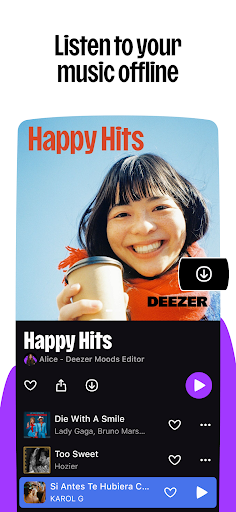
Offline playback allows eligible subscribers to download supported tracks for later listening. Once saved, these songs can be accessed without maintaining an active internet connection.
This function is particularly useful during flights, long commutes or trips through areas with unstable network coverage. Download access depends on the subscription plan and account status.
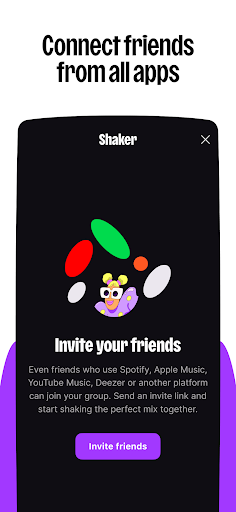
Deezer supports sharing music and playlists through compatible social platforms, including Facebook and Instagram. Users can introduce friends to interesting artists, recommend new releases or exchange collections based on their musical interests.
The application organizes its main functions into accessible sections, making it easy to search for songs, browse recommendations and manage personal playlists. Playback controls also allow users to pause, skip or change tracks without complicated operations.
Its clean navigation creates a comfortable experience for both casual listeners and people who frequently explore new music.
Deezer supports various compatible devices, allowing users to enjoy their music beyond smartphones. Depending on the equipment and connection method, the listening experience can extend to:
| Device | Main purpose |
|---|---|
| Smartphones | Stream music while traveling |
| Tablets | Browse playlists on larger screens |
| Speakers | Enjoy music through external audio systems |
| Smart TVs | Access supported music features at home |
| Cars | Listen through compatible in-car systems |
The Deezer MOD APK is an unofficial modified edition advertised as providing access to selected Premium functions. Its main appeal is a less restricted listening experience, with additional playback options and fewer interruptions.
However, features are not guaranteed across all releases. Modified files may also present security and account risks, so users should carefully check their sources before installation.
The primary advertised modification is Premium Unlocked, which aims to remove selected restrictions associated with standard access. Depending on the build, users may receive additional playback controls and expanded listening options.
The MOD version advertises several benefits commonly associated with Deezer Premium:
Lossless Audio: Supports high-quality FLAC playback, with specifications reaching 1,411 kbps.
Offline Listening: Allows eligible tracks to be downloaded for later playback.
Unlimited Skips: Removes restrictions on changing songs.
Enhanced Sound: Provides additional audio-quality options.
Ad-Free Listening: Aims to eliminate advertising interruptions.
Expanded Access: Advertises broader availability of music and playback functions.
Actual performance depends on the application build, device and available content.
Users can register through the available sign-up options or access an existing account using their credentials. Account registration may require basic details such as an email address and username.
For better security, avoid entering sensitive login information into unofficial applications that cannot be verified as trustworthy.
Deezer offers free listening in supported regions, although some functions require a paid subscription. Premium plans generally include offline downloads, fewer advertisements and additional playback controls. Prices vary depending on location and subscription type.
Promotional codes may appear through official campaigns, partner offers or limited-time subscription deals. Check Deezer’s official website and authorized partners for valid promotions, including their expiration dates and eligibility requirements.
Yes. Deezer offers different audio-quality settings depending on the plan and available content. Its lossless option supports FLAC playback at up to 1,411 kbps. Actual sound quality also depends on the device, headphones and listening environment.
Offline downloads are generally reserved for eligible paid subscriptions. Users can check official free trials or promotional offers to experience this function without immediately purchasing a long-term plan.
Spotify, YouTube Music and Apple Music are popular alternatives. These platforms provide music streaming, curated playlists and personalized recommendations, although their subscription options and content libraries differ.
Deezer offers a convenient way to explore music, podcasts and personalized collections on Android. If you want to experience its features, visit APKMODY and search for Deezer to find the available release.
Before downloading, review the following information:
| Item | Recommendation |
|---|---|
| APK version | Check the latest available release |
| Android compatibility | Verify your device requirements |
| File type | Distinguish between APK and MOD editions |
| Security | Scan the installation package before use |
After choosing a suitable version, download the file from its application page and open it to begin installation. Follow Android’s permission prompts when necessary. For account safety, prioritize verified releases and avoid sharing sensitive credentials with untrusted modified applications.