

World VPN
v3.7
• Premium Unlocked

| Updated On | |
|---|---|
| Google Play ID | com.brave.browser |
| Category | Utilities |
| Version | 1.99.57 |
| Size | 259 MB |
| MOD Features | Premium |
| Requires | Android 10 |
| Price | |
| Free | |
| Content Rating | |
| Everyone | |
| Internet Required | |
| Required | |

Brave APK is a browser app for Android, standing out for its ad blocking, limits on online tracking, and stable page-loading speed. Thanks to an easy-to-use interface and many built-in security tools, the app delivers a more comfortable web browsing experience without having to install too many extra add-ons.
Brave aims to simplify the process of accessing the Internet while helping users gain better control over their personal data. The built-in features also set it apart from many other popular browsers.
Brave is a free web browser built on the Chromium platform, offering a familiar way of working for anyone who has used Chrome. The app is compatible with many modern websites, supports opening multiple tabs, saving bookmarks, managing browsing history, and the basic web browsing operations. The notable point lies in its privacy-first direction, helping users control ads and tracking activity right while browsing the web without having to install too many external add-ons.
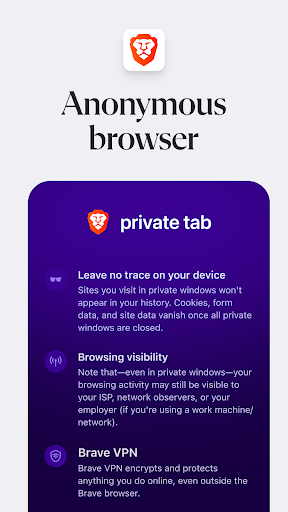
Brave integrates data-protection mechanisms to reduce websites collecting access information through cookie, ad trackers, or third-party components. When using the browser, users can proactively adjust the protection level for each website, and clear history, cookie and browsing data when needed. The private window mode also supports accessing the Internet without saving the browsing session history after the window is closed. However, this feature does not mean complete anonymity from your network provider or websites you are logged into.
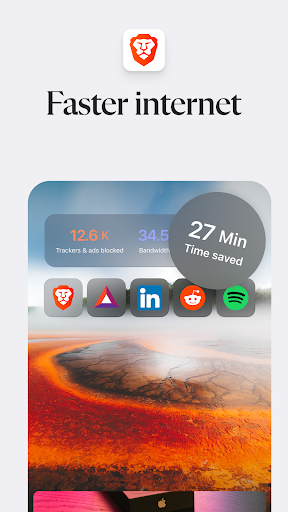
One of Brave’s advantages is its ability to remove many ads, trackers, and unnecessary content before a web page is fully displayed. By reducing the number of components that need to load, the browser can shorten the page-opening time, especially on websites packed with banners or automatic ads. This mechanism also helps limit the amount of network data consumed, which suits people who frequently access the Internet over a mobile connection. The actual experience still depends on the device’s configuration, network speed, and how each website is built.
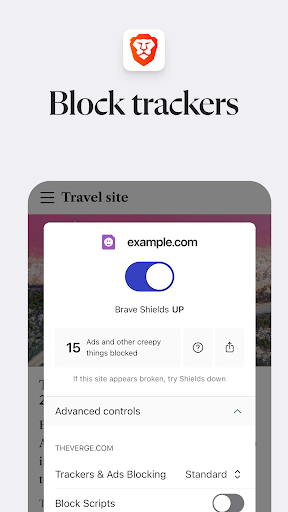
Brave Shields is a built-in security guard tool that lets you control ads and tracking activity right while browsing the web. Users don’t need to search for or install a separate ad blocking add-on to significantly reduce disruptive content. Some notable settings include:
Ad blocking: Limits banners, pop-up ad windows, and unwanted promotional content.
Block trackers: Reduces data collection activity from third-party services when accessing websites.
Upgrade HTTPS connections: Prioritizes the encrypted version of a connection when a website supports it, helping protect the transmitted data.
Control cookie: Limits third-party cookie used to track online behavior.
Customize per site: Allows adjusting the protection level if a website has display errors or needs certain components enabled.
Besides protecting privacy, the app also provides many utilities for everyday use:
Private Browsing Mode: Limits saving browsing history on the device.
Flexible Tab Management: Open multiple pages at once and switch quickly.
Data Sync: Supports accessing bookmarks and some information across devices.
Convenient search: Lets you choose a suitable search engine.
Easy-to-use interface: An intuitive layout with simple operations even for newcomers.
Brave APK is a worthwhile option if you want to find a browser with stable speed, ad blocking capability, and built-in security tools. To download the app from APKMODY, follow these steps in order:
Step | How to do it |
|---|---|
Step 1 | Go to the APKMODY website and type the keyword Brave into the search bar. |
Step 2 | Select the Brave APK page in the list of results. |
Step 3 | Check the version information and file size, then tap the download button. |
Step 4 | Wait for the APK file to finish downloading, then open the file in the Download folder on your phone. |
Step 5 | If Android requests it, grant permission to install apps from this source, then tap Install. |
Step 6 | Once finished, open Brave and set up the initial options to start browsing the web. |