home chevron_right Apps chevron_right Art & Design chevron_right AhaFast


monAI – AI Art Generator
v1.9.0
• Unlock


| Updated On | |
|---|---|
| Google Play ID | facebook.video.downloader.savefrom.fb.saver.fast |
| Category | Art & Design |
| Version | 3.12.0 |
| Size | 39MB |
| MOD Features | Unlock |
| Requires | Android |
| Price | |
| Free | |
| Content Rating | |
| Everyone | |
| Internet Required | |
| Unknow | |

AhaFast Video Downloader is an application designed to help users save videos to their devices for later viewing. According to its Google Play description, the app supports video downloads through links as well as a built-in browser, allowing users to save content to their device library and watch it offline.\
One of the main advantages of this video downloader app is its straightforward approach. Users can find the video they want to save, copy its link, and then paste the link into the download tool. The built-in browser also allows users to search for content within the application instead of switching between multiple tools.
For people who frequently watch videos on their smartphones, the ability to save content for offline video viewing can be convenient. Once a video has been downloaded, it can be stored on the device and played using the available video player. This can be useful when users want to watch content later without relying on a stable Internet connection.
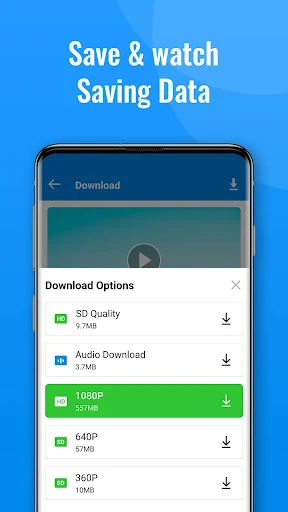
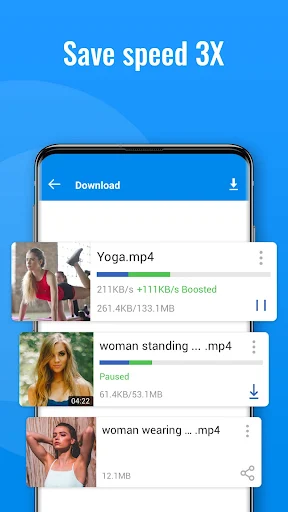
Another feature worth mentioning is support for high-quality video. The Google Play listing states that the tool can download HD videos and uses multi-thread downloading technology to improve download performance. However, actual download speeds may vary depending on the Internet connection, video size, and device performance.
Link-based downloading is one of the notable features of the application. Users can find the content they want to save, copy the video URL, and open the download tool. After the link is recognized, users can follow the available instructions to start downloading. This method can be particularly convenient for people who are already familiar with copying and sharing video links.
In addition, the video downloader for Android provides an integrated browser. According to the Google Play description, users can browse video content through their feed, groups, pages, or shared content and then proceed with the download process.
AhaFast Video Downloader focuses on a clear set of functions. Users can download videos, save content to their devices, play videos offline, and browse content through the integrated browser. Combining these features in one application can make the process of finding and saving videos more convenient.
Support for HD video is another useful feature for users who want to preserve better image quality after downloading. However, high-quality videos can require considerably more storage space, so users should check their available device storage before downloading multiple large files.
To get started, open the application and use the built-in browser to find the video you want to save. After selecting the desired content, the available play or download option can guide you to the next step. This approach is suitable for users who prefer to complete the entire process within one interface.
Another method is to copy the video link from the application or browser you are using, then open the video downloading tool and paste the link into the designated field. Once the content is recognized, follow the on-screen instructions to continue the download.
For a smoother experience, make sure you have a stable Internet connection and enough storage space before downloading large videos. It is also helpful to check the available video quality and format before starting the download to avoid using unnecessary storage.
When using a video downloader app, users should also pay attention to privacy and content ownership. Before downloading or sharing any video, it is important to make sure that you have the necessary rights or permission to save and use the content.
Users should also review the application’s current privacy and data-safety information on its official Google Play listing. In addition, downloading copyrighted material without permission may violate applicable laws or the content owner’s terms, so the tool should be used responsibly.
Overall, AhaFast Video Downloader is a practical tool focused on saving videos to Android devices. Features such as link-based downloading, an integrated browser, HD video support, and offline playback can make the application useful in different situations. If you are looking for an Android video downloader with a relatively straightforward interface and several functions in one place, it may be worth exploring. However, users should consider available storage, Internet quality, privacy, and especially content ownership before downloading videos.