home chevron_right Apps chevron_right Art & Design chevron_right Anime Drawing & Manga Lesson

PixVerse
v3.22.15
• Art & Design
| Updated On | |
|---|---|
| Google Play ID | learn.all.anime.drawing |
| Category | Art & Design |
| Version | 200.7.51 |
| Size | 15 MB |
| MOD Features | Premium |
| Requires | Android 7.0 |
| Price | |
| Free | |
| Content Rating | |
| Teen | |
| Internet Required | |
| Unknow | |

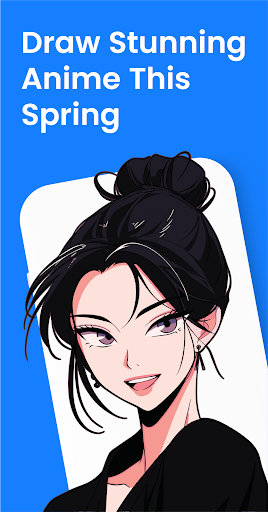
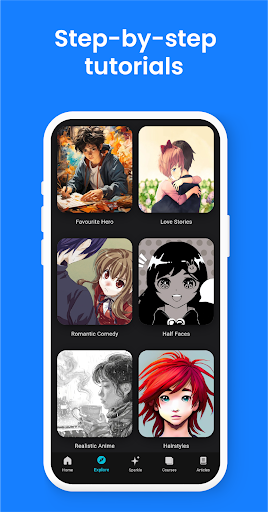
Anime Drawing & Manga Lessons is an Android learning app from Rstream Labs that focuses on helping users develop anime and manga drawing skills. It provides video-based lessons designed for different skill levels, from beginners who are learning basic character construction to more experienced artists who want to improve details such as shading and poses. The app also includes AI-based art feedback features, giving users another way to review their work while practicing. With a focused learning format, it can turn an interest in anime art into a more structured drawing routine.
The main purpose of Anime Drawing & Manga Lessons is to make anime and manga drawing easier to approach. Instead of expecting users to learn everything at once, the app organizes learning around individual lessons and video tutorials. This format can be useful for beginners who need to see how an artist constructs a drawing before trying the same process themselves.
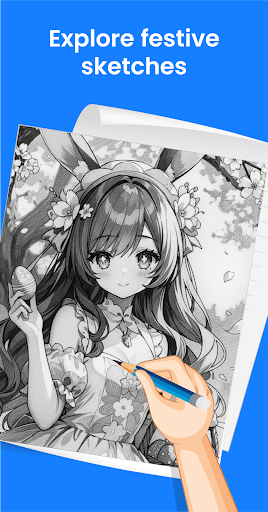
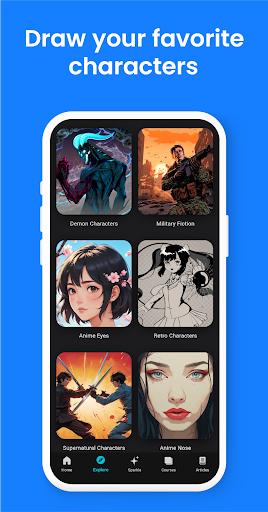
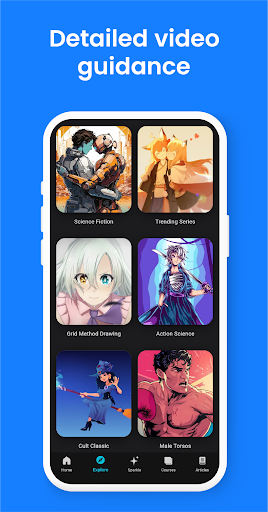
The lessons can cover different aspects of anime artwork, including character creation, facial features, poses, and shading. Users can follow a tutorial, pause when necessary, and then practice the demonstrated technique in their own sketchbook or drawing application.
The app is presented as a learning platform for users ranging from beginners to more advanced artists. New artists can start with fundamental techniques before gradually moving toward more detailed subjects. More experienced users can use specific lessons to practice areas where they need improvement.
This progression makes the learning process more flexible. Rather than following a single fixed drawing style, users can choose lessons that match their current interests and abilities. Google Play also describes the app as offering lessons suited to different skill levels, with topics such as drawing characters and shading.
Video tutorials are one of the central elements of Anime Drawing & Manga Lessons. Visual demonstrations can make drawing techniques easier to understand because users can observe the sequence of strokes instead of relying only on written instructions. This is particularly useful when practicing character proportions, facial details, hair, clothing, or dynamic poses.
A productive approach is to watch a lesson once and then repeat it while drawing. Users can pause the video during difficult steps and compare their own sketch with the demonstrated example. Repeating the same exercise with different characters can also help turn individual techniques into practical drawing habits.
Anime artwork often relies on recognizable facial features, stylized proportions, expressive poses, and clear linework. The app provides lessons that can help users explore these elements while developing their own drawing ability. Shading is another useful area for practice because it can add depth and make a character appear more dimensional.
Rather than trying to create a complete illustration immediately, beginners can focus on one skill at a time. Practicing eyes, hair, faces, body proportions, or basic shadows separately can make longer drawing projects feel more manageable.
Anime Drawing & Manga Lessons also promotes AI-based art feedback as part of its learning experience. This feature can provide another perspective when users are practicing their artwork. However, AI feedback should be treated as a learning aid rather than a replacement for personal observation and artistic judgment.
Users can combine feedback with repeated practice. After identifying an area that needs improvement, they can return to relevant lessons and repeat the exercise. This creates a simple cycle of drawing, reviewing, and practicing again.
Start by choosing a lesson that matches your current ability. Beginners should focus on basic character construction and facial features before moving to more complex poses or shading. Watch the demonstration carefully, then pause and reproduce each stage on paper or on a digital canvas. After finishing, compare the result with the lesson and note which parts were difficult. If AI feedback is available, use it as an additional reference. Regular short practice sessions can be more useful than completing many lessons without repeating the techniques.
Anime Drawing & Manga Lessons offers a structured way to practice anime and manga illustration on Android. Its video lessons provide visual guidance, while the range of skill levels allows users to progress gradually. Topics such as character drawing and shading can help learners build a broader set of artistic techniques, while AI feedback adds another tool for reviewing practice work. The app is free to download but includes in-app purchases, and current Google Play information lists it as having more than 10 million downloads.