Wobbly Life
v1.1.0.9
• Full Game
| Updated On | |
|---|---|
| Google Play ID | com.mojang.minecraftpe |
| Category | Adventure |
| Version | 1.26.70.20 |
| Size | 1 GB |
| MOD Features | Immortality, Unlocked |
| Requires | Android 8.0 |
| Rating Score | |
| Price | |
| $6.99 | |
| Content Rating | |
| Everyone 10+ | |
| Internet Required | |
| Required | |
| Languages | |
| English, Danish, Dutch, Finnish, French, German, Italian, Japanese, Korean, Norwegian Bokmål, Polish, Portuguese, Russian, Simplified Chinese, Spanish, Swedish, Traditional Chinese, Turkish, Vietnamese | |

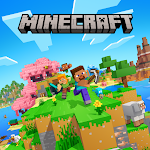
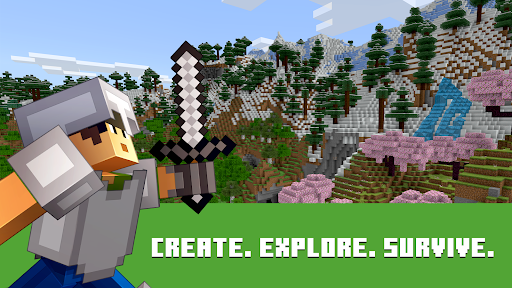
Minecraft APK opens the door to a block-based universe where players can explore, construct and survive according to their imagination. From building impressive structures to discovering mysterious caves, every adventure offers new possibilities. With diverse environments, multiple game modes and multiplayer features, the game delivers an engaging experience for creative minds. Explore its highlights and discover why Minecraft remains a favorite sandbox adventure.
Developed by Mojang Studios, Minecraft is a sandbox game that combines exploration, construction and survival. Players can collect resources, craft equipment and reshape their surroundings without following a fixed storyline. This freedom allows everyone to create a unique experience.
Minecraft stands out through its open-ended gameplay. Players can build houses, explore unfamiliar territories, develop farms or experiment with complicated mechanisms. Each world features different landscapes and resources, encouraging continuous exploration.
Its accessible mechanics also make the game suitable for beginners, while advanced crafting and building systems provide plenty of challenges for experienced players.
The game features numerous biomes with distinctive landscapes, resources and creatures. Some notable examples include:
Deserts: Sandy landscapes containing cacti, villages and hidden structures.
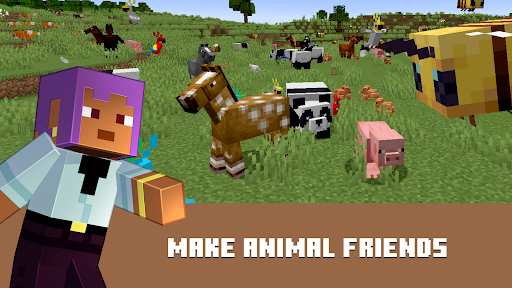
Forests: Wood-rich environments with various animals.
Swamps: Wetlands featuring distinctive vegetation and wildlife.
Mountains: Elevated terrain with valuable ores and challenging paths.
Snowy regions: Cold environments covered in snow and ice.
Each location offers different opportunities for gathering materials and discovering new creatures.
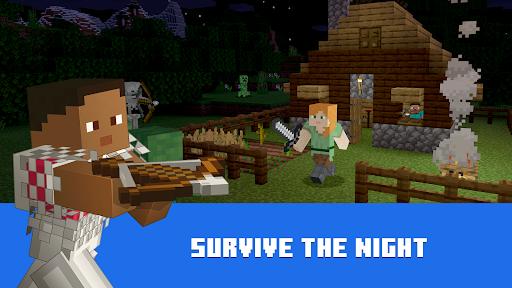
A complete Minecraft day lasts approximately 20 minutes in real time. During daylight, players can explore, collect resources and construct shelters. When darkness arrives, hostile creatures such as zombies, skeletons and spiders begin appearing.
Preparing weapons, gathering food and securing a safe shelter are essential for surviving nighttime encounters.
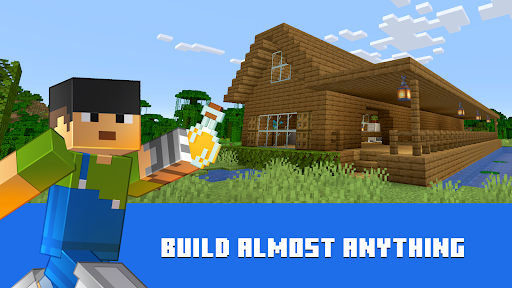
Construction is one of Minecraft’s defining features. Players can break blocks, collect materials and use them to create houses, castles, farms or entire cities.
Different resources serve specific purposes, from crafting basic tools to developing advanced mechanisms. With enough materials and imagination, players can transform almost any suitable location into a personal creation.
Survival gameplay requires players to maintain their health, find food and protect themselves from dangerous creatures. Hunting animals, growing crops and raising livestock provide essential supplies for longer adventures.
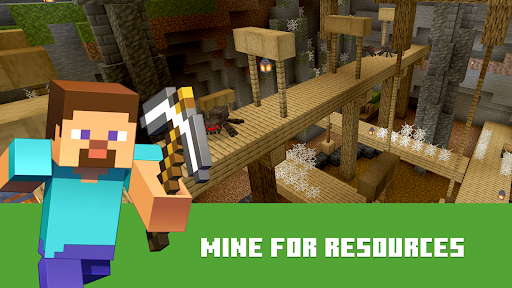
Mining also plays an important role, allowing players to obtain ores and craft stronger weapons, tools and armor.
Minecraft offers several modes to accommodate different playstyles.
| Game mode | Main experience |
|---|---|
| Survival | Gather resources, manage hunger and fight hostile creatures |
| Hardcore | Face permanent-death survival challenges |
| Creative | Build freely with unlimited resources |
| Adventure | Explore custom maps with specific restrictions |
| Spectator | Observe the world without direct interaction |
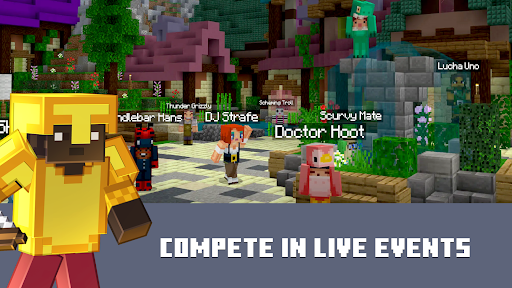
| Multiplayer | Build, explore and play with other users |
Minecraft uses a recognizable 3D block-based visual style that gives its world a distinctive appearance. Despite its simple shapes, different textures, lighting and environmental details create an engaging atmosphere.
Background music, creature sounds and environmental effects further enhance exploration, construction and combat.
Minecraft MOD APK is an unofficial modified edition advertised with additional functions compared with the standard release. Its actual features depend on the specific package and version.
The advertised modifications include:
Immortality: Provides an invincibility function intended to prevent character death.
Unlocked: Claims to unlock additional content or selected game functions.
Modified releases are not verified by Mojang, so their compatibility and security cannot be guaranteed. Back up saved worlds before installing an alternative package.
Download the APK file, locate it in your device’s Downloads folder and open it. Follow Android’s installation instructions to complete the process. Remember to back up existing worlds before replacing an installed version.
Updating the game requires a compatible installation package. Follow these steps:
Back up your existing Minecraft worlds.
Check the latest version and Android requirements.
Download the appropriate APK file.
Open the package and follow the installation prompts.
Launch the game and verify your saved progress.
Different APK signatures may prevent installation over an existing version.
Minecraft encourages creativity, problem-solving and exploration through its building and resource-management activities. However, some modes include fantasy combat, while multiplayer sessions may involve interactions with strangers. Parents should review multiplayer settings and supervise younger players when necessary.
Yes, cross-platform multiplayer is available through compatible Bedrock Edition versions. Players generally need compatible game versions, Microsoft accounts and suitable multiplayer settings. Java Edition does not natively support direct crossplay with Bedrock Edition.
Beta releases allow players to test upcoming features but may contain bugs or unfinished mechanics. Final versions generally provide greater stability, making them more suitable for regular gameplay.
For account problems, installation questions and gameplay errors, visit the official link. Players can also explore community discussions for additional troubleshooting advice.
Minecraft offers an engaging combination of exploration, survival and creative construction. To experience the game on Android, visit APKMODY and search for Minecraft. Before installing, review the available release information using this guide:
| Download stage | Instructions |
|---|---|
| Find the game | Search for Minecraft on APKMODY |
| Select a version | Choose the available APK or MOD release |
| Check compatibility | Review Android requirements and version details |
| Download | Open the selected release page and get the installation file |
| Install | Open the APK and follow the device instructions |
| Start playing | Launch the game and explore your new world |