
Farm Land
v3.28.13
• Unlimited Coins
| Updated On | |
|---|---|
| Google Play ID | com.mojang.minecrafttrialpe |
| Category | Adventure |
| Version | 1.26.66.1 |
| Size | 1,020 MB |
| MOD Feature | Not available |
| Requires | Android 8.0 |
| Price | |
| Free | |
| Content Rating | |
| Everyone 10+ | |
| Internet Required | |
| Required | |

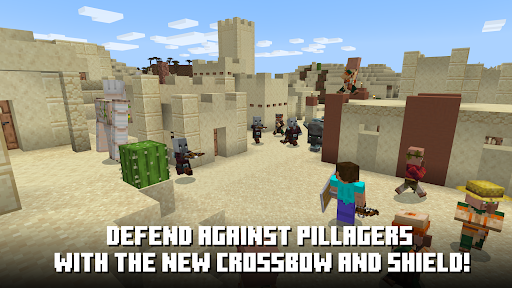
Minecraft Trial offers an opportunity to experience the creative freedom of Minecraft without purchasing the full game first. Explore a randomly generated world, collect resources, craft useful items, and build structures using the familiar block-based mechanics. Although some features are restricted, this trial edition provides a convenient introduction to the survival and building adventures waiting in Minecraft.
Minecraft Trial brings the core sandbox experience to Android players through a limited version of Minecraft. It allows newcomers to understand the game’s mechanics, explore its environments, and decide whether the full experience suits their interests.
Minecraft Trial is a free trial edition of Minecraft developed by Mojang. It introduces the essential gameplay elements of the mobile version, allowing players to explore a block-based environment, gather materials, craft equipment, and construct different structures.
The trial edition serves two main purposes. First, it helps newcomers experience Minecraft before purchasing the full game. Since the original sandbox offers extensive content and long-term gameplay, trying its basic mechanics beforehand can help players make a more informed decision. Second, it provides a practice environment where beginners can become familiar with movement, crafting, resource collection, and construction before moving on to the complete experience.
Although both editions share the same fundamental gameplay, Minecraft Trial has several restrictions that distinguish it from the paid release. Understanding these limitations will help you know what to expect before downloading.
| Feature | Minecraft Trial | Full Minecraft |
|---|---|---|
| Price | Free trial | Paid version |
| Playtime | Limited to a trial session of approximately 90 minutes | No trial time restriction |
| Online features | Multiplayer and server access are restricted | Supports available multiplayer features |
| Content | Limited gameplay features | Access to the complete available experience |
| World progression | Trial worlds cannot be transferred to the full game | Supports regular world management |
One important detail is that Minecraft Trial and the full Minecraft release are separate applications. Purchasing the original game does not automatically convert your trial installation into the complete edition. You will need to install the full version separately if you decide to continue playing.
Despite its limitations, Minecraft Trial retains the familiar sandbox mechanics that make the original game appealing. Players can explore different environments, gather materials, craft equipment, and experiment with construction.
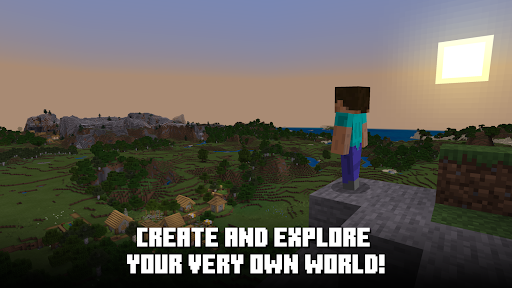
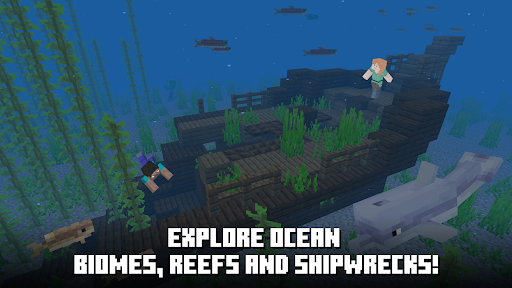
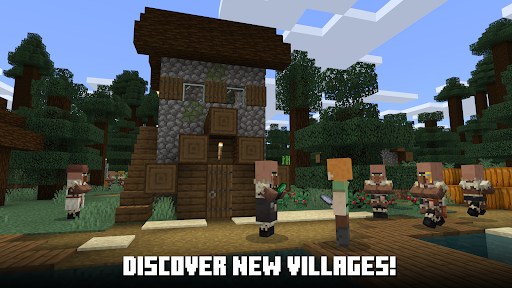
Minecraft Trial places you in a randomly generated world filled with blocks, natural resources, and different environments. There is no fixed storyline forcing you to follow a particular route. Instead, you decide how to spend your time, whether that means exploring nearby areas, collecting materials, crafting equipment, or building your own shelter.
Resources play an important role throughout the experience. You can gather wood, stone, and other materials to create tools, weapons, and construction blocks. As you become more familiar with the environment, you can experiment with different combinations to produce useful items and expand your creations.
Minecraft is known for offering different gameplay styles, allowing players to choose between unrestricted construction and more demanding survival challenges. The full game features several modes, although their availability and restrictions should not be confused with the limited Minecraft Trial experience.
Creative Mode: Focuses on unrestricted construction and experimentation. Players have access to a broad selection of building materials without needing to collect every resource manually. Flying also makes it easier to construct large structures and reach elevated locations.
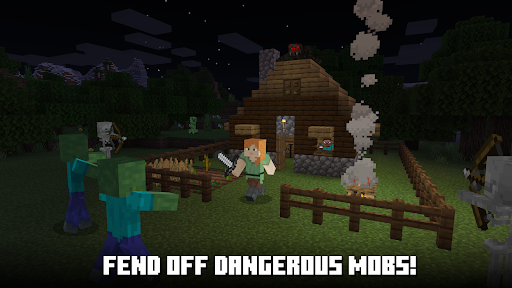
Survival Mode: Requires players to collect resources, craft equipment, manage hunger, and protect themselves from hostile creatures. Finding food and building shelter become essential, especially when night falls.
Adventure Mode: Designed around exploring custom maps and completing specific objectives. Certain blocks can only be interacted with using appropriate tools, making preparation important.
Hardcore Mode: Offers a particularly challenging survival experience with only one life. If your character dies, the adventure ends, so managing health, food, and equipment becomes extremely important.
Creative and Survival are particularly popular among Minecraft players because they offer contrasting experiences. One emphasizes imagination and construction, while the other tests resource management and survival skills.
Note: The availability of these modes varies between the trial and full editions. Minecraft Trial does not provide unrestricted access to every mode and feature listed above. Its gameplay is limited to the trial experience.
Minecraft Trial uses a straightforward control layout that works well on mobile devices. A directional pad appears in the lower-left corner, allowing you to move your character around the environment. The jump button is positioned nearby, while the remaining screen space is used for interacting with blocks and adjusting your viewpoint.
You can drag your finger across the screen to change the camera angle and look around your surroundings. The inventory and quick-access bar make it convenient to select collected materials without navigating complicated menus. When building, simply choose the desired block and tap an appropriate position to place it. To remove a block, press and hold it until the destruction indicator is complete.
These controls are relatively easy for beginners to understand. However, building large structures or moving through narrow spaces still requires accurate positioning and a little practice.
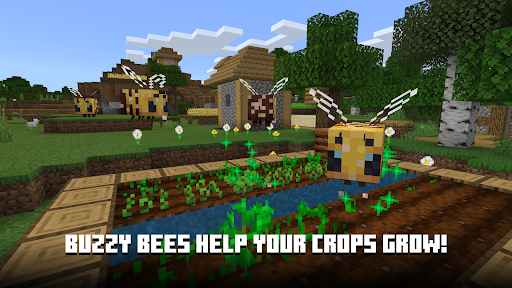
The main attraction of Minecraft Trial is the freedom to experiment with its block-based environment. You can explore nearby areas, collect useful materials, and use them to create simple shelters or more elaborate constructions. The ability to place and remove blocks makes it easy to modify the landscape according to your ideas.
However, the trial world has limitations compared with the complete Minecraft experience. Exploration is restricted, and players may reach the boundaries of the available environment relatively quickly. This makes the trial more suitable for learning the basic mechanics and testing the gameplay rather than building a large, permanent world.
Want to experience Minecraft’s sandbox mechanics before purchasing the full release? You can visit APKMODY to find Minecraft Trial for Android. Follow these instructions to access the installation file:
Open the APKMODY website using your Android browser.
Search for Minecraft Trial and navigate to its dedicated download page.
Check the available version information and Android compatibility.
Tap the download option to save the APK file to your device.
Open the downloaded file from your notification panel or download folder.
Allow installation from the selected source if Android requests permission.
Complete the installation, launch the game, and start exploring your blocky world.