home chevron_right Games chevron_right Simulation chevron_right Flight Pilot: 3D Simulator

Dealer’s Life Legend
v1.005
• Unlimited Money
| Updated On | |
|---|---|
| Google Play ID | com.fungames.flightpilot |
| Category | Simulation |
| Version | 2.12.75 |
| Size | 323 MB |
| MOD Features | Unlimited Coins |
| Requires | Android 7.1 |
| Price | |
| Free | |
| Content Rating | |
| Everyone | |
| Internet Required | |
| Not Required | |

Flight Pilot: 3D Simulator MOD APK lets you experience the excitement of flying different aircraft through a variety of challenging missions. Developed by Fun Games, this mobile flight simulator combines accessible controls, realistic-inspired aircraft designs, and changing weather conditions. Master takeoffs and landings, complete demanding assignments, and expand your collection of airplanes as you develop your piloting skills.
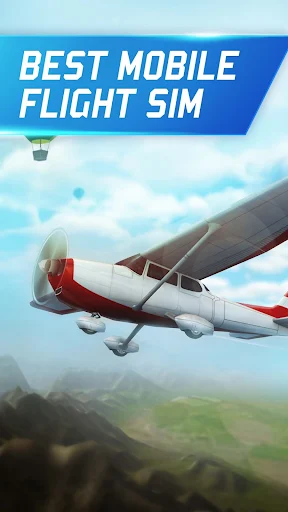
Flight Pilot: 3D Simulator is an airplane simulation game that allows you to take control of various aircraft and explore the skies from a three-dimensional perspective. Each plane features a design inspired by real-world aviation, giving players the opportunity to experience different styles of flying.
You will begin with relatively simple assignments before gradually facing more complicated missions. These activities introduce essential flight operations, including acceleration, navigation, takeoff, and landing. As you become more familiar with the controls, you can attempt increasingly demanding challenges.
Completing missions also provides rewards that support your progress. You can use the resources you earn to improve your existing aircraft or unlock additional models, giving you more options when preparing for future flights.
The main objective is to operate your aircraft safely while completing the requirements of each assignment. You must take off at the appropriate moment, follow the designated route, avoid obstacles, and land at the correct destination without damaging your plane.
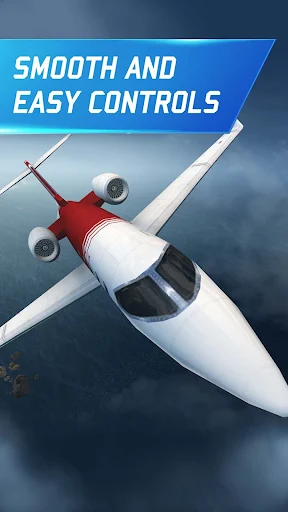
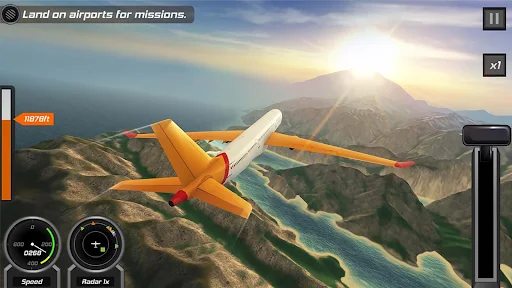
The controls are designed for mobile devices. Navigation inputs are positioned on the left side of the screen, while acceleration and throttle controls help you manage the aircraft’s speed. Learning how these controls work is essential, particularly when approaching a runway or adjusting your flight path.
Different missions introduce different responsibilities. Some require you to transport passengers or cargo safely, while others challenge you to reach a destination within a limited period. You must also pay attention to fuel levels, surrounding obstacles, and changing weather conditions. A poorly timed maneuver can easily affect the outcome of an otherwise successful flight.
Flight Pilot: 3D Simulator gradually increases the difficulty of its missions, encouraging you to develop better control and situational awareness. Early assignments help you understand basic flight operations, while later challenges require more accurate handling and faster decisions.
Landing is particularly important because reaching the destination is not enough. You need to approach the runway carefully, adjust your speed, and keep the aircraft aligned with the designated landing area. These tasks become more demanding when visibility is limited or the weather turns unfavorable.
Some missions also include time restrictions. You must balance speed with safety to complete the objectives before the countdown expires. Watching your fuel supply and avoiding unnecessary detours can help you finish these assignments more efficiently.
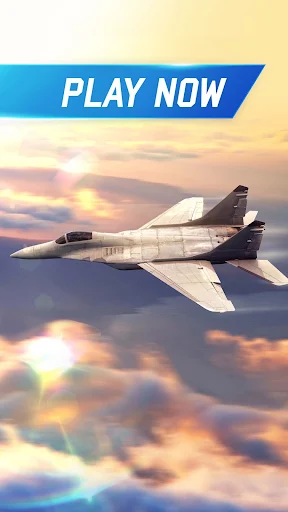
One of the game’s main attractions is its variety of aircraft. You can experience different flying styles through commercial airplanes, cargo carriers, and military jets, with each category offering its own characteristics.
Commercial aviation enthusiasts may enjoy operating large passenger aircraft such as the Boeing 747, Super Boeing 747, and McDonnell Douglas DC-10 Deluxe. These models provide a different experience from smaller aircraft because their size and handling require careful control.
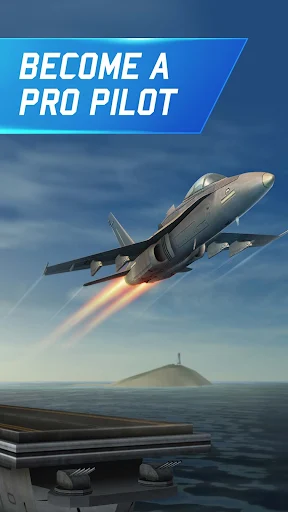
If you prefer high-speed flying, military aircraft offer another type of challenge. Models such as the Jet Fighter 18 and Jet Fighter 22 Ultra are designed for missions that emphasize speed and precise maneuvering. These assignments demand quick reactions, especially when every second matters.
The available aircraft provide opportunities to experience different mission types instead of repeating the same flight routine. Switching between models can also help you discover which handling characteristics suit your preferred flying style.
Each aircraft comes with four important statistics that influence its performance:
Max Speed: Indicates the aircraft’s maximum speed and its ability to travel quickly.
Handling: Reflects how responsive the plane is when you change direction or adjust its movement.
Weight: Represents the aircraft’s weight, which influences its general flight characteristics.
Seats: Shows the passenger capacity of the aircraft.
These attributes can affect how comfortably you complete different assignments. A fast aircraft may be suitable for time-sensitive missions, while a plane with greater passenger capacity may be more appropriate for transportation tasks.
You can spend earned coins to purchase additional aircraft. However, certain special models may require real-money purchases, depending on the available in-game options.
Flight Pilot: 3D Simulator uses three-dimensional graphics to present aircraft, landscapes, and different flight conditions. Although it does not aim to match the technical complexity of major PC or console simulators, its visual presentation provides an enjoyable experience on mobile devices.
Cloud formations, animated environments, and colorful scenery create a convincing sense of flying above the landscape. Takeoff and landing sequences also include visual and audio effects that make important moments feel more engaging.
Weather conditions add another layer of difficulty. You may encounter clear skies, rain, fog, thunderstorms, and other atmospheric changes during your assignments. The game also features different lighting conditions throughout the day and night, giving flights a more varied appearance.
These environmental elements are not just decorative. Reduced visibility and difficult weather can make aircraft handling more challenging, requiring you to remain attentive throughout the journey.
The MOD version is described as including Unlimited Coins, giving players access to a much larger amount of in-game currency. This feature may make it easier to purchase aircraft and explore different models without following the standard currency-earning process.
The exact behavior of this modification can depend on the installed release. Check the listed MOD information before downloading, as unofficial modifications may not work consistently across all versions.
Flight Pilot: 3D Simulator offers an accessible introduction to mobile aviation games. Its aircraft collection, varied assignments, and changing weather conditions provide plenty of opportunities to practice your flying skills. The MOD edition with Unlimited Coins may also appeal to players who want to explore more aircraft without spending as much time collecting in-game currency.
Here is a quick route to finding the game through APKMODY:
Open APKMODY: Launch your preferred browser on your Android phone and navigate to the APKMODY website.
Search for the simulator: Type Flight Pilot: 3D Simulator into the search box and open the corresponding result.
Compare the available versions: Look for the standard release and the MOD edition, if available. Check the description to identify the version advertising Unlimited Coins.
Review compatibility: Read the displayed version details and Android requirements to make sure the package is suitable for your device.
Get the installation package: Select the relevant download link and wait for the APK file to finish downloading.
Install the game: Open the downloaded file from your device’s Downloads folder. Follow the installation prompts and allow the required permission only if you trust the source.
Prepare for takeoff: After installation, launch the game, familiarize yourself with the controls, and start your first flight.