Zombie Age 3 Premium: Survival
v1.4.3
• Unlimited Money
| Updated On | |
|---|---|
| Google Play ID | com.VuVuu.Entomophobia |
| Category | Action |
| Version | 1.09.137 |
| Size | 66 MB |
| MOD Features | Unlimited Shell |
| Requires | Android 6.0 |
| Price | |
| $0.99 | |
| Content Rating | |
| Everyone 10+ | |
| Internet Required | |
| Unknow | |

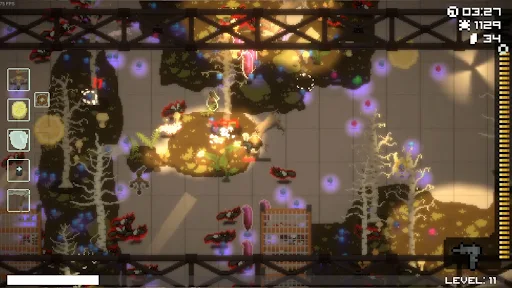
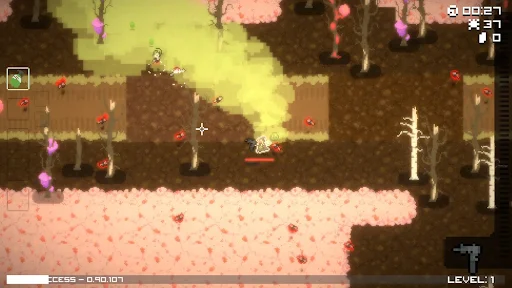
Entomophobia: Mobile is a roguelite bullet heaven game where players face relentless swarms of insects using unusual weapons and character-specific abilities. Developed by independent studio VuVuu Inc., the game combines fast-paced combat with charming 2D pixel graphics and plenty of humorous details. Each run brings new weapon combinations and challenges, giving you another reason to jump back into the action.
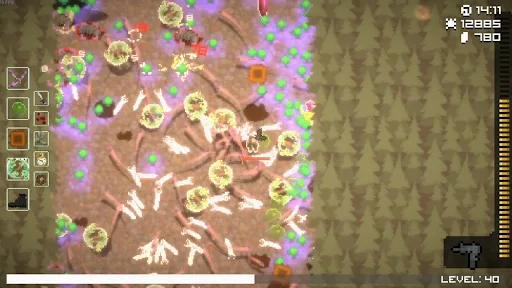
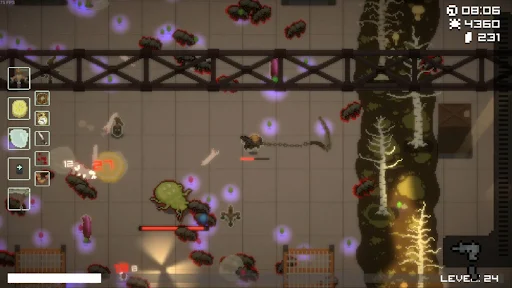
Entomophobia: Mobile follows the bullet heaven formula, sending increasingly large groups of insects toward your character from every direction. Your character automatically attacks nearby enemies, allowing you to focus on movement and survival rather than aiming manually. Defeated enemies may drop crystals, which you can collect to gain experience and level up.
As the run progresses, insect swarms become more numerous and dangerous. Collecting crystals quickly is essential because each level-up gives you an opportunity to improve your character and prepare for tougher encounters. You begin with a gun, a signature weapon, and a unique skill determined by your selected character.
The controls are straightforward: tap and drag across the screen to move around the battlefield. You can also use another finger to trigger a dodge while moving, helping you escape dangerous situations when enemies get too close.
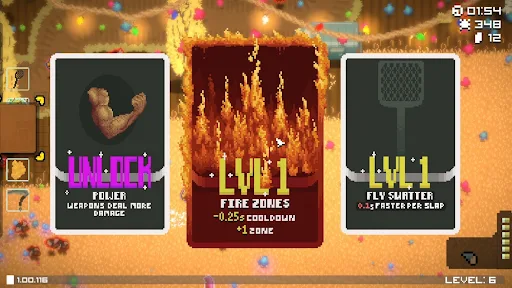
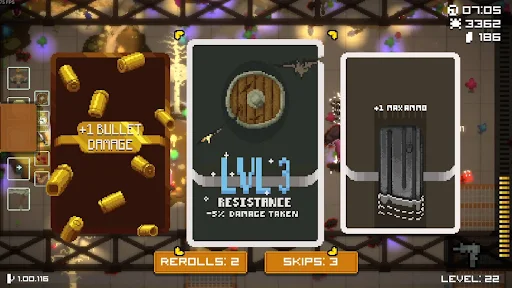
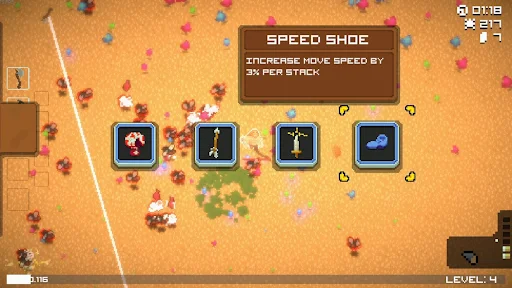
Leveling up gives you a choice between randomly offered upgrades. Some options improve your character’s basic attributes, while others provide weapon cards that add new automatic attacks to your arsenal. Choosing the right combination is important because every weapon contributes to your ability to control the battlefield.
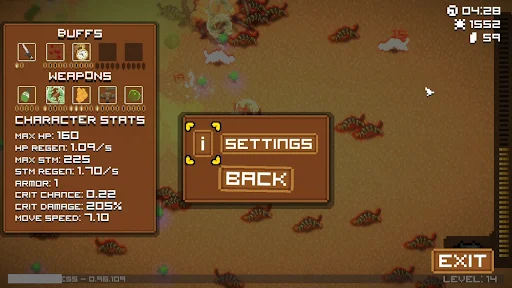
You can equip up to four different weapon cards at once. If you receive a weapon that you already own, selecting it upgrades that weapon instead of adding another slot. Improved weapons can fire more projectiles, deal greater damage, or gain additional effects. Experimenting with different combinations is part of what makes each run feel distinct.
Losing a run is part of the experience in Entomophobia: Mobile. When your character is defeated, temporary progress disappears, including collected weapon cards, attribute upgrades, and levels. Your next attempt starts from the beginning, so you must build your strength again through new choices.
However, not everything is lost. Shells remain in your possession even after failure, giving you a persistent currency to spend outside the main combat sessions. You can use them to improve character attributes or unlock additional characters and weapons. Saving and spending shells wisely makes future attempts more manageable, even when a run ends earlier than expected.
Stats:
Speed: 4.2 cells/sec.
Health: 100 HP.
Recovery: 0.25 HP/sec.
Signature Weapon – Flyswatter: Swings a flyswatter at the nearest target, dealing damage across a surrounding area.
Signature Skill – Abusive Rage: Every 35 seconds, enters a rage state that frightens nearby enemies and increases damage and movement speed by 50%.
Ron is one of the easiest characters to handle, making him a suitable choice for beginners. His Flyswatter deals strong area damage, allowing him to clear nearby insects without relying on complicated weapon combinations. This advantage is especially useful during the opening stages, when your arsenal is still limited.
His Abusive Rage skill provides another boost when the battlefield becomes crowded. Once you have collected enough upgrades, Ron becomes even more effective at pushing through enemy groups and maintaining control of the surrounding area.
Stats:
Speed: 4.4 cells/sec.
Health: 110 HP.
Regen: 0.26 HP/sec.
Signature Weapon – Shotgun: Fires pellets toward the nearest enemy. The projectiles travel until they hit a target and spread out over distance.
Signature Skill – Collateral Damage: Allows shotgun pellets to pass through a certain number of enemies.
Debra has the highest overall base attributes among the available characters, although her recovery rate is not the strongest. Despite these advantages, she can struggle during the early stages because her damage output becomes more effective after collecting suitable upgrades. Weapon-related ammunition bonuses are particularly useful for improving her performance.
Her shotgun and piercing ability make her especially dangerous against bosses. When you position Debra close enough to land multiple pellets on a single target, she can deal tremendous damage in just a few attacks. Learning how to manage distance is therefore essential to getting the most out of this character.
Stats:
Speed: 4 cells/sec.
Health: 108 HP.
Regen: 0.32 HP/sec.
Signature Weapon – Discharger: Creates a small protective circle that continuously electrocutes enemies touching it. After a longer interval, it can also strike a random enemy on the screen.
Signature Skill – Shockwave: Every 30 seconds, releases a shockwave that damages all enemies on the map and stuns them for four seconds.
Cletus is not available from the beginning. You must spend 400 shells to unlock him before taking him into battle. His Discharger creates a defensive zone around the character, making it easier to deal with weaker insects that approach too closely.
His Shockwave is another major advantage, affecting enemies across the entire map rather than just nearby targets. The ability to damage and stun large groups gives Cletus excellent crowd-control potential. Players who prefer a safer approach may find his playstyle particularly appealing.
Stats:
Speed: 4.2 cells/sec.
Health: 89 HP.
Regen: 0.37 HP/sec.
Signature Weapon – Poison: Throws a poison bottle toward a distant location. Once it lands, the bottle creates a gas zone that continuously damages enemies entering the area.
Signature Skill – Gas Cloud: Every 25 seconds, releases a cloud behind the character. Enemies touching it become poisoned and continue taking damage for a short time after leaving the cloud.
Agnes also requires 400 shells to unlock. Unlike characters who rely on direct attacks, she uses poison to gradually weaken enemies. Her low health makes mistakes costly, while her early-game damage can feel limited without the right upgrades. You will need to collect suitable equipment and improve her attributes before she reaches her full potential.
Once properly developed, Agnes becomes much more comfortable to play. Her poison effects punish enemies that follow her, allowing you to keep moving while the pursuing swarm gradually loses health. This makes positioning and movement especially important when controlling her.
The MOD version provides an unlimited Shell feature, giving players access to a large amount of the game’s persistent currency. Since shells are used to improve character attributes and unlock additional content, this modification can reduce the time spent collecting resources through repeated runs.
It also makes experimenting with different characters and weapons more convenient. However, MOD features may vary depending on the APK version and device compatibility.
Entomophobia: Mobile offers an entertaining mix of automatic combat, character progression, and unpredictable weapon combinations. Its quirky arsenal and distinct playable characters give every run a different feel, while the roguelite system encourages you to keep improving after each defeat. The MOD edition adds unlimited shells for players who want to explore upgrades and unlockable content more freely.
To get started, open APKMODY in your Android browser and search for Entomophobia: Mobile MOD APK. Check the available version and its details before choosing the download option. Once the APK file has been saved, open it on your device, allow installation from that source if Android requests permission, and follow the on-screen prompts to complete the process.