
Don’t Starve Together
v2.2.1
• Unlocked
| Updated On | |
|---|---|
| Google Play ID | com.studio501.curvypunch3d |
| Category | Action |
| Version | 1.22 |
| Size | 153 MB |
| MOD Features | Free Upgrade |
| Requires | Android 8.0 |
| Price | |
| Free | |
| Content Rating | |
| Everyone 10+ | |
| Internet Required | |
| Not Required | |

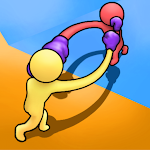
Curvy Punch 3D MOD APK puts a playful twist on traditional boxing by giving your fighter an unusually long, flexible arm capable of striking opponents from unexpected angles. Developed by VOODOO, this casual action game focuses on quick matches, simple swipe controls, and amusing combat situations rather than complicated storylines. Improve your fighter’s attributes, take advantage of arena obstacles, and defeat every challenger to claim victory.
Boxing traditionally revolves around footwork, defensive positioning, timing, and powerful punches. Curvy Punch 3D takes these familiar elements and transforms them into a lighthearted mobile experience where fighters can stretch their arms across the arena to reach distant opponents.
The game comes from VOODOO, a publisher known for accessible titles built around straightforward mechanics and quick entertainment sessions. Players familiar with games such as Rolly Legs, Tower Run, Scribble Rider, or Bullet Rush! may recognize the studio’s preference for simple concepts with unusual twists. This time, the central idea is exaggerated boxing action that is easy to understand but still leaves room for tactical decisions.
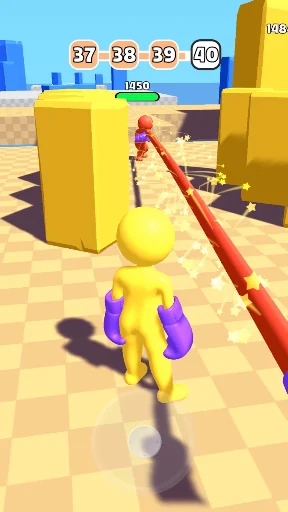
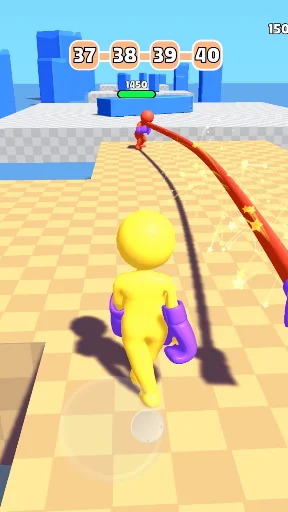
Curvy Punch 3D puts you in control of a boxer whose primary weapon is an extraordinarily flexible arm. Your objective is to defeat the rival fighter in each arena and progress through successive challenges. Instead of memorizing complicated combinations, you simply swipe across the screen to direct your attacks.
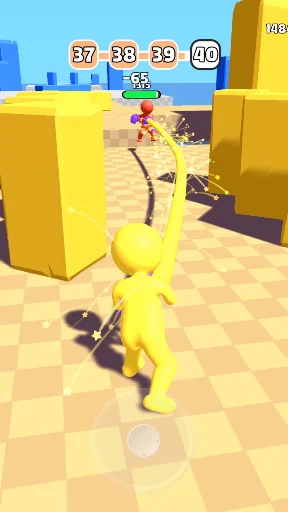
A straight swipe produces a direct punch, while moving your finger left or right allows you to launch curved strikes. The extended arm gives you an unusual advantage because you do not always need to stand close to your opponent before attacking. However, your rival can move away or dodge, so accuracy and timing remain essential.
Each fighter has a health limit. Successful hits gradually reduce the opponent’s remaining strength, while incoming attacks put your own boxer at risk. The first player to exhaust the other fighter’s health wins the round. Despite the boxing theme, the presentation remains cartoonish and focuses on amusing physical interactions rather than realistic violence.
Winning consistently requires more than swiping randomly. Curvy Punch 3D includes an upgrade system built around three important attributes: strength, health, and punching range. Investing in these areas helps your character handle increasingly challenging opponents.
Strength: Determines how much damage your punches inflict. Higher strength makes each successful hit more effective, helping you finish matches with fewer attacks.
Health: Influences how much damage your boxer can withstand. Improving this attribute gives you more room to make mistakes and survive longer exchanges.
Attack Range: Controls how far your character’s extended arm can reach. A longer range lets you threaten opponents from a safer position and potentially land the first hit.
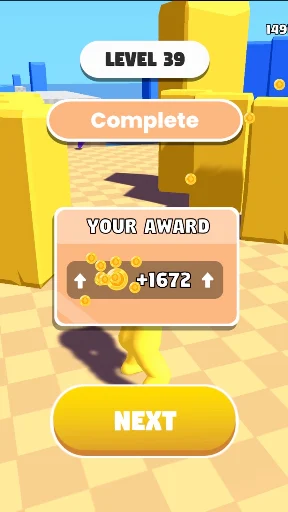
Your upgrade priorities should reflect your preferred approach. Players who enjoy aggressive combat may focus on strength, while those who prefer safer exchanges might invest in range and health. A balanced build is also useful when facing opponents with different attack patterns. Bonus rewards earned during matches provide resources for developing these attributes.
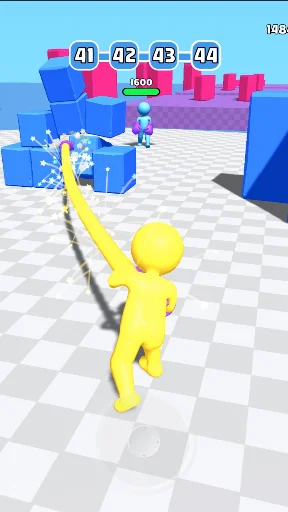
The fighting arenas contain more than just open space. Stone blocks and other environmental objects can interrupt attacks, restrict movement, or create opportunities to outmaneuver your opponent. Learning how each obstacle behaves is an important part of mastering the combat system.
Fixed structures can serve as defensive cover, allowing you to reposition while limiting the opponent’s available attack angles. Rather than approaching directly, you can use these objects to create a better position before launching another punch.
Movable obstacles offer a different opportunity. Hitting certain objects may send them toward your opponent or disrupt their footing, potentially knocking them off balance. These environmental interactions add variety to otherwise straightforward boxing matches. A well-timed strike against the surroundings may prove more effective than repeatedly attacking the rival boxer.
Although the controls are simple, attacking continuously is not always the best decision. Every exchange requires you to consider distance, timing, and the opponent’s position. If you throw punches carelessly, your rival may dodge and use the opening to counterattack.
Look for moments when the opponent is recovering or preparing an attack. These brief openings give you a better chance to land a clean hit. You should also pay attention to nearby obstacles, especially when they can provide cover or interfere with your rival’s movement.
A combination of patience and accurate swipes often works better than rushing into every encounter. Learning when to attack, reposition, or wait for an opportunity will make your progress through the arena challenges much smoother.
Curvy Punch 3D also features a special Punch support option that provides an additional way to deal with opponents. When the ability becomes available, you can activate it through the corresponding on-screen control instead of relying entirely on manual swipes.
This feature adds another tactical option to your matches, particularly when you need help dealing with a difficult rival. However, you should still develop your regular combat skills because understanding attack distance and opponent movement remains important throughout the game.
The game uses simple 3D models, bright environments, and exaggerated character animations to create a humorous atmosphere. Its visual style avoids excessive realism, keeping the focus on the unusual movements and funny outcomes of each boxing encounter.
Matches are displayed from a third-person perspective behind your fighter. This camera position provides a clear view of your character, the opponent, and nearby obstacles, making it easier to judge attack distance. The lightweight presentation also suits the game’s casual design, allowing players to jump into a match without spending time learning a complicated interface.
Free Upgrade: Provides access to the advertised free upgrade benefit, making it easier to improve your fighter’s attributes.
No Ads: Removes advertising interruptions for a more continuous gameplay experience.
These features belong to the modified edition and may behave differently depending on the installed version. Since unofficial APK files are not distributed through the original developer’s standard release channel, check their compatibility and source before installation.
Want to see how far your stretchy punches can take you? Before installing Curvy Punch 3D, compare the available editions and make sure the selected package is suitable for your Android device. Here is a practical way to complete the process:
Open APKMODY’s game catalog: Visit the website and use its search function to locate Curvy Punch 3D. Check the game title carefully to avoid downloading an unrelated application.
Review the edition you want: Compare the standard release with the MOD listing. Pay attention to the advertised Free Upgrade and No Ads features, along with the version information.
Check the technical details: Look at the required Android version, package size, and any additional installation notes. Free up storage space if your device is running low.
Download the selected package: Start the download and wait for the file to finish saving. You can check its progress through your browser’s download manager.
Verify before opening: Locate the APK in your device’s Downloads folder and scan it with a trusted security tool. Do not proceed if the file appears suspicious or requests unnecessary permissions.
Install and start playing: Tap the verified package, follow the Android installation prompts, and open the game when setup is complete. If Android requests permission for installations from that source, enable it only when you trust the file.