Prison Blox: Obby 3D Parkour
v2.8
• Unlocked Skins
| Updated On | |
|---|---|
| Google Play ID | jp.co.translimit.dream |
| Category | Casual |
| Version | 2.6.7 |
| Size | 242 MB |
| MOD Feature | Not available |
| Requires | Android 10 |
| Price | |
| Free | |
| Content Rating | |
| Everyone | |
| Internet Required | |
| Unknow | |

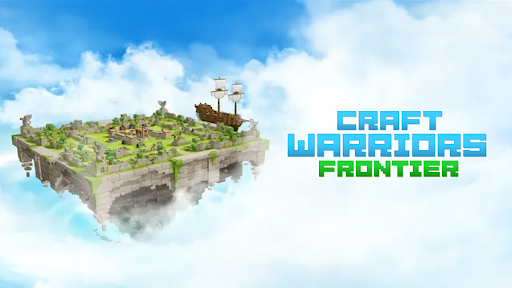
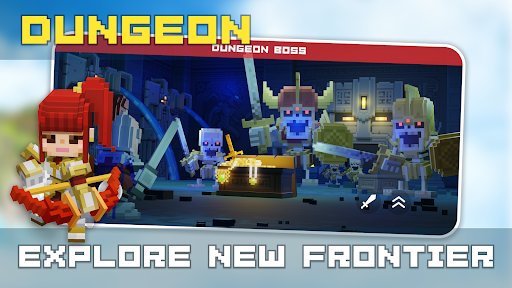
Craft Warriors Frontier MOD APK takes you into a block-based fantasy world where monster attacks threaten entire settlements and brave warriors must stand their ground. Published by Translimit, Inc., this action game blends real-time combat, tower defense, and creative construction into an entertaining adventure. With customizable units, upgradeable characters, and strategic fortress development, you will need more than fighting skills to protect your territory and restore the land of Skyland.
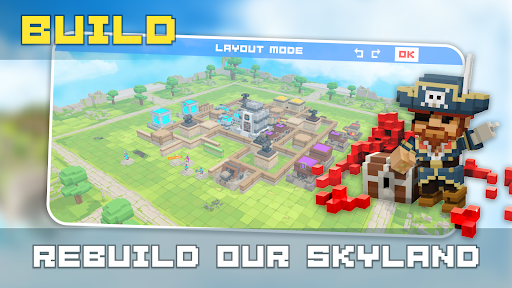
Inspired by the visual style of popular titles such as Minecraft and Roblox, Craft Warriors Frontier offers a colorful block-based environment filled with enemies, construction opportunities, and challenging battles. Your journey begins in a devastated region where monsters have destroyed much of the surrounding civilization. As a knight, you must rebuild the settlement, strengthen its defenses, and prevent hostile creatures from taking over your territory.
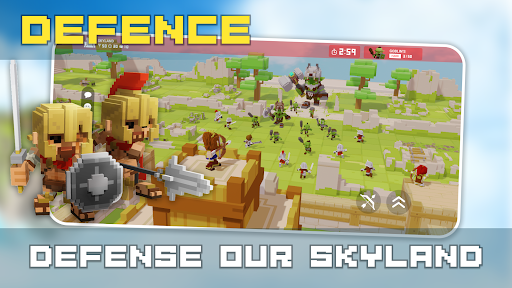
At the beginning of Craft Warriors Frontier, you arrive in Skyland as an unnamed knight with an important responsibility: restore the damaged land while protecting your fortress from continuous monster attacks. These two activities are closely connected because developing your settlement gives you access to better resources and defensive capabilities, while successful battles help you maintain control of your territory.
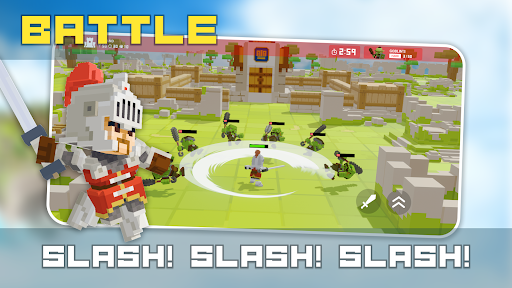
The control system is designed to be accessible on mobile devices. You can move your character using the virtual joystick on the left side of the screen, while dragging or tapping the right side allows you to adjust the camera perspective. Attack, jump, and unit-switching buttons are also positioned within easy reach. During battles, your primary objective is to eliminate incoming enemies before they destroy your fortress. Losing the main structure results in defeat, even if your character remains alive. You will then need to wait approximately 10 minutes for the fortress to regenerate before returning to battles on your island.
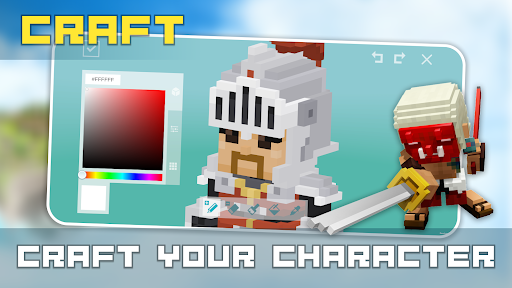
Character selection plays an important role in determining how you approach combat. Craft Warriors Frontier initially provides several warriors with different star ratings and health attributes. These characters offer a starting point for building a team that suits your preferred fighting style.
The available examples include:
Knight: A two-star warrior with 125 HP, suitable for getting familiar with the basic combat mechanics.
Light Warrior: Another two-star character with 125 HP, providing an alternative option for your early adventures.
White Knight: A three-star character with 150 HP, offering greater maximum health than the two-star alternatives.
You can develop your preferred characters instead of relying on a single warrior throughout the game. Additional characters with higher star ratings can be obtained by opening chests, giving you more possibilities as your collection expands.
Having a suitable character is only the beginning. To survive increasingly difficult encounters, you should invest resources in improving your warriors. Craft Warriors Frontier uses purple crystal blocks as the primary material for character upgrades, with each enhancement requiring a short waiting period before completion.
One important distinction is that upgrading a character increases their level rather than their star rating. Lower-star warriors generally require fewer resources, while higher-star characters demand greater investment. Both character levels and star ratings contribute to maximum health, whereas attack damage depends primarily on the weapon being used. Since the game does not provide dedicated blocking or dodging mechanics, taking damage during combat is difficult to avoid. Improving your health capacity is therefore a useful way to increase your chances of surviving longer battles.
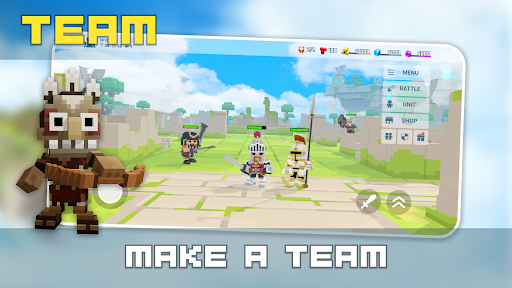
One of the more interesting features in Craft Warriors Frontier is its unit customization system. Instead of being permanently tied to a single character, you can prepare different combinations of warriors, weapons, equipment, and skins. Each complete combination is considered one unit, and you can manage these configurations through the Unit section at the top of the screen.
This flexibility allows you to adjust your strategy whenever the situation changes. For example, a melee-focused unit is useful when confronting enemies at close range, while a bow-equipped warrior can attack from a safer distance. You can also prepare units using bombs or other equipment to handle groups of opponents. During combat, simply tap the switching icon featuring two circular arrows and select the configuration you want to use. This system makes battles more dynamic because you are free to change your approach instead of depending on one fighting style.
Although Craft Warriors Frontier allows you to prepare a maximum of five units, the system offers more than simple equipment customization. Each unit has its own separate health pool, meaning you can switch to another configuration when your current warrior is close to being defeated.
This mechanic creates additional opportunities to survive demanding encounters. Instead of continuing to fight with a badly injured character, you can activate another unit and return to battle with a fresh health supply. If all five configurations are prepared properly, you can theoretically access five separate health pools during a single encounter. Learning when to switch is especially useful when facing large groups of monsters or defending your fortress against prolonged attacks.
Combat alone will not restore Skyland. You also need to develop the central city on your island, which serves as the foundation of your settlement and determines much of your long-term progression. Gold is used to upgrade the city, although each construction improvement requires a certain amount of waiting time. Higher-level upgrades generally demand more resources and longer completion periods.
Improving the city does more than increase its health. Certain milestones unlock additional facilities that automatically produce valuable resources or strengthen your defensive capabilities. These features include crossbows for attacking approaching enemies, green resource pools that generate green crystals, and purple resource pools that produce materials needed for character development. Therefore, investing in your fortress can gradually make resource collection easier while providing better protection against monster invasions.
Ready to rebuild Skyland and defend your settlement against dangerous creatures? You can find Craft Warriors Frontier on APKMODY by following this alternative download and installation process:
Access the APKMODY homepage: Open a web browser on your Android phone and navigate to APKMODY.
Locate the game: Enter Craft Warriors Frontier APK into the search box and select the matching result.
Review the release details: Visit the game’s information page to check the available version, file size, and device requirements.
Retrieve the APK: Find the download section, choose the appropriate file, and wait for the download to finish.
Install the game: Open your device’s Downloads folder, tap the APK package, and follow the installation instructions. You may need to authorize installation from your selected browser or file manager.
Begin your adventure: Launch the newly installed game, explore the available units, and start rebuilding your fortress.