
Location Changer
v3.58
• Pro Unlocked

| Updated On | |
|---|---|
| Google Play ID | cn.xender |
| Category | Utilities |
| Version | 19.0.0.prime |
| Size | 30 MB |
| MOD Feature | Not available |
| Requires | Android 12 |
| Price | |
| Free | |
| Content Rating | |
| Everyone | |
| Internet Required | |
| Not Required | |

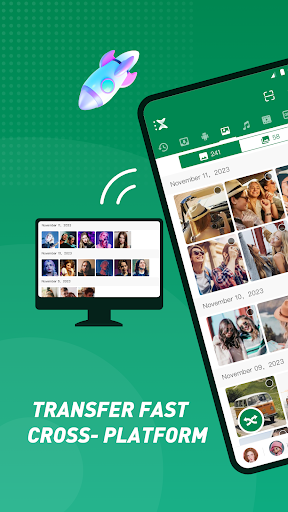
Xender APK is a convenient file-sharing application that helps users transfer photos, videos, music, documents, and other data between devices. With fast wireless connectivity and support for multiple platforms, the app makes moving content easier without relying on mobile data or traditional cables. Beyond file transfers, Xender also offers useful tools for downloading social media videos and migrating data when switching to a new smartphone.
Xender is a popular mobile application designed to simplify the way people exchange digital content. Instead of relying on cables, email attachments, or cloud services, users can connect compatible devices and send files directly through a wireless connection.
The name Xender resembles the word “Sender,” reflecting its primary purpose: sending content between devices. Whether you need to share personal photos, large videos, music collections, or important documents, the application provides a straightforward way to complete the process.
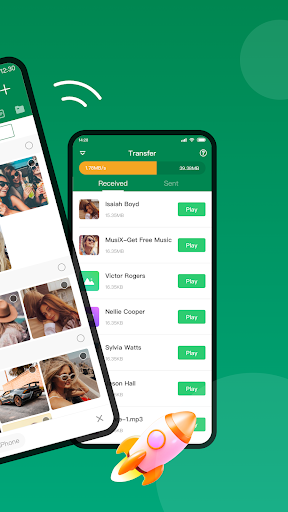
One of its most appealing advantages is its transfer speed. Depending on the devices and network conditions, Xender can deliver impressive performance, with advertised speeds reaching up to 40 MB/s. It also preserves the original file quality and size, so recipients can enjoy transferred content without worrying about unnecessary compression.
Another strength is its compatibility with different file formats. From common extensions to less frequently used documents, users can exchange various types of content without needing separate conversion tools.
Xender allows users to transfer music, videos, images, audio recordings, and office documents, including PDF, Word, Excel, PowerPoint, and ZIP files. You can also select entire folders, making it easier to move multiple items simultaneously rather than sending them individually.
The application uses wireless connections between devices instead of requiring a physical USB cable or consuming mobile data for direct transfers. Its connection technology is designed to provide a stable and convenient sharing experience, although the exact connection method and performance may vary depending on the device and operating system.
Xender also supports several platforms, including Android, iOS, Windows, and PC/Mac environments, with availability depending on the supported version. This cross-platform capability makes it easier to exchange information between smartphones and computers.
Large files can be transferred without the usual attachment restrictions associated with email or messaging services. Once the process is complete, recipients can open supported photos, music, and video files directly on their devices while retaining their original quality.
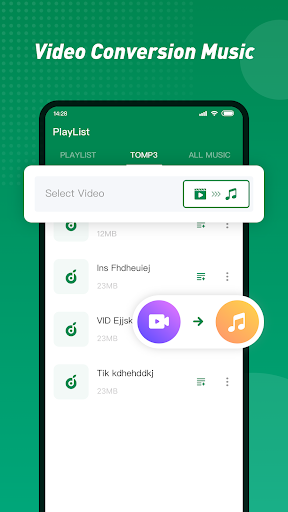
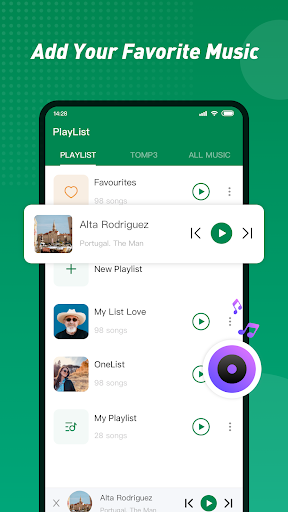
File sharing is only one part of what makes Xender useful. The application also provides additional features that help users manage digital content, download online videos, and move personal information between smartphones.
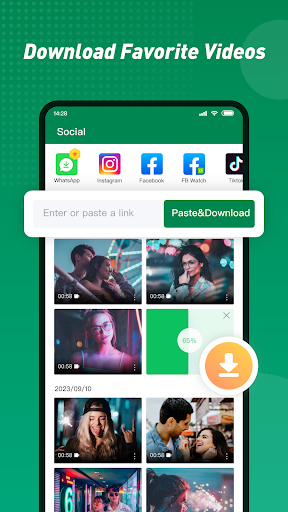
Besides transferring existing files, Xender offers tools for saving online videos from supported social networking platforms. Users can explore content from services such as Facebook, Instagram, and WhatsApp, then save compatible videos directly to their devices when the relevant download feature is available.
The application also provides a convenient way to save certain social media status updates. This is particularly useful when you come across a video or image that you want to keep for later viewing or share with friends.
Instead of switching between several applications, you can use Xender to manage downloaded content and transfer it to other devices. However, supported platforms and download availability may change over time.
Changing phones often involves the tedious task of transferring contacts, photos, videos, and other personal information. Xender helps simplify this process by providing tools for moving data from an old device to a new one.
Users can select the content they want to migrate and transfer it through a wireless connection. This is especially helpful when setting up a replacement smartphone or creating an additional copy of important files on another device.
By bringing file sharing and data migration together, Xender reduces the need to use multiple applications for everyday transfer tasks. Before switching devices, users should still check which data categories are supported and back up important information separately.
If you want to experience the application’s file-sharing features, you can find Xender APK through APKMODY. Follow the instructions below to access the download page and install the application on your Android device.
How to download and install Xender APK:
Open the APKMODY website using your preferred browser.
Enter Xender in the website’s search bar to locate the application.
Open the Xender download page and review the available version information.
Tap the download option provided on APKMODY and wait for the APK file to finish downloading.
Open the downloaded file. If Android requests permission, allow your browser or file manager to install applications from that source.
Follow the on-screen instructions to complete the installation, then launch Xender and start exploring its features.
A few things to check before installation:
Make sure your Android device has enough available storage.
Check the APK version and Android compatibility before downloading.
Only install files from sources you trust, and review the requested permissions.
Keep a backup of important data before transferring information between devices.