home chevron_right Apps chevron_right Communication chevron_right WhatsApp Messenger


AutoResponder for WA
v5.4.0
• Unlocked
| Updated On | |
|---|---|
| Google Play ID | com.whatsapp |
| Category | Communication |
| Version | 2.26.44.74 |
| Size | 158 MB |
| MOD Feature | Not available |
| Requires | Android 5.0 |
| Price | |
| Free | |
| Content Rating | |
| Everyone | |
| Internet Required | |
| Required | |
| Languages | |
| English, Arabic, Bengali, Catalan, Croatian, Czech, Danish, Dutch, Finnish, French, German, Greek, Gujarati, Hebrew, Hindi, Hungarian, Indonesian, Irish, Italian, Japanese, Korean, Malay, Marathi, Norwegian Bokmål, Persian, Polish, Portuguese, Romanian, Russian, Simplified Chinese, Slovak, Spanish, Swedish, Thai, Traditional Chinese, Turkish, Ukrainian, Urdu, Vietnamese | |

WhatsApp is a popular messaging application that helps people stay connected through convenient online communication. With a simple interface, stable calling features, and end-to-end encryption, the app makes everyday conversations easier and more secure. Users can exchange messages, share media, create group chats, and customize their privacy settings. Let’s explore the highlights that make WhatsApp a familiar communication tool for millions of people worldwide.
Developed by WhatsApp LLC under Meta, WhatsApp is a messaging platform that supports text conversations, voice calls, and video chats. Its name originates from the familiar greeting “What’s up?”, reflecting its purpose of connecting people wherever they are. Available on Android, iOS, and other supported platforms, the application offers a convenient alternative to traditional SMS.
WhatsApp only requires an internet connection and a registered phone number to get started. With billions of users worldwide, it is easy to connect with friends, relatives, and colleagues without complicated registration procedures.
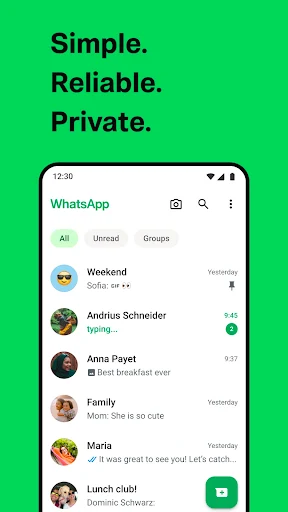
One of WhatsApp’s most recognizable qualities is its clean interface. The main screen focuses on conversations, allowing users to quickly access chats, calls, and updates. Messages, photos, documents, and voice recordings are arranged neatly, keeping discussions easy to follow.
Although the design looks simple, the application includes plenty of useful tools. Its familiar navigation makes the experience accessible to beginners while providing enough flexibility for regular users.
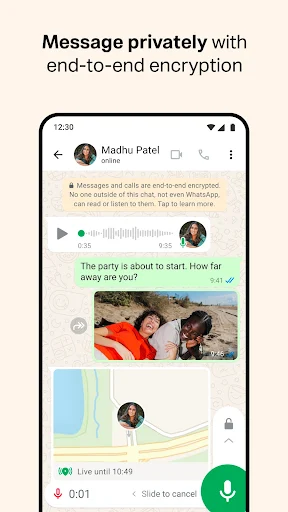
WhatsApp uses end-to-end encryption to protect personal messages and calls. This means that communication contents are intended to remain accessible only to the participants involved in a conversation. Users can also manage who sees their profile picture, last seen information, online status, and personal updates.
Additional protection comes from two-step verification and app-lock options on supported devices. These settings help reduce unauthorized access and give users greater control over their accounts.
With an active internet connection, WhatsApp allows users to send messages, exchange files, and make calls without relying on traditional SMS services. Conversations are generally delivered quickly, while voice and video communication provide a practical way to stay in touch remotely.
The overall experience depends on network quality and device performance. Nevertheless, its straightforward design makes everyday communication convenient across different situations.
Besides basic messaging, WhatsApp offers various tools for personal communication and contact management. Each function serves a different purpose, helping users handle conversations more efficiently.
Messaging remains the central feature of WhatsApp. Users can exchange text, emojis, photos, videos, documents, locations, and voice messages through individual chats or group conversations. Message reactions, replies, forwarding, and editing options also make discussions easier to manage.
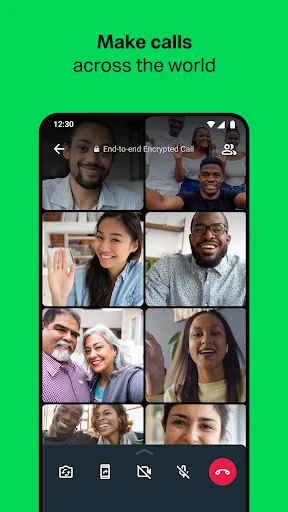
For direct communication, the application supports internet-based voice and video calls. Users can contact individuals or organize group calls with multiple participants. These services are free to use, although mobile data charges may apply depending on the internet plan.
WhatsApp provides additional functions that help users customize their communication experience. Some notable options include:
Last Seen and Online Privacy: Control who can view your recent activity and online presence.
Profile Customization: Add a profile picture and personal information to your account.
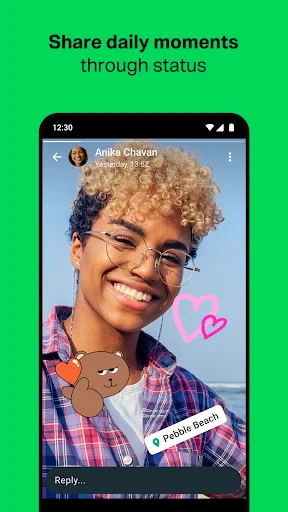
Status Updates: Share temporary text, images, videos, and GIFs with selected contacts.
Message Backup: Save conversation history through supported cloud storage services.
Chat Restoration: Recover backed-up messages when reinstalling the app or changing devices.
Storage Management: Review media files and identify conversations taking up significant space.
Offline Message Queuing: Compose messages without an internet connection and send them once connectivity returns.
These functions make WhatsApp more flexible without complicating its main interface. Users can choose the settings that suit their communication habits.
Besides encrypting conversations, WhatsApp offers additional ways to protect access to personal chats. On compatible devices, users can activate fingerprint or face recognition to prevent others from opening the application without permission.
Two-step verification also adds another security layer by requiring a PIN when registering the account on a new device. Combining these options helps users maintain better control over their private information.
As the number of conversations increases, keeping everything organized becomes increasingly important. WhatsApp allows users to pin frequently accessed chats, archive inactive discussions, create groups, and search for specific messages.
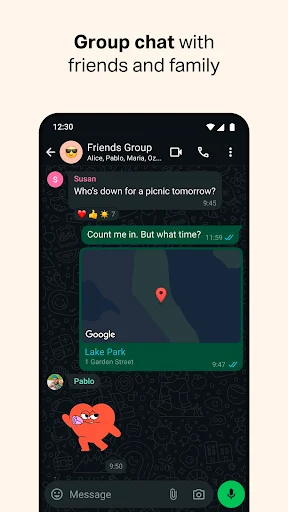
Group descriptions, participant controls, and customizable notifications further simplify communication. These tools are useful for maintaining family discussions, coordinating work, or staying connected with different social circles.
1. Is WhatsApp’s calling quality good?
WhatsApp generally provides clear voice and video calls when the internet connection is stable. However, weak network coverage may affect sound quality, image resolution, or call continuity.
2. Can I message people who do not use WhatsApp?
No. Both participants need an active WhatsApp account to communicate through the application. You can invite friends who have not joined the platform to install it.
3. Is WhatsApp completely free?
Yes. WhatsApp is free to download and use, with no additional messaging or calling fees. However, your internet provider may charge for mobile data consumption.
WhatsApp brings messaging, voice calls, video chats, and privacy tools together in one convenient application. If you want to experience these features on your Android device, follow the instructions below to get the installation file from APKMODY:
Step | Instructions |
|---|---|
1 | Visit the APKMODY website through your browser. |
2 | Search for WhatsApp and open its application page. |
3 | Check the available version and Android compatibility. |
4 | Select the download option and wait for the APK file. |
5 | Open the downloaded file and complete the installation. |