
Castro Premium
v4.10.1
• Utilities



| Updated On | |
|---|---|
| Google Play ID | free.vpn.unblock.proxy.turbovpn |
| Category | Utilities |
| Version | 4.3.2.2 |
| Size | 72 MB |
| MOD Features | Premium Unlocked |
| Requires | Android 6.0 |
| Price | |
| Free | |
| Content Rating | |
| Everyone | |
| Internet Required | |
| Required | |
| Languages | |
| English, Arabic, Burmese, Dutch, French, German, Hindi, Indonesian, Italian, Japanese, Korean, Malay, Persian, Portuguese, Russian, Simplified Chinese, Spanish, Thai, Traditional Chinese, Turkish, Ukrainian, Vietnamese | |

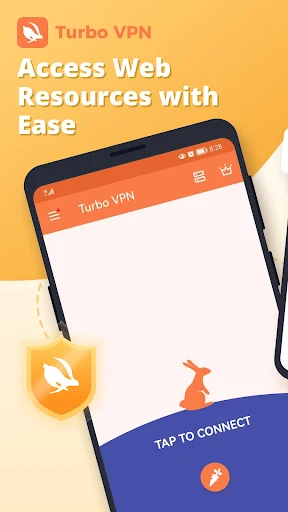
Turbo VPN APK provides a convenient way to establish virtual private network connections on Android devices. With multiple server locations, encrypted connections and a straightforward interface, the app helps users access the internet with greater privacy. Whether browsing through public Wi-Fi or using mobile data, you can explore its tools to manage your online connection more flexibly. Discover what Turbo VPN offers and how its MOD version changes the experience.
A simple VPN solution for private browsing and unrestricted internet access!
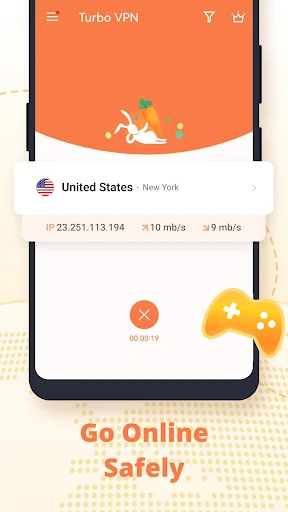
Public Wi-Fi networks at cafes, hotels and airports are convenient, but they may expose your browsing activity to security risks. Turbo VPN provides an additional layer of protection by routing internet traffic through VPN servers. This helps conceal your original IP address and makes it harder for other parties on the same network to monitor your online activities.
The application is also designed for everyday convenience. Its interface keeps the main connection controls within easy reach, allowing beginners to select a server and activate the VPN without complicated configuration. OpenVPN protocols, including UDP and TCP, are among the technologies associated with its connection options, helping balance performance and reliability across different network conditions.
Turbo VPN focuses on making private connections accessible without requiring advanced technical knowledge. Its server selection system allows users to switch virtual locations depending on their browsing needs, while automatic connection management reduces the amount of manual setup involved.
Some notable advantages include:
IP address masking: Helps hide your original IP address when connected to a VPN server.
Encrypted traffic: Adds protection to information transmitted through the VPN connection.
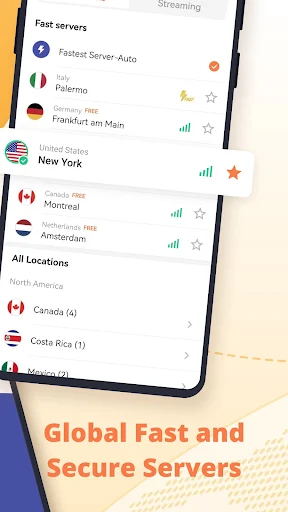
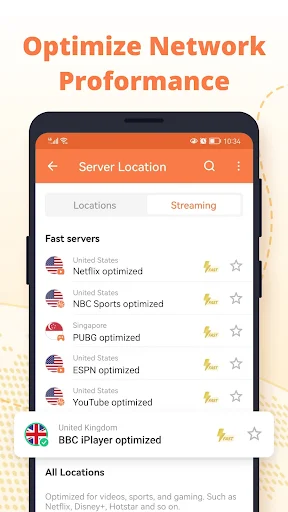
Flexible server selection: Provides different virtual locations for users to explore.
Convenient operation: Keeps essential controls accessible through a beginner-friendly interface.
Mobile compatibility: Supports internet access through Wi-Fi and cellular networks.
Connection speed still depends on server distance, network quality and server load, so actual performance may vary between sessions.
Getting started with Turbo VPN does not require extensive technical knowledge. After installing the application, users can open the server selection screen, choose an available location and activate the connection. The app handles much of the configuration automatically, making it easier to establish a VPN connection without adjusting numerous settings.
For those who prefer more control, additional options may help customize the connection experience. Switching servers is also useful when a particular location becomes crowded or delivers inconsistent performance.
Online privacy is an important consideration when choosing a VPN service. Turbo VPN uses VPN tunneling and encryption technologies to help protect internet traffic while concealing the user’s original network address. These functions are particularly relevant when connecting through public hotspots or unfamiliar networks.
However, VPN protection does not guarantee complete anonymity or automatically block every malicious website. Users should still check website addresses, avoid suspicious downloads and keep their Android devices updated. Reviewing the provider’s privacy policy is also recommended before transmitting sensitive information through the service.
One convenient aspect of Turbo VPN is its ability to operate across different internet connections. Whether your Android device connects through a home router, a public hotspot or a mobile data plan, you can activate the VPN without changing your usual browsing habits.
The application can remain active in the background while you use other apps, helping maintain the VPN connection during everyday activities. If performance becomes unstable after switching networks, reconnecting or selecting another server may help restore a smoother experience.
Turbo VPN offers a free access option, making it appealing to users who want to try VPN services without immediately purchasing a subscription. Depending on the available version and region, users may encounter advertisements, server restrictions or limitations on certain features.
Premium access is designed to provide additional convenience, potentially including more server choices and fewer restrictions. Rather than assuming every feature is available for free, users should check the current subscription details displayed in the application.
The modified edition introduces an alternative way to explore some of the application’s premium functions. Its availability and functionality may depend on the specific APK build.
The Premium Unlocked modification is intended to provide access to premium features without following the standard subscription process. Depending on the modified release, users may experience fewer access restrictions and additional connection options.
Keep in mind that unofficial APK files are not verified by the original developer. Their security, stability and compatibility may differ from the official release, so scan downloaded files and avoid entering sensitive information into versions from untrusted sources.
Turbo VPN offers encryption and IP address masking to improve connection privacy. Nevertheless, no VPN guarantees complete protection against tracking, malware or data exposure. Users should review its privacy practices and download the application from sources they trust.
Turbo VPN has promoted a no-logs policy, indicating that it does not intend to retain certain records of users’ online activities. However, a privacy claim alone does not establish that absolutely no information is collected. Check the latest privacy policy to understand what connection data, diagnostic information or account details may be processed.
If you want to explore Turbo VPN on Android, APKMODY provides a convenient place to find its APK download information. Follow these steps to get started:
Visit the APKMODY website through your Android browser.
Enter Turbo VPN in the website’s search bar.
Open the matching application page and review the available version details.
Select the APK or MOD edition you want to explore.
Tap the download option and wait for the installation file to finish downloading.
Open the file, allow installation from the relevant source if Android requests permission, then complete the setup.