

Tor Browser
v16.0.2 (153.7.0esr)
• Utilities
| Updated On | |
|---|---|
| Google Play ID | eu.thedarken.sdm.unlocker |
| Category | Utilities |
| Version | 5.6.3 |
| Size | 920 KB |
| MOD Features | Unlocked |
| Requires | Android |
| Price | |
| $3.96 | |
| Content Rating | |
| Everyone | |
| Internet Required | |
| Not Required | |

SD Maid 1 Pro MOD APK is a practical utility for Android users who want more control over their device’s storage. Instead of relying on a basic cleaner that focuses mainly on temporary files, this application provides several tools for examining folders, identifying unnecessary data, and managing installed apps. It is especially useful when leftover files accumulate after applications are removed or when you need a clearer overview of your internal storage.
Storage management becomes increasingly important as you install more applications, download documents, and save photos or videos. SD Maid 1 Pro provides tools that help you inspect this data and decide what should remain on your device.
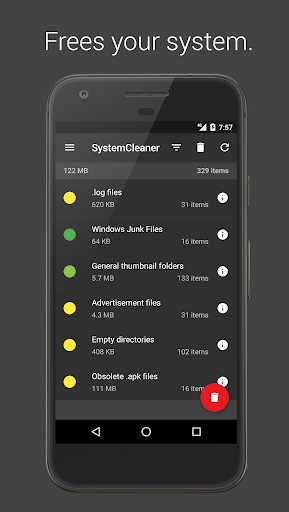
SD Maid 1 Pro is a storage-cleaning and file-management application designed to help users maintain their Android devices. One of its main purposes is to locate unnecessary data, including files left behind by applications that have already been uninstalled. These remnants may occupy storage space even after the original app is gone, making them easy to overlook during ordinary file management.
Rather than automatically deleting everything it finds, SD Maid gives users tools to examine different areas of their storage. This approach is useful when you want to understand where unnecessary files come from before removing them. By reviewing scan results and selecting suitable cleanup actions, you can maintain a more organized file system without casually deleting important personal data.
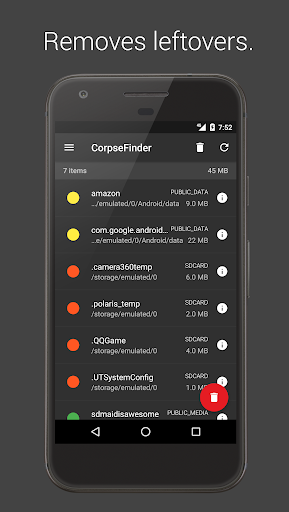
One of the application’s most useful functions is its ability to identify files that may no longer be needed. When you uninstall an app, some folders or data can remain on your device. Over time, these leftovers may accumulate, particularly if you frequently test new applications or games.
SD Maid helps locate such data through its cleaning tools. You can review the results, check which folders are taking up space, and remove items that are no longer relevant. This gives you more control over storage maintenance than simply clearing random folders through a file manager. However, always inspect unfamiliar files before deleting them, since some directories may still contain information used by other applications.
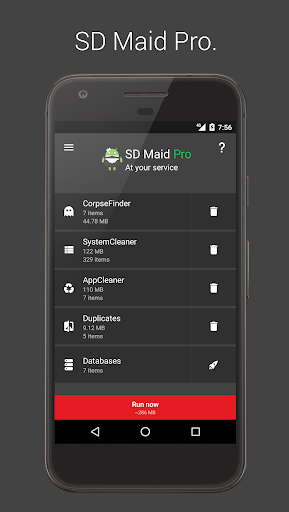
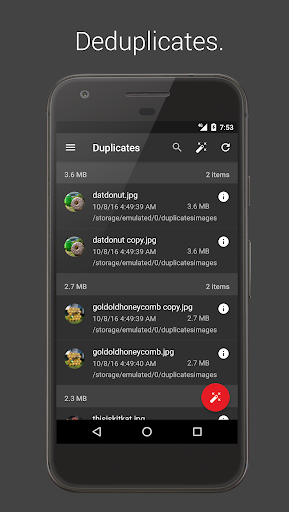
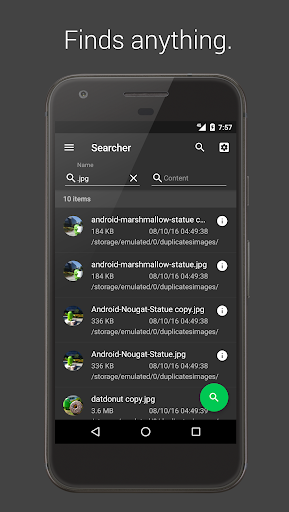
SD Maid 1 Pro focuses on functionality rather than decorative visual elements. Its interface organizes maintenance tools into separate sections, allowing users to find the relevant feature without navigating through unnecessary menus. This layout is particularly helpful for people who want to perform occasional storage checks instead of learning a complicated management system.
Each tool serves a specific purpose, making the overall experience easier to understand once you become familiar with the available options. Although some functions involve technical file information, the organized presentation helps users approach cleanup tasks more confidently. Beginners should still take time to read scan results before confirming any deletion.
Running out of internal storage can make everyday phone usage inconvenient. Applications may struggle to download updates, while saving new photos or documents becomes more difficult. SD Maid provides tools for examining folders and identifying which areas occupy the most space, helping you decide where to start organizing.
Its file-management approach also makes it easier to distinguish between personal content and data associated with installed applications. You can use this information to remove unnecessary items while keeping important documents, media, and other files intact. The application does not replace a complete backup solution, so valuable information should always be copied to a safe location before major cleanup operations.
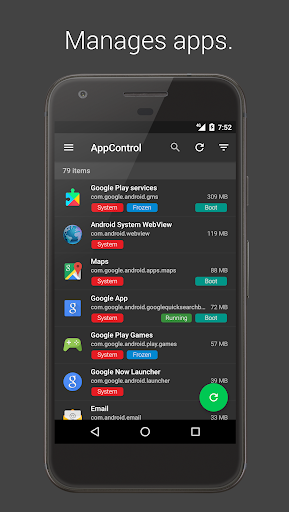
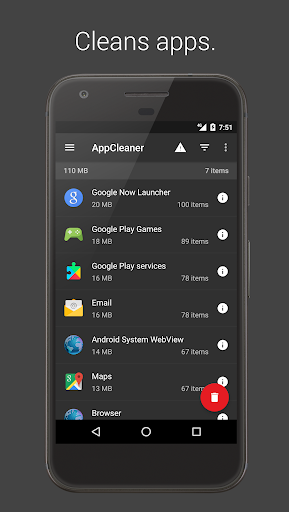
Managing installed apps is another useful part of SD Maid’s maintenance workflow. As your phone collects applications you no longer use, it becomes harder to keep track of their associated files and storage requirements. The app provides tools that help examine installed software and manage related data.
Depending on your Android version and system permissions, certain removal operations may still require confirmation through Android’s built-in settings. SD Maid should therefore be viewed as an additional management utility rather than a tool that can bypass every system restriction.
Cleaning unnecessary files can free up storage space and make it easier to manage your device, but it does not automatically improve every aspect of performance. A phone may run slowly because of limited memory, outdated hardware, background processes, or demanding applications rather than leftover files alone.
SD Maid is most useful when storage clutter is the main issue. Removing unnecessary data can help prevent storage from becoming overloaded, while regular file checks make maintenance more manageable. It should not be treated as a guaranteed RAM booster or a solution for every performance problem.
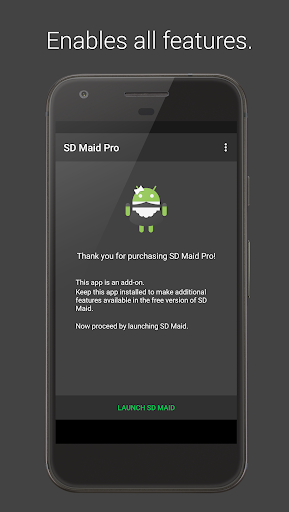
The Pro edition is intended for users who want access to a broader collection of maintenance tools. Compared with the basic version, its additional capabilities can make regular file management more convenient.
Depending on the release, SD Maid Pro provides access to advanced cleaning and management functions that may be restricted in the free edition. This allows users to perform more detailed storage checks and make better use of the application’s available tools. The paid edition may also offer a more streamlined experience without certain advertising interruptions.
The modified edition advertises access to premium functionality without following the usual in-app purchase process.
With Pro Unlocked, users can access the advanced features associated with the premium edition. This makes additional cleaning and file-management tools available for examining storage and organizing application data. The exact functions depend on the modified release, so check its description before installation. Since this is an unofficial package, its security and compatibility cannot be guaranteed.
These answers cover several common concerns before you install the application.
Is SD Maid 1 Pro free?
The basic SD Maid experience may be available without payment, while Pro features generally require a purchase or an eligible premium license. Pricing and available purchase options can vary by release and region. Check the current official listing for accurate information.
Does SD Maid 1 Pro protect personal information?
SD Maid is primarily a file-management and maintenance utility, not a dedicated privacy-protection service. Its cleanup tools can help you manage stored data, but they do not guarantee complete protection against information leaks or unauthorized access. Review app permissions and avoid deleting files unless you understand their purpose.
Can SD Maid 1 Pro recover deleted photos?
You should not rely on SD Maid 1 Pro as a photo-recovery application. Once files are deleted, recovery depends on factors such as backups, storage behavior, and whether the data has been overwritten. Use a dedicated recovery solution or an existing backup if you need to retrieve lost photos.
If you want to explore the modified edition, start by checking its package information and compatibility instead of installing an unfamiliar file immediately.
Open the APKMODY website in your Android browser and search for SD Maid 1 Pro.
Enter the matching application page and read the overview to confirm that it is the file-management utility you are looking for.
Review the MOD description, especially the Pro Unlocked information, alongside the displayed version and Android requirements.
Compare the available package details and choose the release that matches your device. Avoid files with unclear descriptions or inconsistent information.
After downloading, open your Downloads folder and select the APK file. Follow the installation prompts, allowing installation from that source only if you trust it.
Launch the application and review its requested permissions before running a scan. Examine the results carefully before removing any files.