

PC Remote
v9.1.4
• VIP Unlocked
| Updated On | |
|---|---|
| Google Play ID | com.fenchtose.reflog |
| Category | Utilities |
| Version | 1.3.4 |
| Size | 14 MB |
| MOD Features | Premium Unlocked |
| Requires | Android 7.1 |
| Price | |
| Free | |
| Content Rating | |
| Everyone | |
| Internet Required | |
| Unknow | |

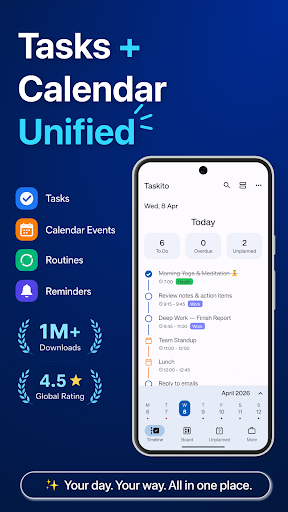
Taskito offers a practical solution by bringing task lists, calendar events, and productivity tools into one organized workspace. Its visual layout and flexible features make daily planning easier for students, professionals, and anyone looking to manage their time more effectively.
Taskito combines several essential planning tools into a single application, allowing users to manage appointments, create to-do lists, and organize upcoming activities without constantly switching between platforms. Its straightforward interface makes it easy to keep important information within reach.
The app provides a convenient workspace for handling daily responsibilities, from simple personal errands to complex work assignments. Users can create tasks, arrange priorities, set deadlines, and manage meetings according to their schedules. This flexible approach helps reduce clutter and makes it easier to understand what needs attention throughout the day.
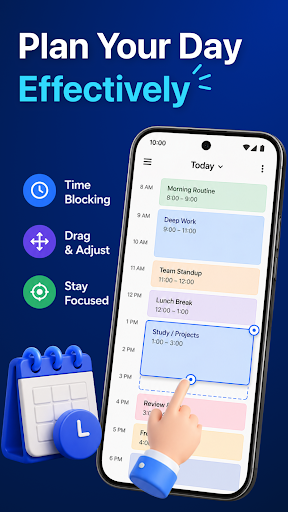
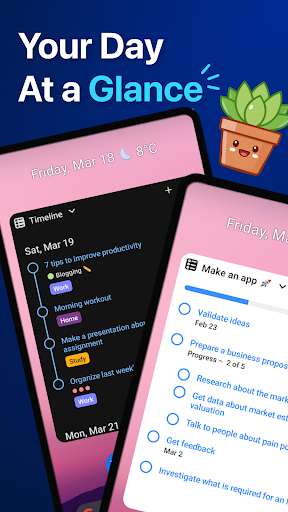
One of the most distinctive features is the Timeline, which displays tasks and calendar events in chronological order. Users can switch between daily, weekly, and monthly views to understand their schedules at different levels. The drag-and-drop function also makes rearranging activities simple. If priorities change, tasks can be moved to more suitable time slots without rebuilding the entire schedule.
A comfortable interface can make everyday planning more enjoyable. Taskito offers various themes, color combinations, and visual styles, allowing users to adjust the appearance according to their preferences. These customization options provide a more personal experience while making different sections easier to distinguish.
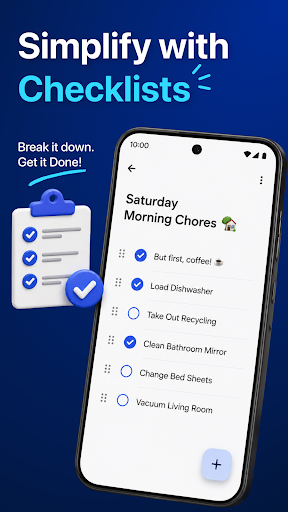
For larger assignments, Task Boards provide dedicated spaces to organize related activities. Users can separate responsibilities into individual categories, making it easier to monitor progress and avoid overlooking important details. This feature is particularly useful for event planning, business projects, study schedules, and other activities involving multiple stages.
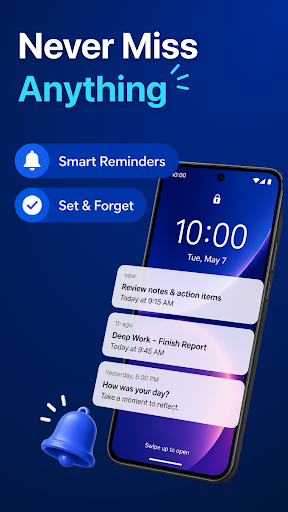
To stay on top of upcoming responsibilities, the application includes a flexible reminder and notification system. Users can configure alerts for individual tasks and schedule multiple notifications before a deadline. These timely reminders help maintain a consistent routine without requiring constant manual checks.
Beyond organizing schedules, Taskito helps users understand their working habits through built-in productivity statistics. The app records completed tasks and presents progress through visual graphs. By reviewing these results, users can recognize productive periods, identify unfinished responsibilities, and adjust their routines to work more efficiently.
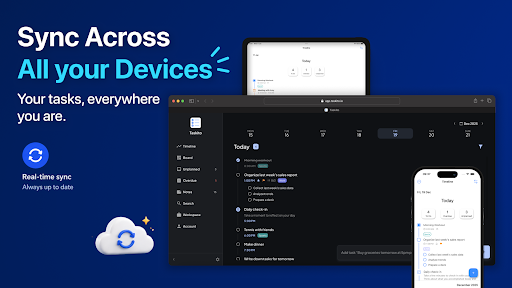
Managing information across multiple platforms becomes easier with synchronization support. Taskito integrates with services such as Google Calendar and Trello, helping users keep relevant tasks and events organized. This connectivity reduces the need to enter the same information repeatedly and makes schedule management more convenient.
Since task managers often contain private schedules and work-related details, data protection is an important consideration. Taskito emphasizes user privacy through security measures designed to protect stored information. Users should still review the app’s current privacy policy and available synchronization settings to understand how their data is handled.
Learning new ways to organize tasks can make the app even more useful. Taskito users can connect through community channels, social platforms, and support resources to exchange experiences, discover practical tips, and discuss different workflows. These shared insights can help newcomers become familiar with the features while giving experienced users fresh ideas for improving their routines.
For quicker access, Taskito provides customizable widgets that display important tasks, reminders, and upcoming events directly on the Android home screen. Instead of opening the application every time, users can glance at their schedules and stay aware of pending responsibilities throughout the day.
An unstable connection should not interrupt everyday planning. The offline mode allows users to create tasks, update schedules, and manage existing information without an active internet connection. When connectivity returns, supported synchronization features can update the relevant information across connected devices.
The modified edition offers an alternative for users who want to explore the application’s premium capabilities without purchasing an individual subscription. With additional features unlocked, managing schedules and personal projects becomes more flexible.
The unlocked version provides access to premium functionality, allowing users to enjoy an expanded planning experience. Depending on the available build, these benefits may include:
Premium features unlocked: Access additional tools reserved for paid users.
Enhanced customization: Explore more options for personalizing the interface.
Expanded planning experience: Make greater use of advanced task management capabilities.
A well-organized schedule makes it easier to balance work, study, and personal activities. With its visual Timeline, flexible Task Boards, reminders, and productivity statistics, Taskito brings essential planning tools together in one convenient application. Follow these steps to install it on your Android device:
Visit APKMODY: Open the website using your preferred mobile browser and search for Taskito.
Select a version: Choose the standard APK or MOD APK package that matches your needs.
Download the file: Tap the download option and wait for the installation package to finish saving.
Enable installation permissions: If Android blocks the process, open your device settings and allow installation from the relevant source.
Install the application: Locate the downloaded file, open it, and follow the on-screen instructions.
Launch Taskito: Open the app, configure your preferences, and start organizing your daily schedule.