

Surge VPN
v2.1.5
• Premium Unlocked
| Updated On | |
|---|---|
| Google Play ID | com.mixplorer.silver |
| Category | Utilities |
| Version | 6.71.15-Silver |
| Size | 17 MB |
| MOD Features | Premium |
| Requires | Android 5.0 |
| Price | |
| $6.99 | |
| Content Rating | |
| Everyone | |
| Internet Required | |
| Not Required | |
| Languages | |
| English | |

MiXplorer Silver APK turns everyday file management into a smoother experience with powerful browsing tools, flexible storage access, and extensive customization options. Developed by Hootan Parsa, this premium file manager combines essential operations with advanced features in one compact application. Explore how it helps you organize documents, transfer data, and manage multiple storage locations more efficiently.
Smartphones have gradually become essential tools for storing documents, photos, videos, and other personal information. As the number of files grows, finding a reliable way to organize everything becomes increasingly important. MiXplorer Silver addresses this need by providing a centralized workspace where users can browse folders, handle different file types, and access their stored data without navigating through a complicated interface.
Instead of relying on several separate applications, you can perform a wide range of file-related tasks from one place. Its flexible browsing system and responsive controls make everyday operations more convenient, whether you are organizing personal content or handling work documents.
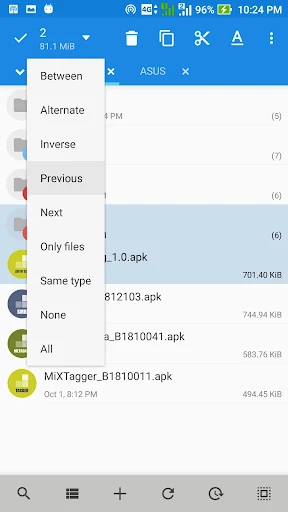
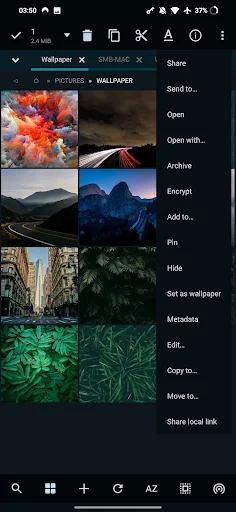
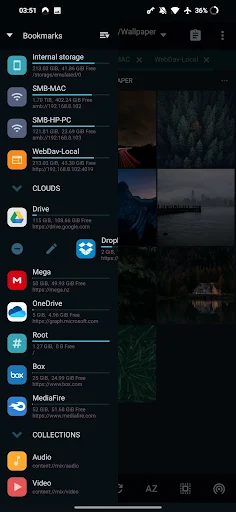
MiXplorer Silver makes it easier to move between different storage areas on your Android device. Users can browse internal memory, external SD cards, and connected storage locations without repeatedly returning to the starting screen. This arrangement is particularly useful when transferring documents or sorting files into separate folders.
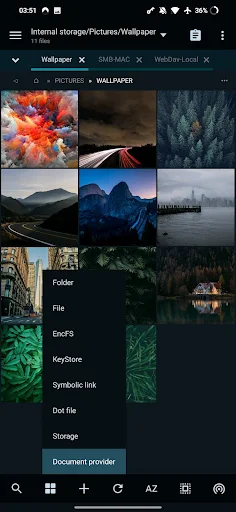
The tab-based browsing system provides another practical advantage. You can keep multiple locations open simultaneously, switch between them whenever necessary, and arrange your workspace according to your preferences. Landscape orientation is also supported, making the application comfortable to use on devices with wider displays.
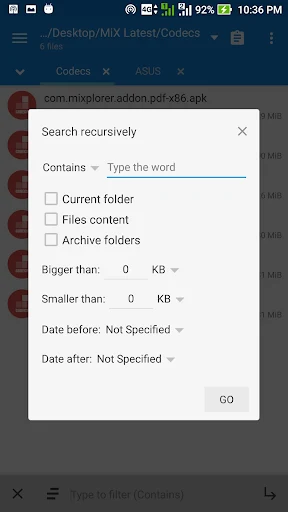
Finding a specific document among hundreds of stored items can take considerable time, especially when folders are poorly organized. MiXplorer Silver simplifies this process with search filters that help narrow down results according to different criteria. Rather than opening each directory individually, users can locate relevant files through a more direct approach.
The application also presents folder contents in an accessible layout, helping you identify available items and choose the right location for your next operation. Combined with its flexible navigation tools, this system reduces unnecessary steps when working with large collections of data.
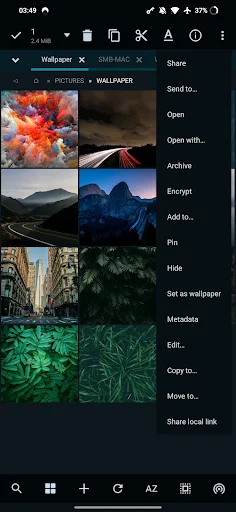
Beyond browsing, MiXplorer Silver provides a comprehensive collection of tools for managing stored content. Common actions such as copying, cutting, moving, deleting, and extracting files are available within the application, allowing users to complete routine tasks without switching between multiple utilities.
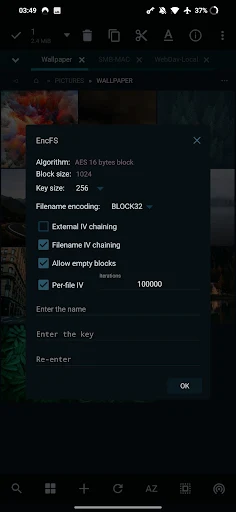
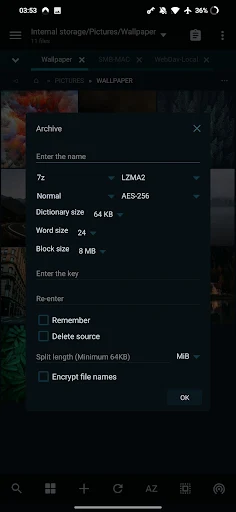
More advanced options also support file access, server connections, and permission-related operations. These capabilities make the application suitable for people who regularly handle different file formats or need greater control over their device’s storage. Whether you are arranging downloaded documents or transferring compressed archives, the available tools help keep the process organized.
One of the application’s notable strengths is its ability to connect with various online storage services. MiXplorer Silver supports integration with numerous cloud platforms, giving users additional ways to browse and manage files beyond the phone’s local memory. Services such as OneDrive and MediaFire are among the examples associated with its cloud connectivity.
The application also supports network protocols such as FTP and HTTP, providing options for accessing remote files and transferring data between compatible locations. This flexibility is especially useful for users who work across multiple devices or regularly exchange information through network-based storage.
Keeping important files safe is another essential part of storage management. MiXplorer Silver includes application backup capabilities, helping users preserve selected data when needed. Its additional document-handling options provide more control over how different items are organized and accessed.
Although it is not intended to replace every dedicated cloud productivity service, the application brings several useful management functions together. Users who prefer controlling their files directly rather than depending entirely on separate platforms may find this approach particularly convenient.
A file manager becomes frustrating when basic actions take too long or the interface responds slowly. MiXplorer Silver focuses on maintaining a responsive browsing experience while users move between folders, search for documents, or perform multiple operations.
Its tab-based system also helps reduce repetitive navigation, allowing users to keep frequently accessed locations within reach. Actual performance will depend on the Android device, storage condition, and network connection, but the application’s broad feature set is designed to remain practical for regular use.
MiXplorer Silver does not limit users to a fixed visual layout. Its interface offers customization options for elements such as colors, sizes, and display settings, allowing you to adjust the appearance according to your preferences. This flexibility makes it easier to create a workspace that feels comfortable during extended file-management sessions.
The design also prioritizes straightforward navigation. Important folders and available actions are presented in an organized manner, helping users understand where to go without dealing with an unnecessarily complicated layout. A clean interface may seem like a small detail, but it makes a noticeable difference when you interact with a file manager throughout the day.
If you want to explore the application’s advanced file-management tools, you can obtain its APK package through APKMODY. Before installing, make sure your device has sufficient storage and that you download the file from a source you trust.
Find the application: Visit APKMODY and search for MiXplorer Silver APK using the website’s search function.
Check the package details: Review the available version information and Android compatibility requirements before proceeding.
Save the APK file: Select the download option and wait until the installation package has been stored on your device.
Allow APK installation: If Android blocks the process, open your device’s settings and permit installation from the browser or file manager you used to download the package.
Complete the setup: Open the downloaded APK, follow the installation prompts, then launch MiXplorer Silver from your application list.