home chevron_right Apps chevron_right Entertainment chevron_right Simple Radio

MovieBoxTV
v1.1.11.0915
• Unlocked
| Updated On | |
|---|---|
| Google Play ID | com.streema.simpleradio |
| Category | Entertainment |
| Version | 6.3.1 |
| Size | 66 MB |
| MOD Features | Pro Unlocked |
| Requires | Android 6.0 |
| Price | |
| Free | |
| Content Rating | |
| Teen | |
| Internet Required | |
| Required | |

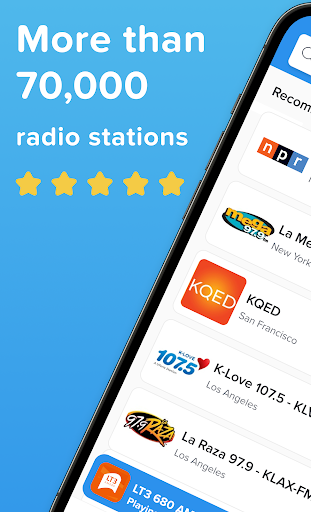
Simple Radio MOD APK brings thousands of radio stations from around the world directly to your Android device. Whether you enjoy music, international news, live sports, educational programs, or entertaining talk shows, this application makes discovering online radio stations remarkably easy. With more than 50,000 available channels, customizable favorites, and convenient streaming options, you can enjoy your preferred broadcasts wherever you go.
Although streaming platforms and video services have become increasingly popular, radio remains an important source of information and entertainment. Unlike watching videos or browsing social media, listening to radio does not require your full visual attention. You can enjoy a broadcast while working, exercising, driving, or completing everyday activities.
Radio also provides access to different perspectives, languages, and cultural experiences. From international news to local conversations, every station offers something different for listeners to discover. This makes online radio particularly appealing to people who want to expand their knowledge without spending additional time in front of a screen.
Simple Radio takes this traditional listening experience and adapts it to modern mobile devices. Instead of relying on physical radio equipment or manually scanning frequencies, you can search for stations, explore different categories, and start streaming directly from your smartphone.
Developed by Streema, Simple Radio provides access to FM, AM, and Internet radio stations through a straightforward mobile interface. The application brings together more than 50,000 stations, covering numerous countries, languages, and entertainment categories.
You can quickly find broadcasts featuring music, current affairs, sports commentary, and educational content. The application is also designed to make station discovery convenient, so you do not need to remember complicated frequencies or search through endless lists manually.
Another advantage is its relatively lightweight interface, which keeps the main listening functions accessible without overwhelming users with unnecessary menus. Whether you already have favorite stations or simply want to explore something unfamiliar, Simple Radio offers a convenient starting point.
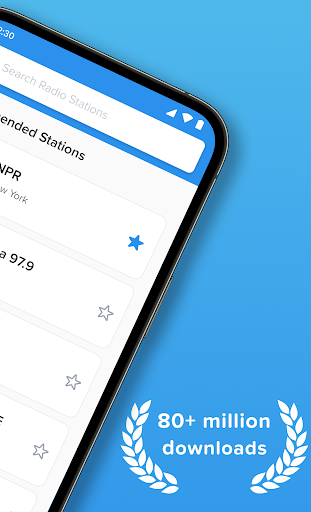
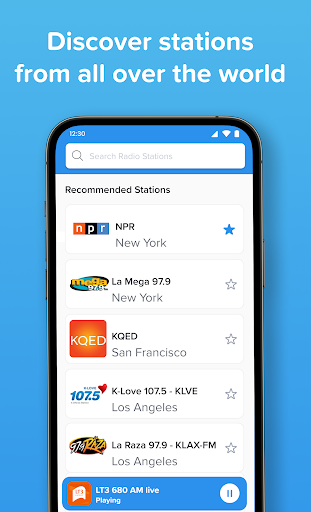
Searching for a particular station is straightforward with Simple Radio. The application includes a search function that allows you to enter station names, keywords, or subjects to discover relevant broadcasts.
You can also narrow your search according to geographical locations, including countries, states, and cities. This is especially useful when looking for local stations or broadcasts in a particular language.
For example, if you want to improve your English listening skills, you can search for stations from English-speaking countries. Similarly, music enthusiasts can look for channels specializing in specific genres rather than browsing unrelated broadcasts individually.
With such an extensive collection, Simple Radio provides content for listeners with very different preferences. You can explore various categories depending on what you want to hear throughout the day.
Some popular listening options include:
FM and AM broadcasts: Access familiar stations such as BBC, NPR, WNYC, 77 WABC, La Mega 97.9, and KNBR, depending on regional availability.
International news: Follow current events, interviews, discussions, and reports from different parts of the world.
Religious and wellness programs: Discover Christian, Buddhist, meditation, and yoga-related broadcasts.
Live sports coverage: Listen to sports discussions and updates covering football, basketball, baseball, hockey, NASCAR, and other competitions.
Music channels: Explore Pop, Rock, Hip Hop, Rap, Latin, Blues, Country, Jazz, and Classical music.
Talk shows and entertainment: Enjoy conversations, comedy, educational programs, storytelling, and practical lifestyle content.
The available selection makes it easier to discover something suitable for different moods and activities. You can listen to relaxing music in the evening, follow sports discussions during the weekend, or tune in to international news while working.
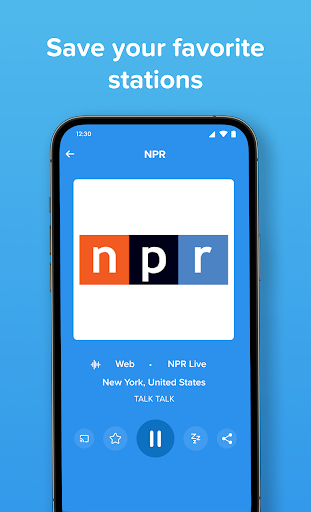
Finding an interesting radio station is only the first step. Simple Radio also includes a Favorites section that allows you to save channels you frequently listen to.
Once you find a station you enjoy, simply add it to your personal favorites list. The next time you open the application, you can access it immediately without repeating the search process.
This feature is particularly convenient for users who regularly switch between several stations. You can organize your preferred channels into customized collections, making it easier to separate music, news, sports, and other listening categories. Rather than searching through thousands of broadcasts every time, your most frequently used stations remain within easy reach.
Simple Radio is designed to provide a flexible listening experience beyond the smartphone screen. Depending on device compatibility and available services, you can connect your listening experience with supported platforms and accessories.
Some supported integrations and platforms include:
Android Auto: Access compatible radio features through your vehicle’s infotainment system.
Google Chromecast: Stream supported broadcasts to compatible devices for listening through external speakers.
Amazon Alexa: Use supported integrations to access radio content through compatible smart speakers.
Apple devices: Simple Radio is also available across the iPhone, iPad, and Apple Watch ecosystems.
These options make it easier to enjoy radio in different environments, whether you are relaxing at home, working at your desk, or traveling. Keep in mind that specific features may depend on your device, operating system, and regional availability.
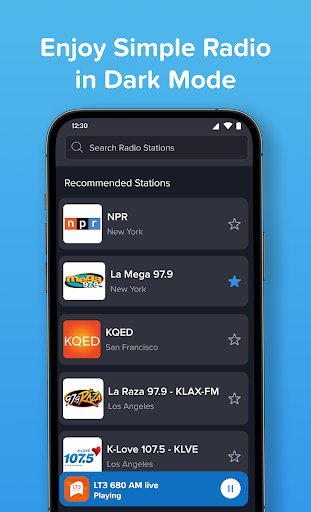
One of the most appealing aspects of Simple Radio is its uncomplicated presentation. The interface uses a clean layout with blue accents and contrasting text, making important functions relatively easy to recognize.
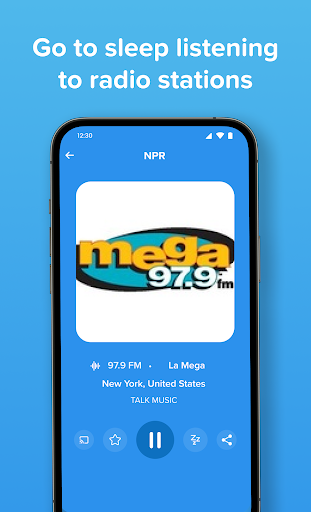
Searching for stations, opening saved channels, and controlling playback do not require navigating through numerous complicated menus. This simplicity is particularly useful when you already know what you want to listen to and prefer to start a broadcast immediately.
The large station collection is certainly impressive, but the real convenience comes from how quickly you can access your preferred channels. After becoming familiar with the Favorites feature and search function, everyday listening becomes a straightforward experience.
The modified edition of Simple Radio advertises an unlocked Pro experience, providing access to additional features associated with the premium version.
Its advertised modification includes:
Pro Unlocked: Unlocks the Pro version’s advertised benefits, potentially providing a more complete listening experience compared with the standard edition.
The exact availability of premium functions may vary depending on the modified APK release. Some features may also require an Internet connection or compatible services to operate correctly.
If you want to explore the Pro Unlocked edition, APKMODY is a place where you can check the available Simple Radio APK releases. Follow this alternative installation process to locate the correct file and set it up on your Android smartphone.
Step 1: Locate the application on APKMODY
Open your mobile browser and visit the APKMODY website.
Use the website’s search bar to enter Simple Radio MOD APK.
Select the application page and review its description.
Check the available version number, Android requirements, and advertised Pro features.
Step 2: Prepare the downloaded package
After selecting the appropriate release, download the APK file to your smartphone. Once the download finishes, open your device’s file manager and locate the package in the Downloads folder. If Android prevents the installation, navigate to the security settings and grant permission to the specific browser or file manager you used to download the package.
Step 3: Install and configure Simple Radio
Tap the downloaded APK file and confirm the installation request. Wait for the process to finish before opening the application. When Simple Radio launches, explore its main interface, search for a radio station, and test the available listening functions. You can also check the Pro-related options to determine whether the advertised modifications are active.