home chevron_right Apps chevron_right House & Home chevron_right Planta

Redfin Real Estate
v653.0
• House & Home
| Updated On | |
|---|---|
| Google Play ID | com.stromming.planta |
| Category | House & Home |
| Version | 2.56.0 |
| Size | 54 MB |
| MOD Features | Premium Unlocked |
| Requires | Android 10 |
| Price | |
| Free | |
| Content Rating | |
| Everyone | |
| Internet Required | |
| Required | |

Planta APK is a convenient plant care app designed to help you keep your indoor garden healthy and thriving. From identifying unfamiliar plants to organizing watering schedules, it provides practical tools and personalized recommendations for everyday gardening. Whether you are an experienced plant enthusiast or just starting your collection, Planta makes it easier to understand what your plants need.
Keeping plants healthy involves more than watering them occasionally. Different species require specific amounts of sunlight, moisture, nutrients, and attention, which can make daily maintenance challenging. Planta brings these essential tasks together in one application, helping users organize their routines and make better decisions about plant care.
Developed by the independent studio Planta (formerly associated with the name Stromming AB), Planta is a digital assistant for people who grow and maintain plants at home. Its main purpose is to simplify everyday gardening by providing plant information, care recommendations, and reminders based on individual needs.
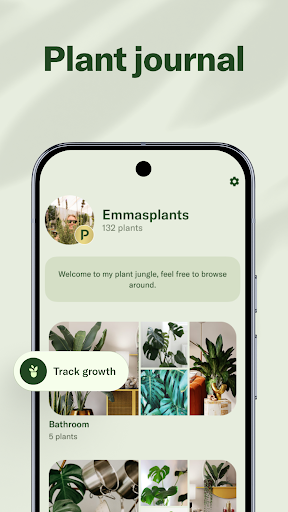
After adding plants to your collection, you can explore their characteristics and review suggested care routines. The application helps you keep track of tasks such as watering, fertilizing, and pruning, reducing the chance of forgetting important maintenance activities.
Rather than relying on a single schedule for every plant, Planta takes different species and environmental conditions into account. This makes its recommendations more useful for households with varied collections, from small decorative plants to larger indoor greenery.
Choosing the right care method starts with understanding the plant itself. Planta provides access to a broad plant database where you can look up different species and learn about their characteristics, growing preferences, and maintenance requirements.
The available information helps you understand how much light or water a particular plant may need, along with other considerations that influence its development. You can use these details to plan your gardening routine and avoid applying the same care method to every plant in your collection.
The app also helps organize your plants in one place, making it easier to review their individual requirements. Instead of searching through multiple websites whenever you need basic information, you can refer to the available plant profiles directly within Planta.
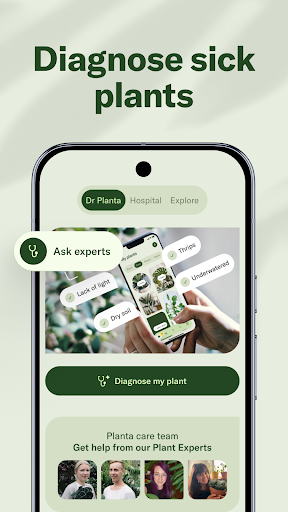
New plant owners sometimes struggle to determine when they should water, fertilize, or prune their plants. Planta addresses this problem by offering guidance that breaks maintenance into manageable tasks. Its recommendations help users understand what needs attention and when to perform specific activities.
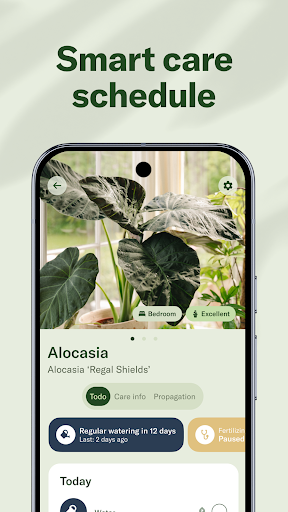
The app can create care schedules based on plant information and relevant environmental factors. Depending on the species and available features, these plans may include watering reminders, fertilizing tasks, and other maintenance suggestions.
Notifications help you stay consistent without having to remember every task yourself. You can check upcoming activities, follow the suggested routine, and adjust your approach as you become more familiar with each plant’s needs.
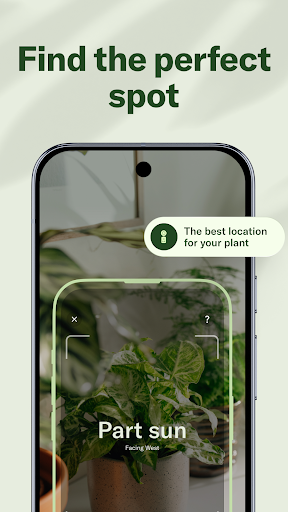
Light, temperature, and moisture all influence plant health, but measuring these conditions accurately can be difficult without the right equipment. Planta includes convenient tools designed to help users assess aspects of their growing environment.
For example, its light meter can help you evaluate the amount of light reaching a particular location. This information is useful when deciding where to place a plant, especially if it requires bright indirect light or prefers a more shaded environment.
By combining these tools with plant-specific information, you can make more informed decisions about placement and maintenance. However, digital measurements and recommendations should be treated as helpful references rather than substitutes for professional equipment or direct observation.
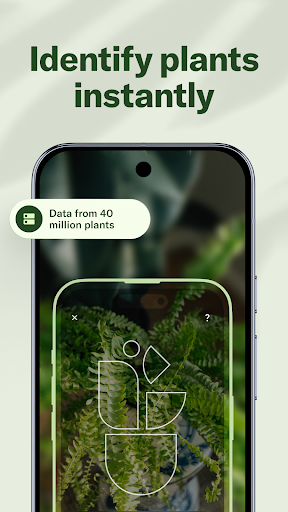
Not everyone knows the names of the plants they own, particularly when building a collection for the first time. Planta makes discovery easier through its search functions and camera-based identification features.
You can search for a plant by entering its name or use the available scanning function to examine an unfamiliar specimen. Once a potential match is identified, the app can provide relevant information to help you learn more about its appearance and care requirements.
This feature is also useful when you encounter an interesting plant and want to understand whether it would suit your home. Having identification and care information in the same application makes the process more convenient.
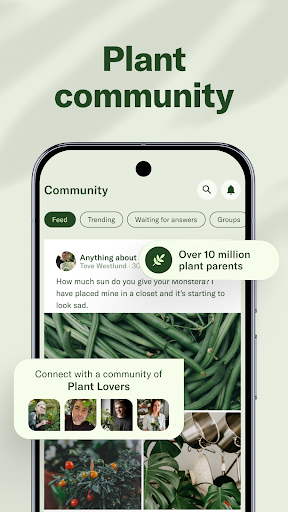
Taking care of plants is often a process of experimentation and shared experience. Planta provides access to a community where users can exchange ideas, discuss gardening routines, and learn from people with different levels of experience.
You can explore practical suggestions, ask questions, and discover how other plant owners handle common challenges. These interactions can be particularly helpful when you are dealing with unfamiliar species or trying to improve your existing care methods.
Community advice should still be considered alongside the specific requirements of your plants and local growing conditions. Nevertheless, exchanging experiences adds another useful dimension to the app beyond its automated reminders and reference materials.
The MOD version of Planta is presented as an alternative for users interested in accessing additional features. Its advertised modification focuses on removing certain restrictions associated with the premium experience.
The Premium Unlocked feature is intended to provide access to selected premium functions without following the standard subscription process. Depending on the modified package, the available benefits may differ from those offered by the official application.
Because this is an unofficial version, its functionality, compatibility, and security cannot be guaranteed. Users should review the package carefully before installation and consider the official version if they prefer a supported experience with regular updates.
Ready to organize your plant collection with Planta? Use the following preparation checklist before opening the installation package from APKMODY:
Find the correct app page: Visit APKMODY and search for Planta to locate the relevant listing.
Check the package information: Review the available version, file details, and Android compatibility before proceeding.
Download the installation file: Select the appropriate APK option and save the package to your device.
Prepare your phone: If Android blocks the installation, open your device settings and grant the necessary permission for the browser or file manager you used.
Complete the setup: Find the downloaded file, tap it, and follow the on-screen prompts to install the application.
Start your plant collection: Open Planta, add your plants, and explore the available care tools and reminders.