home chevron_right Apps chevron_right Health & Fitness chevron_right Paced Breathing
Music for Focus by Brain.fm
v3.5.61
• Unlocked
| Updated On | |
|---|---|
| Google Play ID | com.apps.paced.breathing |
| Category | Health & Fitness |
| Version | 3.13.4 |
| Size | 79 MB |
| MOD Feature | Not available |
| Requires | Android 7.0 |
| Price | |
| Free | |
| Content Rating | |
| Everyone | |
| Internet Required | |
| Unknow | |

Some days, all you need is a quiet moment away from notifications, deadlines, and endless distractions. Paced Breathing offers a straightforward way to create that pause through guided breathing sessions that follow a rhythm you choose. With a minimalist design, flexible timing options, and no internet connection required, this app makes it easier to build a simple breathing routine wherever you are.
Paced Breathing takes a refreshingly uncomplicated approach to guided breathing. Instead of filling the screen with animations, background music, or motivational messages, it focuses on one essential element: helping you follow a consistent breathing pattern. The experience feels calm and distraction-free, making it suitable for short breaks, quiet moments at home, or a few minutes of relaxation between daily activities.
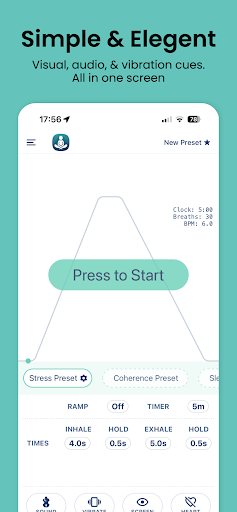
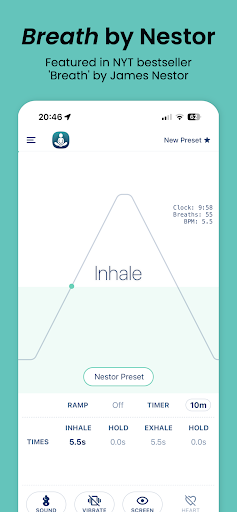
The first thing you notice when opening Paced Breathing is its large central circle. This simple visual element expands and contracts to represent the different stages of your breathing cycle. Follow its movement to know when to inhale, hold your breath, or exhale without constantly checking a timer.
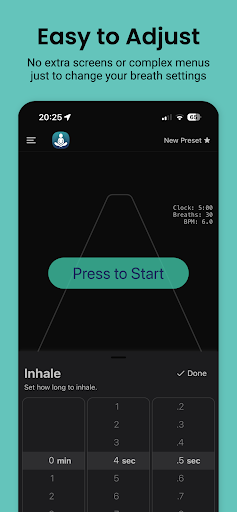
There are no complicated menus competing for your attention during a session. The interface keeps everything focused on the breathing exercise itself, which is particularly useful when you want to close your eyes and concentrate on the rhythm.
Although the design is minimal, you still have room to personalize its appearance. Several circle colors are available, allowing you to choose a shade that feels comfortable to look at. Whether you prefer soft blue, gentle pink, dark purple, or a deeper tone, you can create a visual environment that suits your taste.
Different people prefer different breathing rhythms, so Paced Breathing gives you control over the duration of each stage. You can adjust four separate phases:
Inhale: Set how long you breathe in.
Hold after inhale: Choose the pause before breathing out.
Exhale: Determine the duration of your outward breath.
Hold after exhale: Add another pause before starting the next cycle.
Each phase can be configured independently, with durations ranging from 1 to 60 seconds. This flexibility allows you to recreate familiar breathing patterns or experiment with a rhythm that feels more natural.
For example, box breathing uses four equal stages, each lasting four seconds. Another option is the 4-7-8 pattern, which involves inhaling for four seconds, holding for seven, and exhaling for eight. You can also create a simpler 3-0-6-0 cycle with a shorter inhale followed by a longer exhale. The important thing is to choose a comfortable pace rather than forcing yourself to follow a pattern that feels difficult.
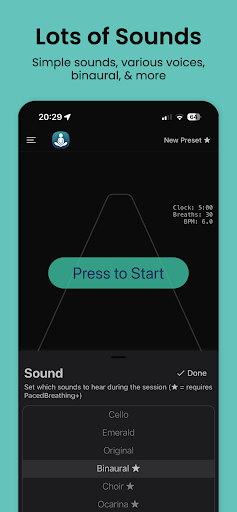
Looking at the screen throughout an entire session may not always be convenient. Paced Breathing addresses this with optional audio and vibration signals that notify you whenever the breathing phase changes.
You can choose a subtle beep to mark each transition, use gentle vibrations when holding your phone, or disable both signals entirely. The last option is particularly useful if you prefer following the visual circle without additional feedback.
These settings make the app adaptable to different environments. Use sound when your phone is resting nearby, vibration when you want to keep your eyes closed, or visual guidance when you prefer complete silence. You decide how much assistance you need.
Paced Breathing also includes a pace multiplier, giving you another way to control the timing of your exercises. Rather than changing every breathing phase individually, you can adjust the overall speed while maintaining the proportions of your selected pattern.
This is useful when you want to experiment with different session intensities without rebuilding your settings. For instance, you might prefer a slower cycle during a quiet evening or a slightly quicker rhythm during a short daytime break.
The multiplier makes these adjustments more convenient, especially if you regularly switch between different routines. However, there is no need to chase a particular speed. Keep the timing within a range that feels natural and stop if you experience discomfort.
A breathing exercise does not have to begin immediately after you press the start button. Paced Breathing lets you set a preparation period before the actual session begins. Use those few seconds to settle into a comfortable position, put your phone somewhere convenient, and get ready to follow the rhythm.
You can also customize how the app signals the end of an exercise. Depending on your preferences, the session may finish with a vibration, a gentle bell-like sound, or a visual animation as the circle gradually shrinks.
These small details make the transition into and out of a session feel less abrupt. Instead of being interrupted by a loud notification, you receive a subtle indication that your exercise has finished.
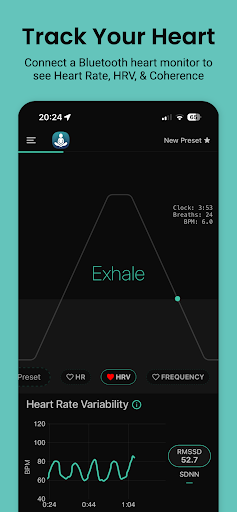
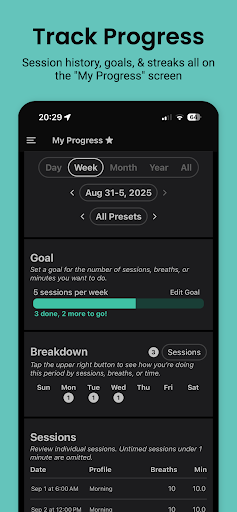
Paced Breathing keeps its statistics simple. Rather than introducing leaderboards, daily challenges, or complicated achievement systems, it focuses on a few basic records that help you understand your usage.
You can check your accumulated breathing time, the number of completed sessions, and your typical breathing rate. These details provide a convenient overview of your routine without turning relaxation into another activity you need to compete in.
There is also no pressure to maintain an uninterrupted streak. If you skip a few days, you can simply open the app and begin another session whenever you feel ready. This straightforward approach makes it easier to treat breathing exercises as a flexible personal habit.
Another practical advantage is its offline functionality. Paced Breathing does not require a constant internet connection to guide your sessions, so you can access its core breathing features even when mobile data or Wi-Fi is unavailable.
This makes the app convenient for travel, outdoor activities, or places where network coverage is unreliable. You also do not have to depend on an online service every time you want to start an exercise. Open the app, choose your settings, and follow the breathing guide at your own pace.
Paced Breathing does not promise to solve every stressful day or replace professional support when you need it. Instead, it provides a simple tool for setting aside a few minutes and paying attention to your breathing. Its customizable cycles, quiet interface, and offline access make it a practical option for anyone looking for a straightforward guided breathing app.
Want to try it on your Android phone? You can get started through APKMODY:
Visit the website: Open APKMODY.COM using your preferred mobile browser.
Find the application: Enter Paced Breathing in the search bar and open its download page.
Check the package: Review the available version, app information, and compatibility details before proceeding.
Download the APK: Tap the download option and wait for the installation file to finish saving.
Complete setup: Open the downloaded package, approve the required Android installation permission if prompted, and finish installing the app.