home chevron_right Apps chevron_right Entertainment chevron_right Lithium: EPUB Reader


Vigloo – Premier Short Dramas
v1.7.30
• Unlocked
| Updated On | |
|---|---|
| Google Play ID | com.faultexception.reader |
| Category | Entertainment |
| Version | 0.25.0 |
| Size | 8 MB |
| MOD Features | Premium |
| Requires | Android |
| Price | |
| Free | |
| Content Rating | |
| Everyone | |
| Internet Required | |
| Unknow | |

Lithium: EPUB Reader addresses a specific need for ebook readers who want something lightweight and focused on a single format, rather than installing a heavier all-purpose reader just to open a few EPUB files already sitting on the device.
The app is developed by FaultException, has been on Google Play since February 2016, and has passed 8 million downloads with a 4.4-star rating. Lithium: EPUB Reader sits in the Books & Reference category, is built with Material Design, and keeps its promise of staying fully ad-free in the free version. The app supports Android 4.1 and above, keeping it accessible even on older devices that many newer readers no longer support.
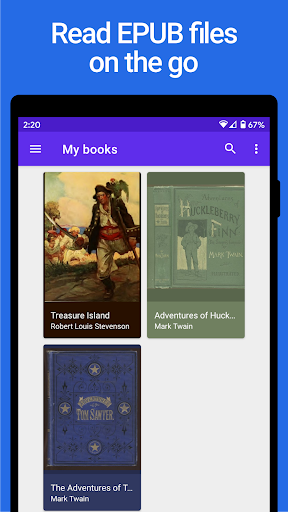
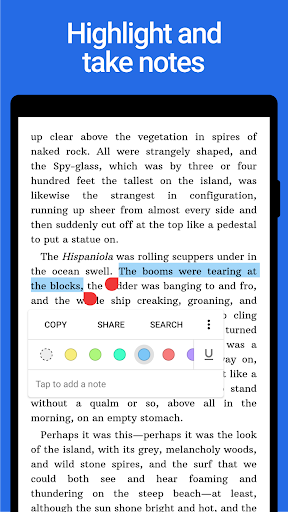
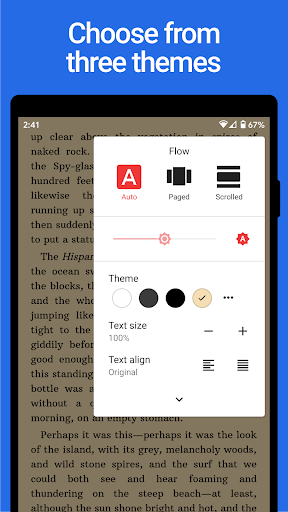
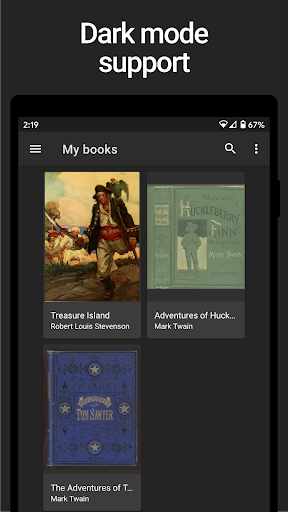
Upon installing, Lithium automatically scans and detects EPUB files already on the device without requiring users to manually point to a folder, making it possible to start reading almost immediately after the first launch. Readers can switch freely between traditional page-flipping and continuous scrolling depending on personal reading habits, along with two built-in themes, a night mode and a sepia mode, for extended reading sessions on the eyes. A highlighting and note-taking feature lets readers mark important passages directly in the text without switching to a separate notes app.
For anyone reading across multiple devices, the Lithium Pro upgrade unlocks syncing of reading position, highlights, notes, and bookmarks through Google Drive, though the book files themselves currently aren’t synced, only reading progress data. Pro works as an unlock license installed alongside the main app rather than as a separate standalone app, and it also adds custom theme colors and more highlight color options compared to the free version.
Some user feedback notes that dark mode occasionally pushes screen brightness to maximum when opening a book file, which is frustrating for nighttime reading, and some users haven’t found a way to turn this behavior off in settings. Another issue reported around 2024 involved the app running into file access permission trouble on certain Android versions, leaving books unable to open with no prompt to re-grant permissions, something worth watching for in future updates.
It helps to keep EPUB files in a single fixed folder on the device rather than scattered across several locations, since that makes Lithium’s automatic scan run faster and more accurately on first launch. If books stop showing up after an app update, checking file access permissions in the phone’s system settings first is worth trying before looking into more complicated fixes. For anyone reading across multiple devices, it’s worth considering Pro earlier rather than later if switching often between a phone and a tablet, to avoid losing saved reading progress and highlights.
Overall, Lithium: EPUB Reader suits anyone who just wants a lightweight, ad-free EPUB reader focused on the reading experience rather than juggling support for many different file formats. Theme customization along with highlighting and note-taking are clear strengths for serious reading, even though a few technical issues around screen brightness or file permissions are worth keeping in mind. It’s worth trying for anyone who already has an EPUB library and wants a dedicated reading tool rather than a more complex, all-purpose ebook app.