home chevron_right Apps chevron_right Music & Audio chevron_right Gaana Music


radio.net – AM FM Radio Tuner
v5.19.0.4-app
• Premium

| Updated On | |
|---|---|
| Google Play ID | com.gaana |
| Category | Music & Audio |
| Version | 8.58.5 |
| Size | 73 MB |
| MOD Features | Plus Unlocked |
| Requires | Android 7.0 |
| Price | |
| Free | |
| Content Rating | |
| Teen | |
| Internet Required | |
| Required | |
| Languages | |
| English, Bengali, Dutch, Hindi, Kannada, Malayalam, Marathi, Punjabi, Tamil, Telugu | |

Gaana Music MOD APK introduces listeners to a broad collection of Indian music, from Bollywood hits and regional tracks to devotional songs and podcasts. Its discovery tools make it easier to explore different languages, artists, genres, and musical eras in one place. Take a closer look at its listening features, Plus Unlocked edition, and how to get the APK through APKMODY.
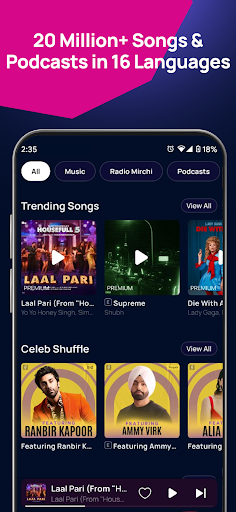
Gaana is an Indian music streaming platform created for listeners who want access to songs across different genres and languages. Its catalog has featured Bollywood soundtracks, Hindi pop, Punjabi music, regional releases, devotional tracks, and other styles that reflect India’s diverse musical culture. The platform also brings podcasts and other audio programs into the same listening environment.
From timeless recordings by Lata Mangeshkar and Kishore Kumar to contemporary releases associated with Arijit Singh, Badshah, and Neha Kakkar, Gaana offers a way to explore music from different generations. Its combination of familiar hits and regional selections makes it appealing to listeners who want more than a conventional international music playlist.
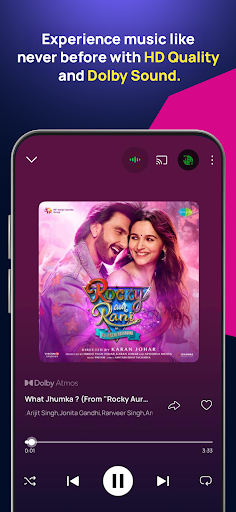
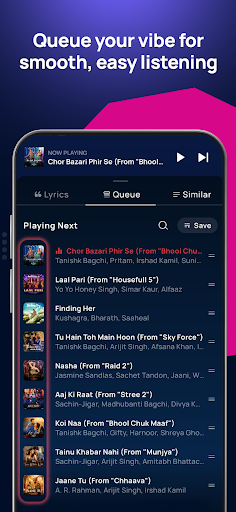
Gaana makes music discovery more engaging by combining audio playback with supporting information. For selected tracks, users can follow the lyrics while listening, making it easier to sing along or understand the words of a song. This feature is particularly useful for listeners exploring music in languages they are still learning.
Audio quality is another part of the listening experience. Available quality settings may vary depending on the subscription, network connection, and version of the application. Users can choose suitable playback options based on their data allowance and listening preferences rather than assuming every track is streamed at the same quality.
India’s music scene includes an enormous range of traditions, from classical influences and devotional compositions to modern film soundtracks and electronic remixes. Gaana brings many of these styles together, allowing listeners to move between familiar favorites and music they may not have encountered before.
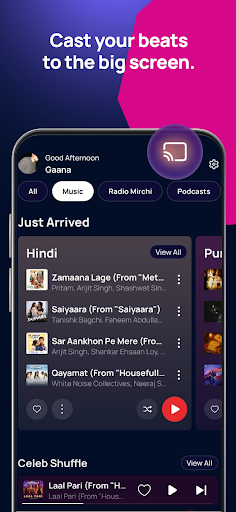
The app also organizes its catalog into playlists and discovery categories. Users can explore romantic songs, dance tracks, sad melodies, Bhangra, ghazals, bhajans, devotional collections, children’s music, and popular hits from earlier decades. Curated selections make browsing easier when you want music for a particular mood or occasion without searching for individual tracks.
Gaana’s regional catalog is one of its notable attractions. The platform has featured music in Hindi, Punjabi, Tamil, Telugu, Marathi, Kannada, Malayalam, Bengali, Gujarati, and several other languages. This variety gives listeners more opportunities to discover artists and releases beyond mainstream Hindi music.
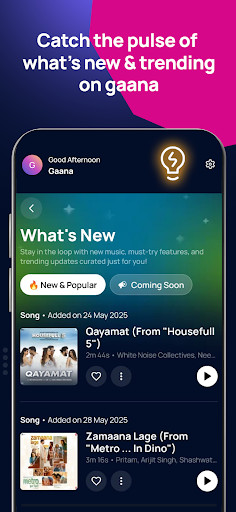
Chart-based playlists also help users keep up with popular tracks. Collections such as Bollywood and regional top lists provide a convenient starting point for exploring current favorites. Whether you prefer the latest releases or established songs from a particular language, the discovery section helps narrow down the options.
Music is not the only form of entertainment available on Gaana. The platform also features podcasts and spoken-audio programs covering topics such as lifestyle, spirituality, comedy, personal development, and everyday discussions.
Listeners can explore shows from different creators and presenters, with content available in multiple languages. This makes the app useful when you want a break from music but still prefer audio entertainment during a commute, workout, or quiet moment at home.
The modified edition is advertised with a Plus Unlocked feature, which may provide access to selected subscription-based functions without the usual payment process. Depending on the specific release, these functions may relate to playback, audio quality, or other premium listening options.
However, modified APK features can vary and are not guaranteed to work as described. An unofficial version may also lack the reliability, updates, and support of the original application. Users should consider these limitations before installing it.
Yes. Gaana has featured music in numerous Indian languages, including Hindi, Punjabi, Tamil, Telugu, Marathi, Kannada, Malayalam, and Bengali. The selection allows listeners to explore regional artists alongside popular Bollywood releases.
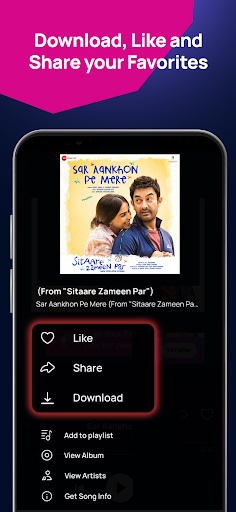
Offline listening has been associated with Gaana’s subscription features, but availability depends on the current service, account plan, and application version. Check the playback and download options in the installed app to see which functions are available.
No. A MOD APK is an unofficially modified version and is not distributed or supported by Gaana as an official release. Its advertised features, stability, and security cannot be guaranteed. For reliable updates and account support, use the official application from an authorized store.
To explore the available release, visit APKMODY and search for Gaana Music. Rather than installing the first file you find, compare the version details and check whether the listing matches the edition you intend to use.
You can use the following checklist before completing the installation:
Choose the right edition: Decide whether you want the standard APK or a modified release, keeping in mind that unofficial versions carry additional risks.
Check compatibility: Review the Android requirements and release information to avoid downloading a file that your device cannot run.
Verify the source: Download through the APKMODY listing and be cautious of unexpected redirects or files from unrelated websites.
Install and review permissions: Open the downloaded package, follow Android’s prompts, and inspect the permissions requested by the application.
Test music playback: Once installed, open Gaana and check whether browsing, playback, and other available features work properly.