Little Singham
v5.12.940
• Unlimited Money


| Updated On | |
|---|---|
| Google Play ID | com.vng.speedvn |
| Category | Action |
| Version | 1.55.0.27413 |
| Size | 4 GB |
| MOD Feature | Not available |
| Requires | Android 5.0 |
| Price | |
| Free | |
| Content Rating | |
| Teen | |
| Internet Required | |
| Required | |

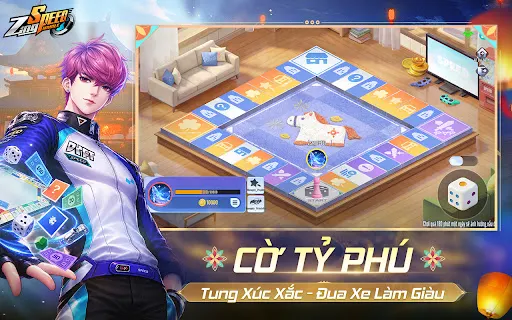
ZingSpeed Mobile APK brings the excitement of arcade racing to Android with colorful tracks, responsive controls, and plenty of opportunities to challenge other drivers. Inspired by the classic ZingSpeed racing experience, the mobile edition combines familiar drifting mechanics with modern features, vehicle upgrades, and competitive game modes. Whether you enjoy solo challenges or head-to-head competitions, this game offers plenty of ways to prove your driving skills.
Arcade racing has remained popular because it combines accessible controls with intense competition. Players do not need professional driving knowledge to get started, yet mastering every turn, drift, and boost still requires practice. This balance makes the genre enjoyable for both casual players and dedicated racing fans.
ZingSpeed Mobile brings the familiar racing identity of the original ZingSpeed series to smartphones. Published by VNG, the game offers an updated experience with refreshed visuals, new content, and features designed for mobile play. Longtime fans can revisit a recognizable racing world, while newcomers can discover its energetic arcade style for the first time.
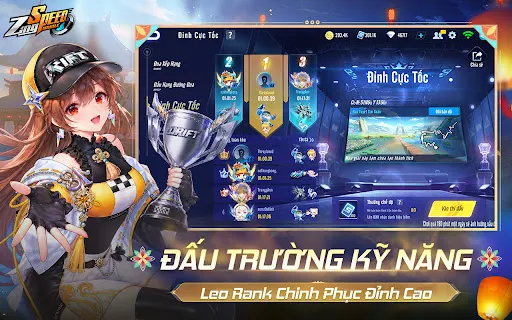
Each race takes place on tracks filled with sharp corners, obstacles, and opportunities to overtake opponents. You can compete to improve your results, unlock additional content, and build a racing profile that reflects your achievements. Regular activities and events also provide new challenges for players who want to keep progressing.
ZingSpeed Mobile offers different ways to enjoy its racing mechanics. Players can begin with individual challenges before moving into competitive matches against other drivers.
Story Mode
Story Mode provides a structured progression system in which players complete races and unlock new stages. Each chapter introduces its own objectives, encouraging you to improve your driving technique and achieve better results as you advance.
Your performance can influence the rewards you receive, including experience points, in-game currency, and customization resources. These rewards help develop your character and vehicle, giving you additional reasons to complete challenges instead of simply moving from one race to another.
Multiplayer Mode
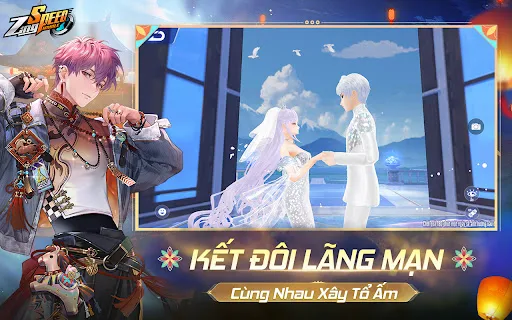
For players who prefer real competition, Multiplayer Mode lets you race against other participants online. You can test your abilities in individual matches or join team-based competitions, depending on the available game modes and unlocked features.
Different race formats introduce varied objectives. Some focus on reaching the finish line ahead of your opponents, while others include items or special conditions that change how each match unfolds. Team competitions also encourage coordination, since individual performance can influence the overall result.
Online racing is one of the game’s main attractions because every opponent brings a different driving style. You must react quickly, choose suitable racing lines, and use acceleration at the right moment to secure a better position.
ZingSpeed Mobile uses an arcade-style control system that is easy to understand but takes time to master. Steering and acceleration help you navigate the track, while drifting allows you to handle sharp corners without losing too much momentum.
Nitro is another important mechanic. Activating a boost at the right moment can help you accelerate along straight sections or recover speed after a turn. However, using it carelessly may waste an opportunity to overtake another racer.
Winning consistently requires more than simply driving at maximum speed. You should learn the layout of each track, practice cornering techniques, and understand when to drift or activate nitro. Combining these skills with quick reactions will give you a stronger chance of finishing near the top.
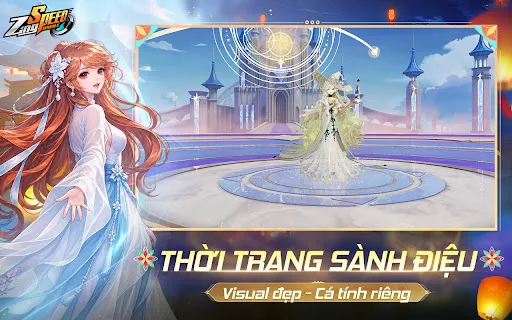
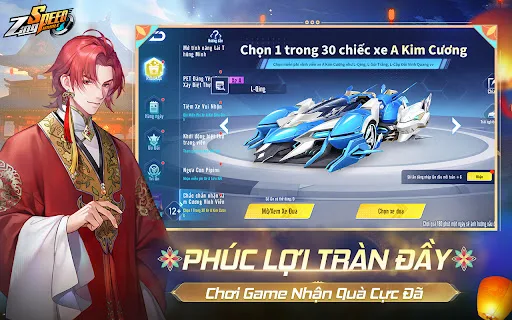
Vehicle customization gives players more freedom to develop a racing style that suits their preferences. As you progress, you can collect resources and unlock additional components or decorative items for your car.
Some upgrades focus on improving vehicle performance, while others change its visual appearance. You can gradually build a machine that reflects your progress and looks different from the standard models available at the beginning.
In-game currency and other resources are important for accessing certain items. Higher-tier components may require more investment, so consider which upgrades will benefit your driving style instead of spending everything immediately. A balanced vehicle setup can be more useful than focusing on a single attribute.
ZingSpeed Mobile adopts a vibrant cartoon-inspired art style, giving its characters, vehicles, and racing environments a distinctive appearance. The tracks feature varied scenery and detailed elements that make each race visually engaging without losing the playful atmosphere associated with arcade games.
Sound effects add another layer of excitement. Engine noises, tire friction, drifting, and nitro activation help communicate what is happening during a race. Together with the energetic background music, these effects create an engaging atmosphere that keeps the focus on the competition.
The combination of accessible visuals and responsive audio makes the game suitable for quick racing sessions as well as longer multiplayer matches.
Want to return to the track and challenge other racers? You can find ZingSpeed Mobile through APKMODY and prepare the installation package for your Android device. Follow this checklist before launching the game:
Check your device: Confirm that your phone has enough free storage and runs a compatible Android version.
Visit APKMODY: Open the website in your mobile browser and search for ZingSpeed Mobile.
Review the download page: Check the available version, package details, and installation requirements before proceeding.
Save the APK: Choose the download option and wait until the file is fully transferred to your device.
Install the game: Open the downloaded package through your file manager. If Android requests permission to install apps from that source, review the setting before allowing it.
Start racing: Once installation is complete, open the game and follow any additional setup instructions displayed on the screen.