
Brother Hai’s Pho Restaurant
v1.1
•
Simulation
| Updated On | |
|---|---|
| Google Play ID | com.mkarpenko.worldbox |
| Category | Simulation |
| Version | 0.51.4 |
| Size | 180 MB |
| MOD Feature | Not available |
| Requires | Android 6.0 |
| Price | |
| Free | |
| Content Rating | |
| Everyone | |
| Internet Required | |
| Not Required | |

WorldBox APK puts you in the position of an almighty creator with complete freedom to shape an entire universe. Build landscapes, establish civilizations, introduce extraordinary creatures, or unleash devastating disasters to see how your creations respond. With its combination of god simulation and sandbox mechanics, the game offers countless possibilities for players who enjoy experimenting with their own virtual worlds.
God simulation games offer a different perspective from traditional strategy titles. Rather than controlling a single character or directly commanding every unit, players act as powerful entities who influence the development of an entire population. Their decisions shape the environment, determine how civilizations evolve, and sometimes change the fate of everything living within their world.
This genre has developed through several memorable releases, including classic experiences such as Black & White and more recent titles like Godus. Each game approaches divine control differently, but the central idea remains similar: give players extraordinary abilities and let them experiment with the consequences.
Developed by Maxim Karpenko, WorldBox combines god simulation with open-ended sandbox gameplay. Instead of following a fixed storyline or completing a predetermined campaign, players receive a collection of creative tools that allow them to construct and modify their own environments.
The experience revolves around experimentation. You can create an untouched island, establish several civilizations, introduce dangerous creatures, or completely reshape the landscape whenever you want. Every action can produce unexpected developments, making each world feel like a separate experiment with its own history and outcomes.
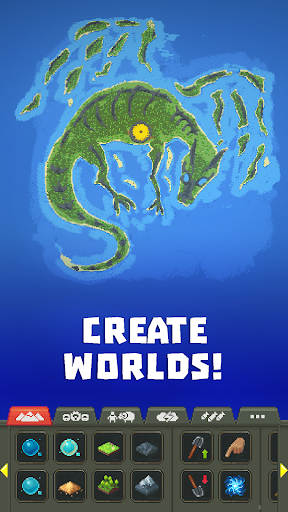
Your journey begins with an empty canvas waiting to be transformed. WorldBox gives you the freedom to create continents, islands, oceans, forests, and other environmental elements according to your imagination. You decide where different habitats should appear and how much space each civilization receives to develop.
Beyond landscape construction, the game also provides settings that influence how your world operates. You can experiment with different environmental conditions and world rules before introducing inhabitants. These choices establish the foundation for everything that follows, whether you want to build a peaceful ecosystem or create an unpredictable environment filled with danger.
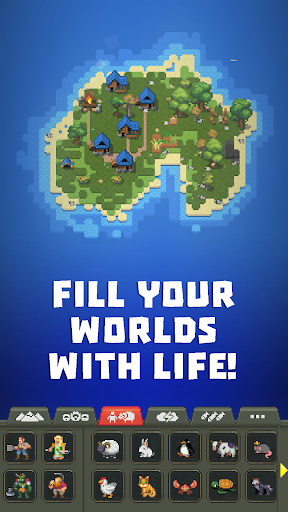
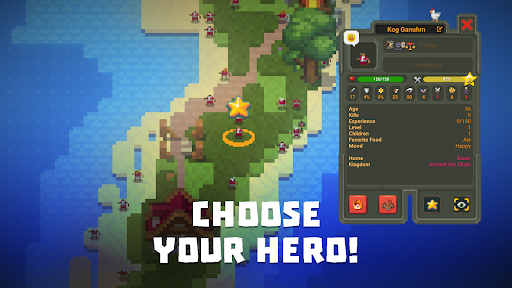
A world becomes much more interesting once its inhabitants begin developing their own communities. WorldBox allows you to introduce different races and populations, including humans, elves, dwarves, and orcs. Each group can establish settlements, expand its territory, and interact with neighboring civilizations.
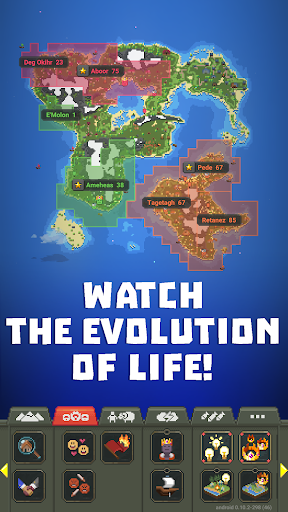
Your role is not limited to placing creatures on the map. You can influence their development by providing suitable environments, resources, and challenges. As populations grow, settlements can develop into larger kingdoms, establish relationships, or become involved in territorial conflicts.
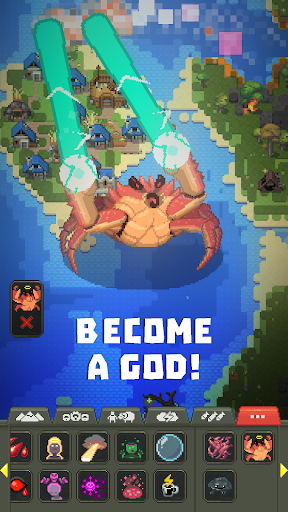
You can also introduce dangerous creatures such as dragons and monsters to challenge existing communities. These threats create opportunities for civilizations to develop their defenses and demonstrate how they respond to difficult circumstances.
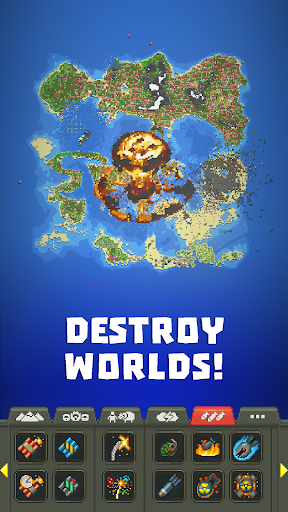
Being the creator of a world means having the ability to protect it or bring everything to an end. WorldBox provides a wide selection of divine abilities that can dramatically change the environment and affect its inhabitants.
Some powers are designed to create or modify the world, while others focus on destruction. You can summon lightning, trigger acid rain, launch meteorites, or use explosives such as TNT. More devastating options, including nuclear explosions, can transform entire regions within seconds.
The game also allows you to introduce powerful monsters and other dangerous creatures into populated areas. Watching civilizations struggle against these threats creates unpredictable scenarios, especially when several destructive forces interact at the same time. You can either observe the consequences or intervene whenever the situation becomes too chaotic.
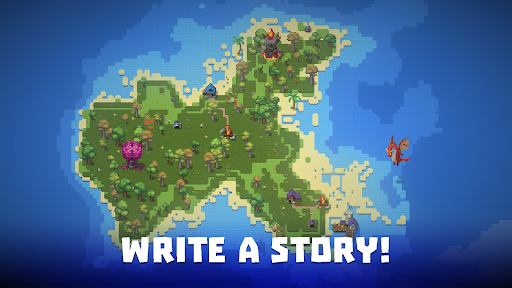
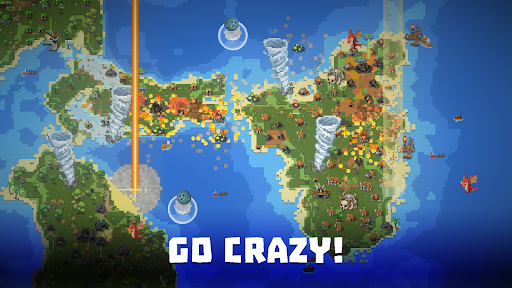
WorldBox chooses a colorful 2D pixel-art presentation instead of following the realistic 3D style found in many modern simulation games. Its environments contain detailed landscapes, recognizable structures, animated creatures, and different visual elements that make the world feel alive.
Despite the simple artistic direction, the game offers enough visual variety to distinguish different regions and civilizations. Watching settlements expand across the map or observing natural disasters transform familiar landscapes adds another layer of enjoyment to the sandbox experience.
Audio also contributes to the atmosphere through environmental sounds and effects associated with different events. From ordinary activities taking place in settlements to dramatic sounds during battles and natural disasters, these details help make the world feel more dynamic.
The sound design complements the pixel-art presentation without overwhelming the experience. Combined with the freedom to create unexpected situations, it makes observing your own civilization an entertaining activity even when you are not actively changing the map.
Ready to become the creator of your own universe? You can find the WorldBox installation package on APKMODY and prepare it for your Android device using the following instructions:
Open the APKMODY homepage: Access the website through Chrome or another browser installed on your phone.
Look up WorldBox: Use the search function to find the game’s dedicated page and open it.
Check the release information: Review the available version, Android compatibility details, and package information before proceeding.
Download the APK: Select the download link provided on the page and wait for the installation file to reach your device.
Install the game: Open your Downloads folder, tap the WorldBox APK, and follow the prompts displayed by Android.
Begin creating: Launch the game after installation and start building your first world.