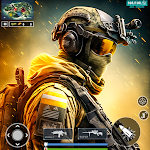

Wall of Insanity 2
v1.5
• Shooter
| Updated On | |
|---|---|
| Google Play ID | com.VenomizedArt.WallOfInsanity |
| Category | Shooter |
| Version | 1.65 |
| Size | 904 MB |
| MOD Feature | Not available |
| Requires | Android 6.0 |
| Price | |
| $5.00 | |
| Content Rating | |
| Mature 17+ | |
| Internet Required | |
| Unknow | |

Wall Of Insanity APK combines third-person shooting, action, exploration, and psychological horror in a dangerous supernatural adventure. Developed by Merla Games, the game puts you in the role of a special forces soldier investigating a mysterious disappearance surrounded by terrifying creatures. Prepare your weapons, manage limited resources, and uncover the disturbing secrets hidden behind the walls of this nightmare.
Wall Of Insanity follows an investigation conducted by members of the Cobalt special task force. Their mission is to discover what happened to an undercover police unit that disappeared while investigating a mysterious cult. The investigation leads the soldiers to the location where the missing officers were last seen, but the situation quickly turns into a horrifying nightmare.
Instead of finding survivors, the team encounters a bloody environment filled with grotesque creatures and unexplained phenomena. As the investigation progresses, you must fight dangerous enemies, explore abandoned locations, and uncover the secrets behind the cult. What initially appears to be a straightforward rescue operation gradually becomes a desperate struggle for survival.
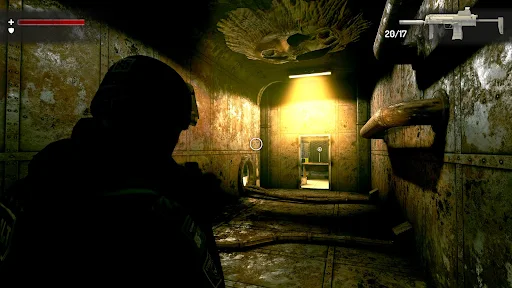
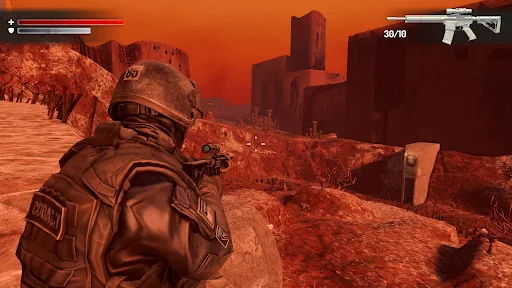
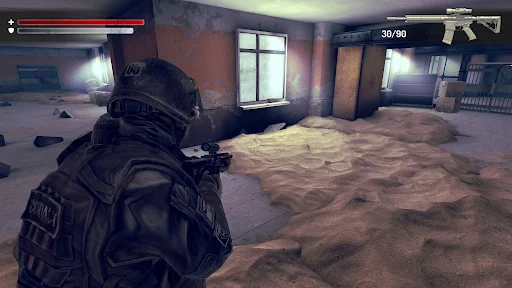
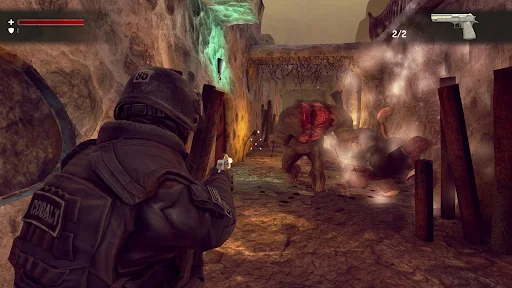
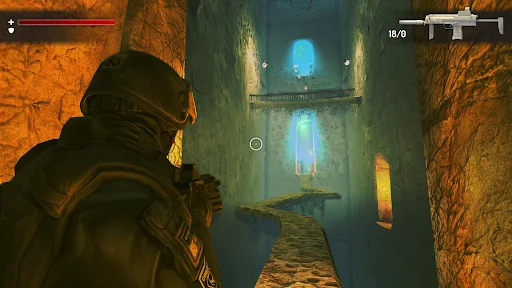
Wall Of Insanity adopts a realistic 3D visual style that emphasizes atmosphere and environmental details. Rather than filling every scene with countless objects, the game focuses on carefully textured models. Rusted metal surfaces, rough stone structures, damaged walls, and other environmental elements feature noticeable details that help establish the unsettling atmosphere.
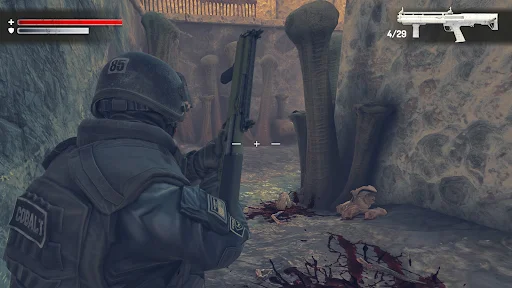
Character models receive similar attention. The protagonist’s clothing and equipment include visible fabric folds, stitching, and surface details that make the soldier look more convincing. Interestingly, the developers maintain relatively moderate model complexity while using detailed textures to improve the overall presentation. This approach helps the game deliver attractive visuals without unnecessarily overwhelming mobile hardware.
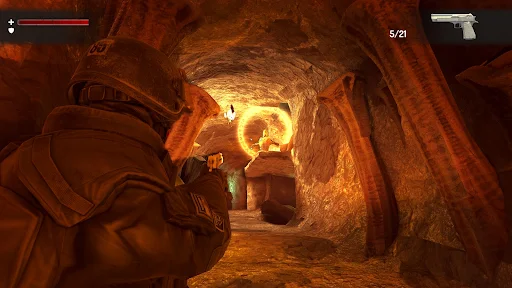
Lighting is an important part of the horror experience in Wall Of Insanity. Environmental objects interact with surrounding light sources, creating shadows that add depth to corridors, rooms, and outdoor areas. Soft lighting is frequently used to produce gradual transitions between illuminated and darker spaces, helping the environments feel less artificial.
The game also incorporates normal mapping on large surfaces such as floors, walls, and rocks. This technique gives otherwise flat textures a greater sense of depth by making small surface details respond to lighting. However, certain light sources can appear excessively bright compared with the surrounding environment. Since there are limited options for adjusting these effects, players sensitive to intense lighting or visual stimulation may find extended sessions uncomfortable.
Wall Of Insanity combines shooting mechanics with exploration and resource management. You control a Cobalt soldier through a third-person camera positioned behind the character, giving you a clear view of nearby surroundings during combat. Your main objective is to survive hostile encounters while progressing through the mysterious locations connected to the investigation.
The protagonist has two important defensive attributes: health and armor. Health determines how much damage you can withstand before being defeated, while armor absorbs a portion of incoming attacks. However, armor has limited durability and gradually loses effectiveness as it protects you. Once its durability is depleted, you must be more careful when approaching enemies because your character becomes significantly more vulnerable.
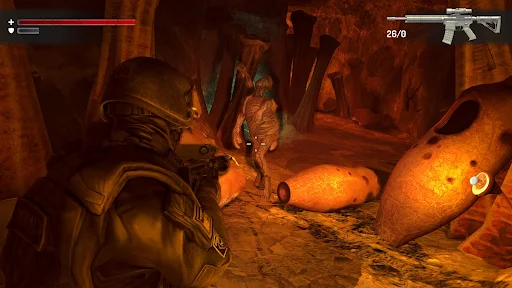
The enemies in Wall Of Insanity come in several frightening forms, each presenting different combat challenges. Some creatures attack directly from the front, while others may approach from behind or emerge from unexpected positions. Their varied attack patterns encourage you to pay attention to your surroundings instead of focusing exclusively on the enemy directly in front of you.
Fortunately, encounters generally involve relatively small groups of approximately one to five monsters rather than overwhelming hordes. This gives you opportunities to reposition yourself and choose suitable weapons for each confrontation. Nevertheless, certain areas contain powerful boss creatures with substantial health reserves. Defeating these enemies is essential to advancing through the adventure.
The level structure in Wall Of Insanity follows a relatively linear progression. You generally have a designated route through each area, with successive locations guiding you toward the next objective. This straightforward design makes the main adventure easier to follow while maintaining a consistent sense of progression.
However, the environments are not entirely limited to the main path. Hidden rooms and optional areas provide additional opportunities to explore, collect useful supplies, and discover concealed items. Finding these locations requires careful observation, as some resources may be tucked away in less obvious corners. Exploring beyond the immediate route can make a meaningful difference when preparing for later encounters.
Wall Of Insanity features several firearm categories, including pistols, shotguns, submachine guns, and rifles. Each weapon serves a different purpose, allowing you to adapt your combat approach depending on the distance and type of enemy you encounter. Ammunition and firearms are distributed throughout the levels, so exploring your surroundings is important for maintaining your supplies.
However, the protagonist can carry only two firearms at a time. If both weapon slots are occupied, you must replace one of your current guns before collecting another. Ammunition is also limited, meaning that firing continuously without considering your available resources can quickly create problems.
This restriction adds a layer of survival strategy to otherwise straightforward shooting mechanics. You need to decide which firearms are worth keeping, when to conserve ammunition, and which weapons are most effective against particularly dangerous enemies.
Weapon selection is not the only inventory challenge in Wall Of Insanity. The backpack initially provides just three storage slots, which must accommodate various useful items. First-aid kits, grenades, bandages, and even keys required to open certain doors all compete for the available space.
Additional backpack upgrades can be discovered during exploration, increasing your carrying capacity. Nevertheless, storage remains relatively restrictive even after obtaining improvements. You should prioritize essential supplies and avoid collecting unnecessary items that might prevent you from carrying something more valuable later.
Careful inventory management becomes particularly important before entering dangerous areas. Having enough healing supplies, ammunition, and other essential equipment can determine whether you survive a difficult encounter or have to repeat your progress.
Wall Of Insanity delivers a combination of atmospheric horror, third-person shooting, and survival mechanics that keeps players alert throughout the adventure. Its detailed environments, disturbing monsters, weapon restrictions, and limited inventory create a challenging experience for fans of action-horror games. If you want to continue the story, don’t miss Wall Of Insanity 2, also available on APKMODY.
To install the first game on your Android device, use this quick download route:
Open the APKMODY website in your mobile browser.
Search for Wall Of Insanity APK and access the game’s dedicated page.
Review the available release information and select the appropriate APK download.
Wait for the file to finish downloading, then open it through your device’s file manager.
Grant the required installation permission if Android displays a security prompt.
Tap Install, wait for the process to finish, and launch the game.