
A Space for the Unbound
v0.0.1
• Casual
| Updated On | |
|---|---|
| Google Play ID | com.humblebundle.unpacking |
| Category | Casual |
| Version | 1.1 |
| Size | 400 MB |
| MOD Feature | Not available |
| Requires | Android 8.0 |
| Price | |
| $9.99 | |
| Content Rating | |
| Everyone | |
| Internet Required | |
| Unknow | |

Unpacking APK turns the familiar experience of moving into a new home into a relaxing puzzle adventure filled with charming details. Developed by Witch Beam and published by Humble Games, the game challenges you to unpack cardboard boxes and organize personal belongings across different living spaces. Behind its simple mechanics lies a touching story about growing up, changing relationships, and discovering new chapters in life.
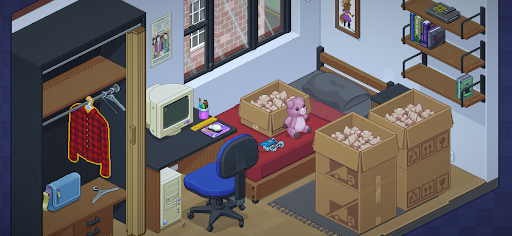
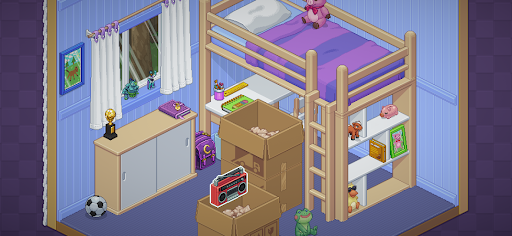
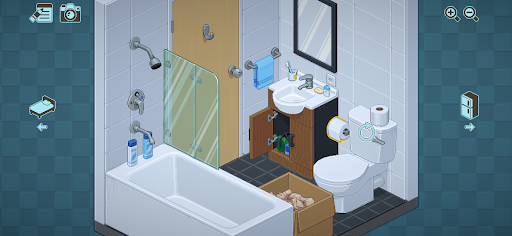
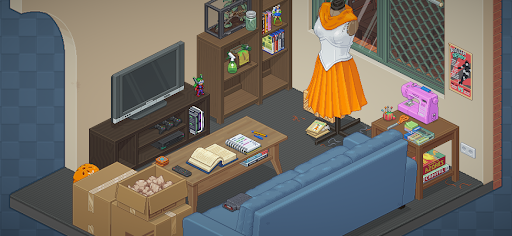
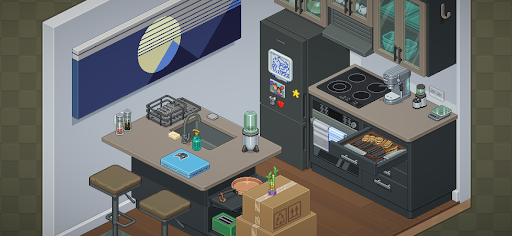
Unpacking stands out from traditional puzzle games by focusing on everyday activities rather than complicated challenges or competitive objectives. Its visual presentation uses a colorful 2D pixel-art style, with carefully designed objects and environments that make each room feel distinctive. Although the individual items feature relatively large shapes, their detailed pixel textures and harmonious color combinations create an appealing appearance.
Every level introduces a new living space filled with furniture, cardboard boxes, and personal belongings waiting to be organized. What initially seems like a simple household task gradually becomes an engaging experience that encourages observation, creativity, and attention to detail.
The main activity in Unpacking revolves around removing objects from cardboard boxes and finding suitable places for them. Depending on the level, you may receive one room or several spaces to organize. Each box contains different belongings, ranging from everyday essentials and decorative accessories to larger household items.
Using touch controls, you can select an object, move it out of its box, and position it wherever it belongs. You are free to experiment with different arrangements while trying to make each room look organized and functional. The simple controls make the experience accessible, even for players who rarely play puzzle games.
Although organizing rooms may resemble a decoration activity, Unpacking is primarily a puzzle game. You cannot simply leave every object wherever you prefer because certain belongings must occupy appropriate locations before a level can be completed.
Items placed incorrectly are highlighted with a red outline, indicating that their current positions do not satisfy the game’s requirements. You must reconsider their placement and find suitable spots until every object has been arranged correctly. Once the room meets the level’s conditions, you can move forward to the next stage.
Fortunately, Unpacking does not pressure players with countdowns, scoring systems, or competitive rankings. You can take as much time as necessary to experiment with different layouts. The game also offers some flexibility in arranging objects, so there is usually more than one way to create a valid setup rather than having to follow a single rigid arrangement.
One of the most memorable aspects of Unpacking is its storytelling approach. At the beginning, you are introduced to an unnamed protagonist whose identity and personal history are gradually revealed through the environments you organize. Instead of relying on lengthy conversations or traditional cinematic sequences, the game uses belongings to communicate important moments in someone’s life.
Each level represents a different stage of the protagonist’s journey, introducing new homes, rooms, and personal possessions. As you progress, familiar objects return in different settings, while new belongings reflect changes in interests, relationships, and personal circumstances. Small details gradually reveal experiences involving happiness, challenges, independence, and emotional growth.
What makes this approach particularly effective is its subtlety. A familiar photograph, an old toy, or a newly acquired household item can communicate more than a lengthy explanation. By paying attention to these details, you gradually piece together a personal story that develops naturally alongside the gameplay.
Unpacking includes a feature that records your organizing progress throughout the adventure. As you move objects into valid positions, the game keeps track of their placement sequence, allowing you to revisit how a room gradually takes shape.
After completing a level, the recorded arrangement becomes available in the game’s album. You can select the camera icon associated with a finished stage to review the process and watch your belongings move from scattered cardboard boxes into their final positions. This creates an enjoyable visual record of your progress.
The recording system focuses on valid placements rather than every movement you make. For example, objects positioned unnaturally or overlapping other items will not count as completed arrangement steps. You can also export the resulting recording to your phone’s multimedia library, making it possible to keep or share your favorite organizing sessions.
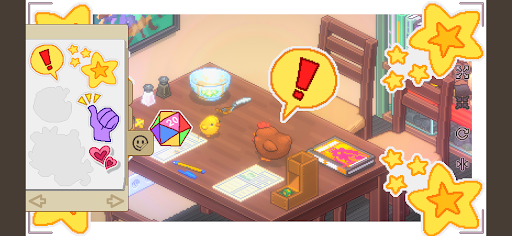
If you enjoy creating attractive interior layouts, Photo Mode gives you another reason to experiment with different arrangements. This feature allows you to capture screenshots of your rooms at any point during gameplay, preserving the details you find particularly appealing.
The built-in editing options provide additional ways to customize your pictures. You can apply visual effects such as black and white, color adjustments, and glitter to give each screenshot a different atmosphere. Furthermore, stickers collected during the adventure can be added to your images, creating playful compositions that reflect your personal style.
Whether you prefer clean interior photographs or humorous snapshots decorated with stickers, Photo Mode makes it easy to preserve memorable moments from your journey.
Ready to experience this relaxing organization puzzle? You can get the installation package through APKMODY by following these steps:
Visit APKMODY: Open the APKMODY website using Chrome or another browser on your Android device.
Find Unpacking: Enter the game’s name in the search bar and select the correct result.
Review the release: Check the available version, compatibility information, and installation details on the download page.
Save the APK: Press the download link and wait for the installation file to be saved to your device.
Prepare Android: Open your file manager and allow installation from the selected source if your device requests permission.
Install the game: Tap the downloaded APK, follow the on-screen instructions, and wait until installation is complete.
Start organizing: Open Unpacking and begin unpacking your first collection of belongings.