

Pikuniku
v1.0.10
• Unlocked
| Updated On | |
|---|---|
| Google Play ID | com.RushingPixel.TIO |
| Category | Puzzle |
| Version | 1.48 |
| Size | 46 MB |
| MOD Feature | Not available |
| Requires | Android 8.0 |
| Price | |
| $1.49 | |
| Content Rating | |
| Everyone | |
| Internet Required | |
| Unknow | |

Do you enjoy testing your reflexes while figuring out how complicated machines work? Turn It On! combines quick interactions with clever electrical puzzles, creating a challenge that rewards both logical thinking and fast decisions. Each level presents a control panel filled with switches, buttons, and other components. Your mission is to figure out how everything works, activate the system, and finish before the clock runs out.
Turn It On! is a paid puzzle game developed by Rushing Pixel. Its central idea revolves around operating electrical panels through a series of increasingly challenging interactions. Rather than solving conventional riddles, you must understand how different components function and determine the correct sequence of actions to activate each machine.
The game places considerable emphasis on speed without abandoning the problem-solving aspect. You are free to experiment with different approaches, but taking too long may cost you valuable stars. This balance between careful observation and quick execution gives every stage an extra layer of excitement.
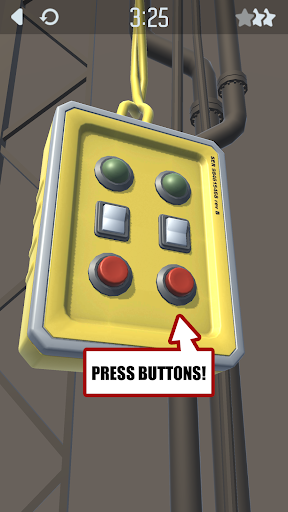
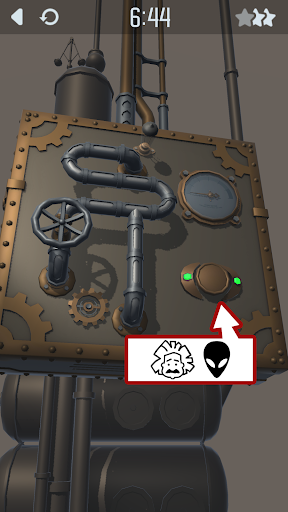
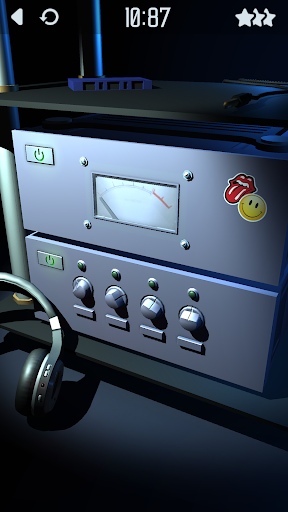
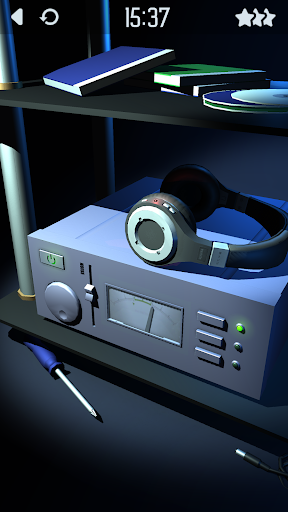
Each level introduces an electrical control panel that you must activate to proceed. Your tools include switches, buttons, knobs, and other interactive components. The immediate objective is to figure out which controls need to be operated and how they should be used to turn on the blue indicator light.
The opening stages are relatively straightforward, allowing you to understand the basic interactions. However, the difficulty gradually increases as additional components appear and their relationships become less obvious. Some switches may be tucked away in unexpected corners, while other mechanisms require several actions before producing the desired result. Observe the entire panel carefully instead of focusing only on the most noticeable controls.
Speed is one of the defining elements of Turn It On! Rather than simply rewarding you for activating a machine, the game evaluates how long you take to finish each challenge. Your completion time determines the number of stars you receive, giving you a reason to replay stages and improve your performance.
Every level offers up to three stars, with each rating representing a different time requirement. Earning the highest reward demands quick reactions and a clear understanding of the panel’s mechanics. In some cases, even a difference of a few milliseconds may separate a perfect result from a lower rating.
The three-star system adds considerable replay value, especially for players who enjoy completing every challenge with the best possible result. Finishing a stage is satisfying, but getting the maximum rating requires much more precision.
You may initially settle for one or two stars while learning the mechanics. Once you understand the correct sequence, however, you can return and attempt a faster run. This creates a natural progression from simply solving puzzles to mastering them under pressure.
The electrical panels become more complicated as you advance. Early challenges may require nothing more than pressing a button or flipping a switch, but later stages introduce additional components that interact with one another.
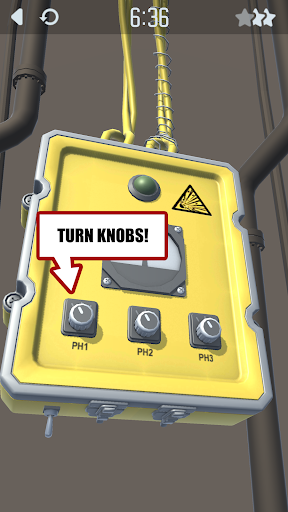
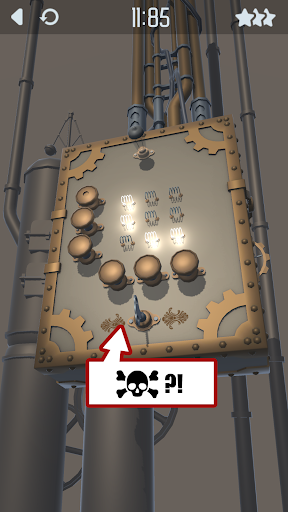
You will encounter mechanisms such as knobs, gears, meters, and screens, each requiring a different type of interaction. Some devices may respond directly to your input, while others depend on the state of another component. Understanding these relationships is essential because activating the wrong control or following an incorrect sequence can waste valuable time. Pay attention to every detail and treat each new mechanism as another piece of the puzzle.
The first few levels help you become familiar with the controls, but the difficulty becomes more noticeable around level 7. At this point, rushing through every panel without understanding its mechanics may lead to repeated mistakes. A more deliberate approach will help you identify the rules before attempting a perfect run.
Here are two useful ways to deal with the tougher puzzles:
Study the panel before starting a timed attempt: Examine all visible components and test how they respond to your input. Focus on identifying connections between switches, buttons, and other mechanisms. Once you understand the required sequence, restart the challenge and complete it more efficiently.
Use the hint feature when you get stuck: If you cannot figure out a particular mechanism, wait for the hint button to become available. Its guidance may reveal an important clue about the puzzle’s logic. Use that information to understand the solution, then replay the level to improve your completion time.
The key is to separate learning from execution. First discover how the machine works, then focus on speed once you know what to do.
Turn It On! keeps its visual presentation focused on the electrical panels rather than filling the screen with unnecessary details. Its 3D graphics make the switches and mechanical components easy to recognize, while the clean design helps you concentrate on solving each challenge.
The accompanying music and sound effects also contribute to the experience. Every interaction gives you immediate feedback, making the process of testing controls feel more engaging. Although the presentation is relatively minimal, it fits the game’s mechanical theme and keeps attention on the puzzles themselves.
Want to test your ability to operate complicated machines? You can check the Turn It On! listing on APKMODY and follow this download route if an Android-compatible package is available. Start by opening APKMODY in your mobile browser. Use the website’s search feature to locate Turn It On!, then enter the game page to review its description and release information.
Before downloading, check the listed file details and make sure your device meets the stated compatibility requirements. If a suitable APK is provided, select its download link and wait for the file to finish saving. Finally, open the package through your file manager and follow the Android installation prompts to complete the setup.