
Winner Soccer 2
v0.5.2
• Unlimited Coins

| Updated On | |
|---|---|
| Google Play ID | com.kongsoftware.soccerdynasty |
| Category | Football |
| Version | 1.0.20 |
| Size | 947 MB |
| MOD Features | Free In-App Purchase |
| Requires | Android 7.0 |
| Price | |
| Free | |
| Content Rating | |
| Everyone | |
| Internet Required | |
| Unknow | |

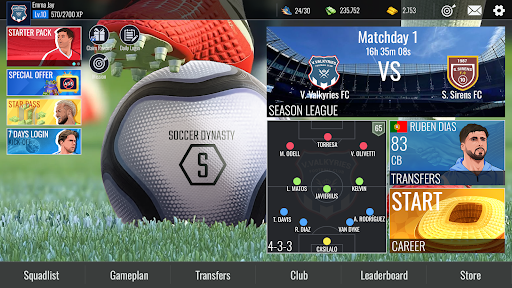
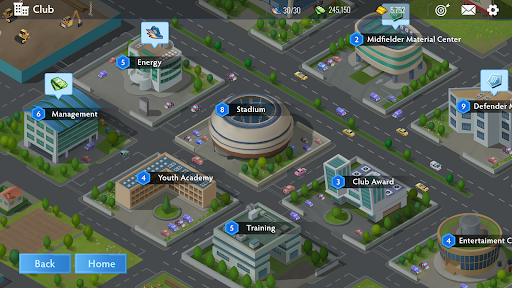
Soccer Dynasty: Club Manager MOD puts you in charge of a football club, where every decision can influence your team’s performance and long-term development. Developed by Kong Software for mobile devices, this management simulation combines tactical match preparation with an extensive progression system. Build your squad, overcome increasingly difficult competitions, and collect valuable resources as you work toward becoming a successful football manager.
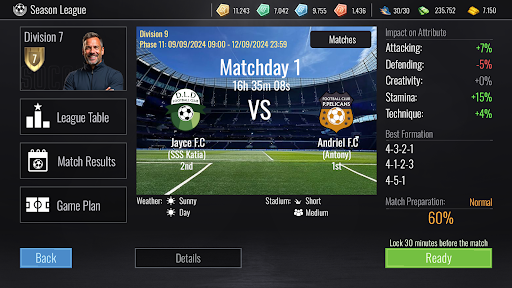
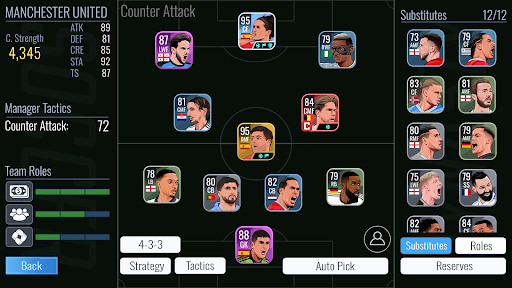
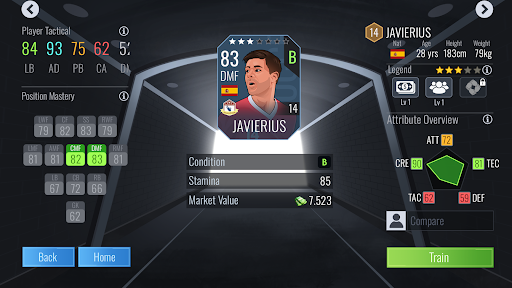
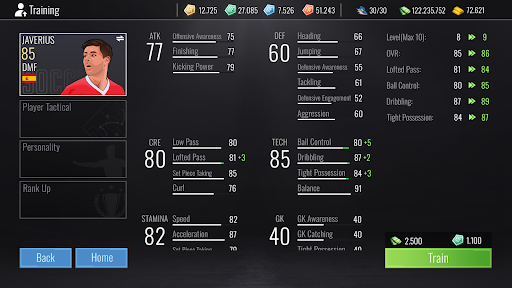
Soccer Dynasty: Club Manager allows you to experience football from the perspective of a manager and head coach. Your responsibilities include selecting formations, arranging player positions, adjusting tactical approaches, and making important decisions before and during matches. Rather than focusing on direct player control, the game emphasizes strategic planning and how effectively you organize your squad.
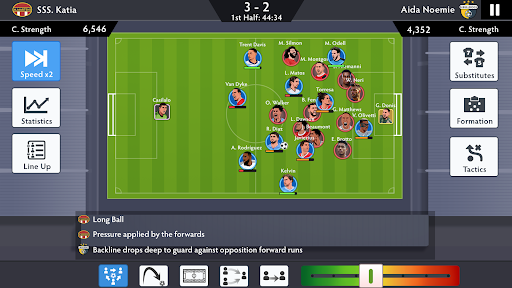
One distinctive aspect is its simplified visual presentation. Matches take place on a diagram-style football field, where players are represented by photographs instead of detailed 2D or 3D character models. This approach keeps the interface lightweight, reduces the game’s resource requirements, and helps conserve battery life. Despite the minimalist graphics, familiar football rules and match situations remain central to the experience, giving you plenty of opportunities to test your managerial abilities.
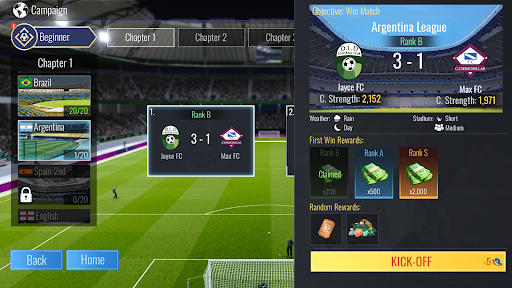
The campaign serves as the main progression path in Soccer Dynasty: Club Manager. Instead of relying entirely on traditional seasons, the game organizes its content into a series of stages, creating an experience somewhat similar to level-based role-playing games. Each completed match brings you closer to new competitions while providing resources to strengthen your club.
There are numerous leagues to explore, each containing at least 20 stages with gradually increasing difficulty. Winning every match within a league allows you to unlock the next competition and continue your journey. This structure gives players clear objectives while ensuring that team development remains important throughout the campaign.
Winning matches is the primary way to accumulate resources for your club. The reward system features two categories: First-Win Rewards and Random Rewards. The former provides more substantial benefits when you defeat an opponent for the first time, but these bonuses are only available once per stage.
If you replay a completed match, you can still earn Random Rewards. Their quantities and values vary, making repeated victories a useful way to gather additional resources. Balancing first-time progression with farming previously completed stages will help you maintain a steady supply of materials for future upgrades.
Every match consumes energy, so you need to consider your available stamina before entering a competition. Replaying a completed stage requires 50% more energy than the initial attempt, making repeated matches considerably more expensive. This system encourages players to plan their activities rather than spending all their resources on unnecessary battles.
Fortunately, Soccer Dynasty: Club Manager includes a quick-match option for stages you’ve already completed. With a single tap, you can spend energy to collect rewards without going through the entire match again. This is particularly convenient when you need extra resources but don’t have enough time to replay several competitions manually.
Quick matches consume the same amount of energy as manually replaying the corresponding stage. However, their rewards follow the Random Rewards system, meaning you won’t receive the original First-Win bonus again. This makes the feature especially useful for farming resources after completing your main campaign objectives.
A practical strategy is to save energy for higher-difficulty stages because their reward values generally increase as you progress. Rather than repeatedly spending stamina on early competitions, prioritize advanced levels whenever your squad is strong enough to handle them. This approach helps you make better use of limited energy while accelerating your team’s development.
Beyond individual leagues, the game introduces a chapter-based progression system. Each chapter acts as a larger content section containing several tournaments, giving you a collection of objectives to complete before moving forward. Once every tournament within a chapter has been cleared, the next chapter becomes available.
This arrangement creates a more structured journey, with new competitions gradually expanding the challenges ahead. You can focus on completing the available tournaments, collecting their rewards, and improving your squad before entering the next stage of the campaign.
Players looking for something more demanding can explore the campaign ranking system. It allows you to revisit previously completed chapters under tougher conditions, turning familiar competitions into serious tests of your management skills. There are five ranks to conquer: Beginner, Amateur, Challenger, Professional, and Legend.
Selecting a higher rank increases the difficulty of every stage within the corresponding chapters. However, you cannot immediately access all five options. To unlock the next rank, you must achieve an S rating across every level in the preceding difficulty tier. This requirement encourages consistent performance rather than relying on occasional victories.
Titles provide another progression opportunity beyond regular tournaments and campaign stages. Completing these objectives grants various rewards, including in-game currency, Silver Player Unlock Tickets, and Gold Player Tickets. These items are particularly useful for expanding your squad and accessing additional player options.
The rewards become increasingly attractive in higher-level title challenges, giving experienced managers another reason to revisit demanding content. When you’ve already mastered certain stages, the quick-match function can also help you accumulate resources more conveniently. Combining title progression with campaign achievements creates additional goals to pursue even after unlocking several leagues.
The MOD version introduces a Free In-App Purchase feature, providing an alternative way to access eligible paid in-game purchases. This can make certain premium options more accessible, depending on the game’s purchase verification system and the compatibility of the modified version.
Keep in mind that MOD functionality may vary between releases. Some purchases or online features might still require server-side verification, so individual features are not guaranteed to work in every situation.
Follow this alternative installation walkthrough to find the modified edition on APKMODY and prepare it for your Android device:
Open APKMODY: Visit the APKMODY website using Chrome or another browser on your phone.
Search for the MOD edition: Type the full name Soccer Dynasty: Club Manager MOD APK into the search field to locate the correct game page.
Review the release details: Check the available version, Android compatibility, and MOD information before proceeding.
Save the installation package: Press the download link and wait until the APK file has been saved to your device.
Complete the installation: Open the downloaded file, grant the necessary installation permission if prompted, and follow the Android setup instructions.
Launch your football career: Find the newly installed game on your home screen and start managing your club.