
MLB The Show Mobile Baseball
v1.21.1
• Sports
| Updated On | |
|---|---|
| Google Play ID | com.ratrodstudio.skateparty3 |
| Category | Sports |
| Version | 1.6.1 |
| Size | 2 GB |
| MOD Feature | Not available |
| Requires | Android 6.0 |
| Price | |
| $3.99 | |
| Content Rating | |
| Everyone | |
| Internet Required | |
| Unknow | |

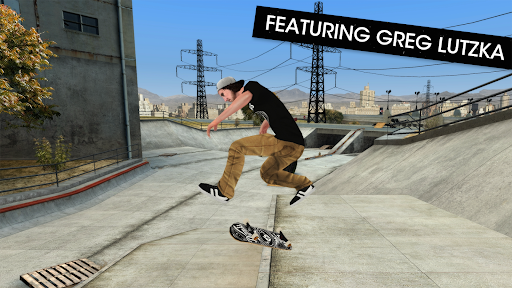
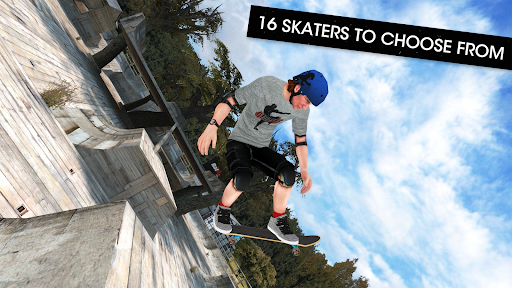
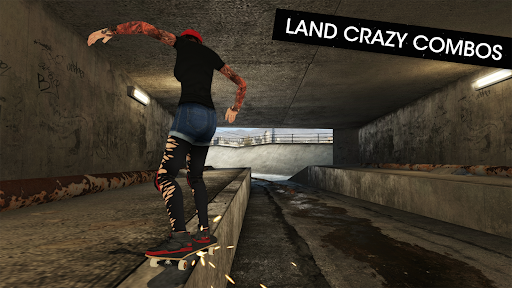
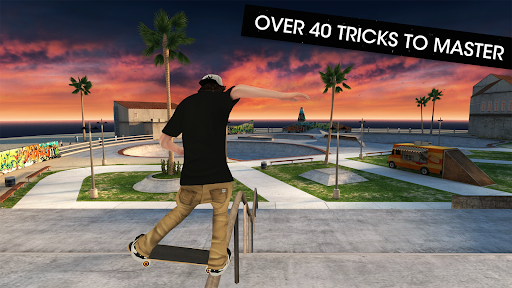
Skateboard Party 3 Pro APK brings the excitement of street skateboarding to Android with detailed 3D environments, smooth animations, and a wide selection of tricks. Players can explore spacious skate parks, experiment with different combinations, and improve their skills through challenging objectives. Whether you prefer competitive progression or unrestricted practice, this game offers plenty of opportunities to show off your creativity on a skateboard.
Skateboard Party 3 Pro uses a third-person camera positioned behind your character, giving you a clear view of the skateboarder’s movements and upcoming obstacles. The camera automatically follows the character and adjusts its direction according to the current movement. Although you cannot freely rotate the viewing angle, this setup makes it easier to follow tricks and maintain awareness of your surroundings.
The touchscreen interface is divided into two main sections. A virtual joystick on the left handles movement, while the buttons on the right allow you to execute different skateboarding techniques. The game also includes an Adjustment Control feature, which lets you customize the button layout, visibility, and sensitivity. Left-handed players can even switch the positions of the joystick and action controls. These options make the interface more comfortable to use, although newcomers may need a few sessions to become familiar with the fixed camera system.
Performing tricks is the heart of Skateboard Party 3 Pro. The game introduces several fundamental techniques that you can combine to create increasingly impressive performances. Each action has a different purpose, so understanding when to use it will help you maintain control and achieve higher scores.
Ollie: Make your skateboard jump into the air without grabbing it. This is one of the most important movements because it helps you overcome obstacles and prepare for other tricks.
Flip: Rotate the skateboard beneath your feet while airborne. You can experiment with different rotation directions to create more varied performances.
Grind: Slide along suitable surfaces such as railings, ledges, and the edges of skate bowls. Positioning is important because you need to approach an appropriate obstacle before performing this technique.
Grab: Reach down and hold the skateboard while jumping. This technique adds style to aerial performances and can become part of longer trick combinations.
Once you understand these fundamentals, try linking multiple movements together instead of performing them separately. Combining jumps, rotations, grinds, and grabs allows you to create distinctive sequences while gradually developing better timing and coordination.
Skateboard Party 3 Pro rewards players who experiment with different techniques rather than repeatedly relying on basic movements. Every successful trick contributes to your score, while more complicated combinations offer opportunities to earn larger point totals. These results can also contribute to experience progression, helping you unlock additional content as you advance.
However, performing difficult tricks without considering your landing position can easily ruin an otherwise impressive sequence. If your character loses balance and crashes, the points accumulated during the unfinished combination may be lost. Falls also consume valuable time before you can resume skating, which becomes particularly problematic in timed challenges. Therefore, focus on maintaining a smooth rhythm, choosing suitable obstacles, and landing safely before attempting more ambitious combinations.
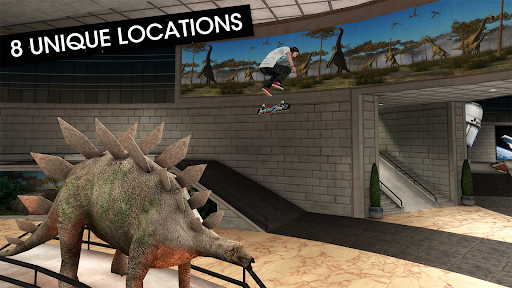
The environments in Skateboard Party 3 Pro offer plenty of room for experimentation. Instead of restricting players to narrow tracks, the game features expansive skateboarding areas with ramps, rails, elevated platforms, and other structures. These locations encourage you to explore different routes and discover interesting spots for practicing tricks.
There are two main ways to enjoy these environments:
Career Mode: Complete specific objectives within a limited time. Each stage challenges you to achieve particular goals and earn enough progress to unlock additional skateboarding locations.
Free Skate Mode: Explore the available parks without being restricted by countdown timers or fixed objectives. This mode is ideal for practicing unfamiliar techniques, testing combinations, and improving your landing accuracy.
Both modes complement each other. Career Mode gives you clear targets to work toward, while Free Skate provides a relaxed environment where you can develop your skills without worrying about time restrictions.
Want to take your skateboarding sessions to your Android device? You can look for Skateboard Party 3 Pro on APKMODY by following this quick navigation guide:
Open The APKMODY Website: Launch your preferred browser and enter the APKMODY website address.
Look Up The Game: Type Skateboard Party 3 Pro APK into the search field and select the matching result.
Explore The Download Page: Read the game description and check the available version, file size, and device requirements.
Choose Your Download Option: Scroll to the download section and tap the appropriate APK link to save the installation file.
Finish The Setup: Open the downloaded package, allow installation from your browser or file manager if requested, and wait for Android to complete the process.
Start Skating: Find the game icon on your home screen or application list and launch it to begin practicing tricks.