Brain Puzzle 2: Logic Twist
v1.3.8
• Unlocked
| Updated On | |
|---|---|
| Google Play ID | puzzle.blockpuzzle.cube.relax |
| Category | Puzzle |
| Version | 4.23.1 |
| Size | 170 MB |
| MOD Feature | Not available |
| Requires | Android 7.0 |
| Price | |
| Free | |
| Content Rating | |
| Everyone | |
| Internet Required | |
| Unknow | |

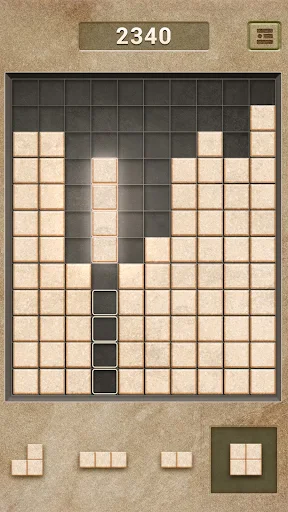
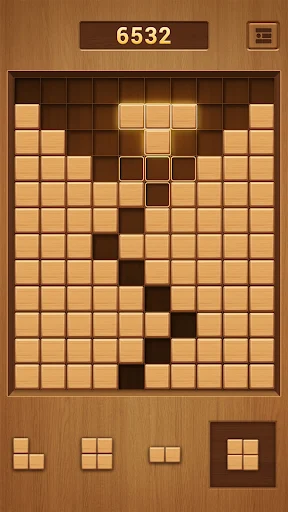
Qblock APK turns simple wooden blocks into an addictive brain-training challenge where every placement matters. Arrange different shapes on a 10×10 board, clear complete lines, and build impressive combos while trying to achieve your highest score. In this article, we will explore its gameplay, useful strategies, and installation process through APKMODY.
Puzzle games do not always need complicated mechanics or impressive visual effects to keep players entertained. Sometimes, a simple grid and a collection of differently shaped blocks are enough to create an engaging challenge. Qblock follows this familiar formula, offering an accessible experience that gradually tests your observation, planning, and spatial reasoning skills.
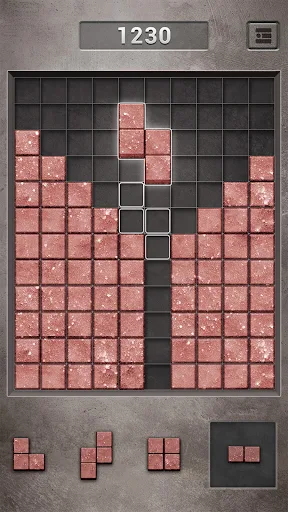
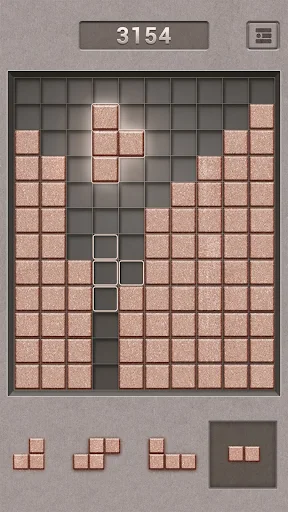
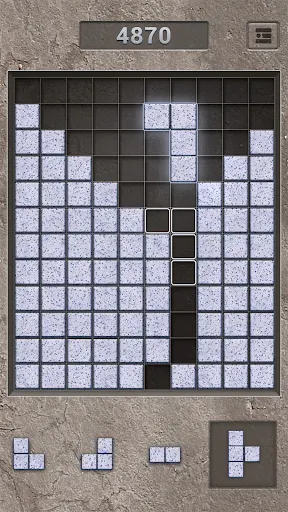
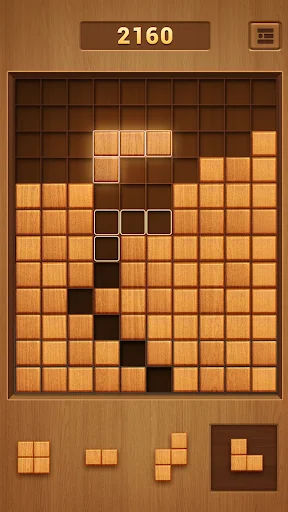
Inspired by the traditional block puzzle genre, Qblock challenges you to arrange wooden pieces on a 10×10 grid. Your objective is to complete horizontal or vertical lines to remove the blocks and earn points. As the board becomes increasingly crowded, every placement requires more careful consideration. There is no countdown forcing you to rush, so you can take your time and develop a strategy before making the next move.
Qblock uses a straightforward drag-and-drop control system that makes it easy for newcomers to understand. At the beginning of a round, you receive several wooden pieces in different shapes, including squares, straight bars, and L-shaped blocks. Simply select a piece, move it to an available position on the grid, and release it to complete your placement.
The main objective is to fill entire horizontal rows or vertical columns. Once a line is completely occupied, its blocks disappear, creating additional room for upcoming pieces. Unlike some familiar block games, Qblock does not allow you to rotate the shapes, meaning you must work with their original orientations. This restriction makes positioning more important, especially when dealing with awkward pieces that do not fit easily into the remaining spaces.
There is also no time limit, giving you the freedom to examine the board before committing to a move. However, the challenge increases as empty spaces become fragmented. If none of the available pieces can fit into the remaining area, your round comes to an end.
Clearing a single line is satisfying, but the real excitement comes from removing several rows or columns through one carefully planned placement. Qblock rewards efficient arrangements with combo opportunities, encouraging you to look for positions that complete multiple lines simultaneously. A well-placed block can transform a crowded board into a much more manageable space.
For example, imagine that your grid contains one nearly completed horizontal row and another vertical column with only a few missing cells. Finding a piece that fills both gaps at once allows you to clear the two lines together. These combinations provide a satisfying visual response while helping you earn additional points and preserve valuable board space. Learning to recognize such opportunities is essential if you want to achieve consistently higher scores.
Qblock gives players another reason to return through its score-tracking system. Your performance is recorded after each round, allowing you to compare new results with previous achievements. Whenever you surpass your personal best, the updated record becomes a new target for future sessions.
This feature creates a simple but effective motivation loop. You may initially play just to pass a few minutes, but eventually, the desire to beat your highest score encourages you to experiment with different arrangements. Every failed round also provides an opportunity to reconsider your decisions and identify mistakes. Rather than relying on complicated progression systems, Qblock keeps the challenge focused on personal improvement.
One convenient advantage of Qblock is its ability to provide entertainment without requiring a constant internet connection. You can enjoy its core puzzle gameplay even when Wi-Fi or mobile data is unavailable. This makes the game suitable for situations such as traveling, waiting for appointments, or spending time in places with unreliable network coverage.
Its uncomplicated design also makes it a practical option for short gaming sessions. You do not need to join multiplayer matches, communicate with other players, or maintain an online connection just to arrange wooden blocks. Simply launch the application and continue challenging yourself whenever you have some free time.
Getting started with Qblock is easy, but maintaining a high score requires more thoughtful decisions. Since the pieces cannot be rotated, you need to anticipate how each placement will affect the available space. Applying a few basic techniques can help you avoid unnecessary mistakes and keep the board manageable for longer.
Avoid filling every available cell as soon as possible. Keeping a reasonably large empty section gives you more flexibility when unfamiliar shapes appear, especially larger squares and L-shaped pieces. Try to clear complete lines regularly while maintaining enough connected space for future placements. This approach reduces the possibility of getting stuck with a piece that has nowhere to go.
Concentrating all your blocks in a single corner can create awkward gaps elsewhere. Instead, distribute pieces carefully and pay attention to the overall structure of the grid. When possible, complete lines across different areas rather than allowing one section to become excessively crowded. A balanced board usually offers more opportunities to accommodate incoming shapes.
Large pieces are often difficult to place when the remaining space becomes fragmented. Whenever you receive a square or an unusually shaped block, examine the available positions before dropping it. Corners and edges can sometimes provide suitable locations, but the best position depends on the surrounding empty cells. Avoid placing a large piece in the center simply because it fits if doing so creates several isolated gaps.
One common mistake is placing the first available block without considering the other pieces in the current set. Take a moment to inspect their shapes and identify which one is most difficult to accommodate. You should prioritize placements that clear lines or preserve useful space for the remaining pieces. Thinking several moves ahead can make a significant difference during longer rounds.
Qblock does not attempt to impress players with elaborate environments or complicated animations. Instead, it uses a simple wooden theme with warm brown shades that create a comfortable and familiar appearance. The blocks feature textured surfaces that resemble small pieces of wood, giving the traditional puzzle formula a slightly different visual identity. When you drag and place them onto the grid, the straightforward animations help make every move feel responsive.
The sound design follows the same relaxing direction. Placing a block produces a subtle clicking effect, while completed lines trigger additional sounds that emphasize the clearing animation. These small audio details complement the visual presentation without becoming distracting. Combined with the absence of a countdown, they help establish a calm atmosphere that suits casual puzzle sessions.
Qblock proves that a familiar puzzle concept can remain entertaining when every move requires careful planning. Its wooden blocks, 10×10 grid, rewarding combos, and offline support create a convenient experience for players who enjoy testing their logic and spatial awareness. Whether you want a quick distraction or a longer challenge to beat your personal record, this game offers plenty of reasons to keep arranging pieces.
Here is a quick installation walkthrough for getting Qblock through APKMODY:
Open the game page: Visit APKMODY and enter Qblock in the website’s search function to locate its dedicated download page.
Check the release information: Review the available APK version, file details, and Android compatibility before proceeding.
Save the installation file: Use the download link on the Qblock page and wait for the APK package to finish transferring to your device.
Locate the downloaded package: Open your phone’s Downloads folder or file manager and select the Qblock APK file.
Complete the setup: Follow Android’s installation prompts. If permission is required, allow your file manager or browser to install applications from that source.
Start arranging blocks: Open Qblock after installation and begin your first puzzle challenge.