
Chess Endgames – ChessEndings
v1.0.16
• Premium
| Updated On | |
|---|---|
| Google Play ID | com.marmalade.monopoly |
| Category | Board |
| Version | 1.16.1 |
| Size | 667 MB |
| MOD Features | Unlocked All |
| Requires | Android 7.0 |
| Price | |
| $4.99 | |
| Content Rating | |
| Everyone | |
| Internet Required | |
| Required | |
| Languages | |
| English, French, German, Italian, Japanese, Korean, Spanish | |

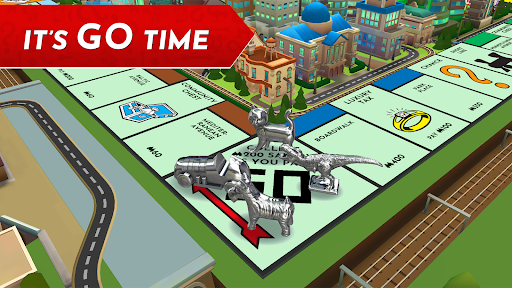
MONOPOLY brings the familiar property trading experience to Android devices, allowing players to build their own real estate empire wherever they go. The mobile version preserves the strategic elements of the original board game while introducing online multiplayer, customizable rules, and several themed boards. Whether you want to challenge friends or compete against AI opponents, the game offers different ways to enjoy this timeless classic.
For generations, MONOPOLY has entertained players with a simple yet competitive concept: buy properties, collect rent, and manage money wisely. Behind its familiar board and colorful pieces are lessons about financial decisions, negotiation, investment risks, and long-term planning. Every purchase can create an advantage, but a poorly timed expense may leave you struggling to stay in the game.
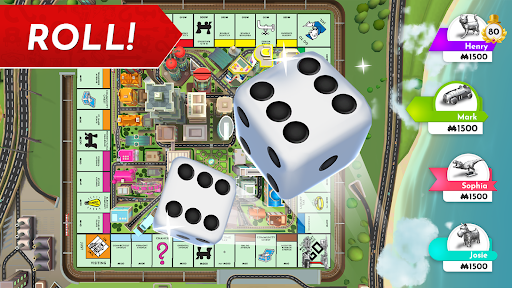
MONOPOLY follows the classic turn-based format. Players roll the dice, move around the board, and decide whether to purchase available properties or save their money for better opportunities. Landing on another player’s territory means paying rent, while certain spaces may trigger auctions, special cards, or unexpected expenses.
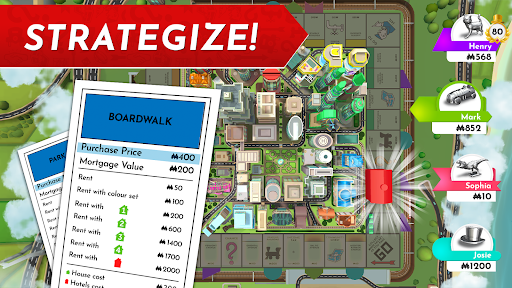
Owning a complete property set opens the door to further development. You can build houses and hotels to increase rental income, turning ordinary locations into valuable assets. However, successful play requires more than buying everything within reach. Keeping enough cash for future payments and choosing the right investments are equally important if you want to outlast your competitors.
The online mode lets you compete with friends or other players through connected matches. After setting up an account, you can create a lobby, invite people to join, or enter a game with available opponents. The built-in multiplayer chat also makes it easier to communicate during negotiations and enjoy the social side of each match.
Cross-platform support adds flexibility to online sessions. Players can join the same lobby from different supported devices, provided they have the game installed and an internet connection. This feature makes it easier to organize a match without requiring everyone to use the same type of device.
Not every group enjoys playing with identical rules. House Rules lets you adjust selected settings to create a match that better suits your preferences. You can enable options such as extra starting cash, free parking rewards, or removing auctions and certain jail restrictions. These changes give each session a different pace compared with the standard rulebook.
Quick Mode is another useful choice when you do not have time for a lengthy match. It speeds up the overall experience, helping players reach the main investment decisions sooner. This mode keeps the competitive spirit of MONOPOLY while making individual sessions more manageable.
Solo mode provides a convenient alternative when friends are unavailable or your internet connection is unstable. You can start a match immediately without organizing a lobby or waiting for other participants. It is also suitable for players who prefer to focus on their own strategies without online conversations.
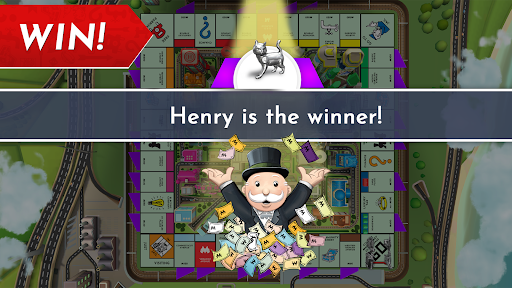
AI opponents offer a competitive challenge by purchasing properties, managing their finances, and responding to changing situations on the board. Facing these rivals gives you room to experiment with different approaches, from aggressive property acquisition to cautious money management. Each match can help you understand how investment choices affect your chances of winning.
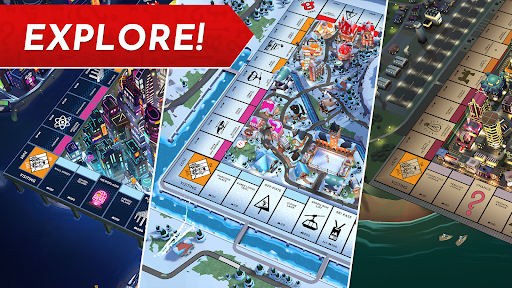
Winning matches can contribute to unlocking additional board themes, giving the familiar gameplay a fresh visual setting. The available environments include locations and imaginative variations such as Los Angeles, Transylvania, futuristic New York City 2121, Victorian London, Tokyo, Paris, and 1930s Atlantic City.
Each theme introduces its own presentation, property details, and chance cards. These variations add visual diversity without changing the central objective: accumulate valuable assets, manage your finances, and become the leading property tycoon.
The MOD edition offers additional unlocked content for players who want to explore more customization options. Its availability and compatibility may vary depending on the APK version.
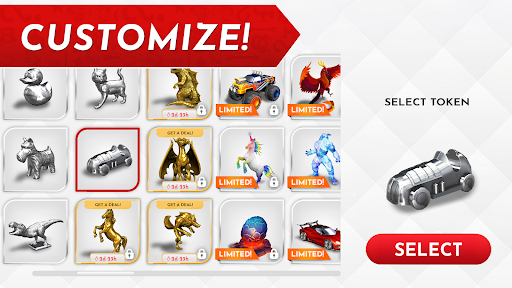
This version provides access to unlocked tokens, boards, and other content. Players can explore different cosmetic options without having to unlock each item through the standard progression system.
Does MONOPOLY cost money to play?
The game offers a free download, while optional purchases may be available for additional content or accessories. You can enjoy the core board game experience without necessarily buying extra items.
Can I play MONOPOLY without an internet connection?
Yes. Solo mode with AI opponents is suitable for offline play, so you can enjoy a match without joining an online lobby. Multiplayer sessions, however, require an internet connection.
Is MONOPOLY suitable for playing with friends?
Yes. Online multiplayer lets you invite friends to a shared lobby, while House Rules provides ways to customize the match. It is a convenient option for casual competition and group entertainment.
Ready to build your property empire? Visit APKMODY to check the available MONOPOLY APK version and review its compatibility with your Android device. Before installing, make sure your device has enough storage space and that you download the correct package. If you choose the MOD edition, check its version details and requested permissions carefully. Once installation is complete, launch the game, select a mode, and start competing for control of the board.