
Strategy & Tactics 2: WWII
v4.4.6
• Unlimited Gold
| Updated On | |
|---|---|
| Google Play ID | com.Bestiaweb.MedievalBattle |
| Category | Strategy |
| Version | 5.3 |
| Size | 355 MB |
| MOD Features | Unlimited Money |
| Requires | Android 7.1 |
| Price | |
| Free | |
| Content Rating | |
| Everyone | |
| Internet Required | |
| Unknow | |

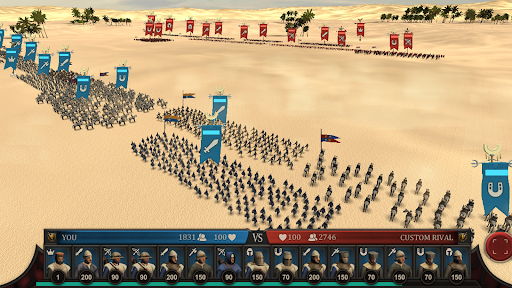
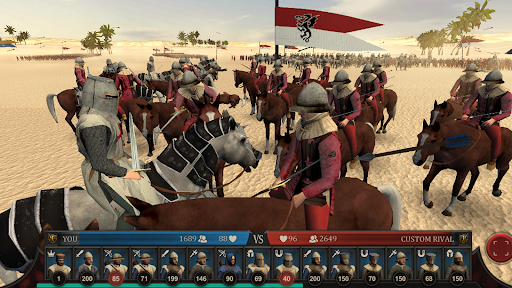
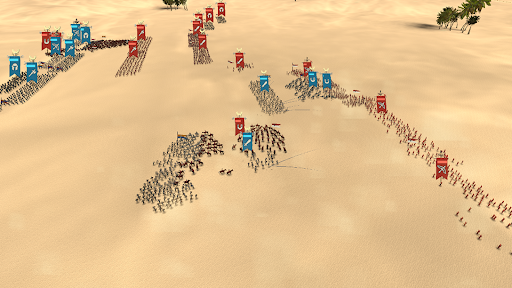
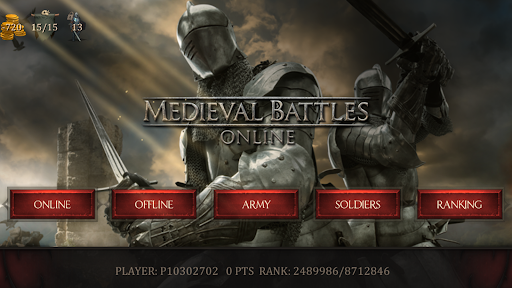
Medieval Battles Online MOD APK takes you into the world of medieval warfare, where commanding an entire army requires careful planning and tactical decisions. Developed by BestiaGames for mobile platforms, this strategy game features detailed 3D battlefields and large groups of soldiers inspired by historical armies. Instead of collecting resources or building an economy, you can focus entirely on deploying troops, choosing formations, and defeating enemy forces.
Medieval Battles Online follows a real-time strategy format with a distinctive approach: it removes traditional resource gathering and puts the spotlight on direct military confrontation. At the beginning of a match, you take control of an army containing thousands of soldiers divided into different units. Your responsibility is to position these groups, issue orders, and coordinate their movements to overcome the opposing force.
Controlling your troops is straightforward. Select the unit you want to command, then tap a location or enemy target to issue an order. Soldiers automatically engage opponents within their attack range. If their target is too far away, the entire formation moves closer before launching an attack. You cannot individually control every soldier, as commands apply to the whole unit at once. This system makes army coordination more important than micromanaging individual fighters.
The King is another crucial unit that deserves special attention. Losing your King does not immediately end the battle, but it significantly weakens the attack and defense capabilities of your remaining troops. Therefore, you need to balance aggressive advances with proper protection for this important character. A well-organized army can still struggle if its King becomes exposed to enemy attacks.
Battles take place across large, open fields without additional environmental hazards or resource-management distractions. This design creates a straightforward combat environment in which victory depends primarily on your commands, troop deployment, and ability to respond to enemy movements. You must decide when to advance, when to hold your position, and which units should lead each attack.
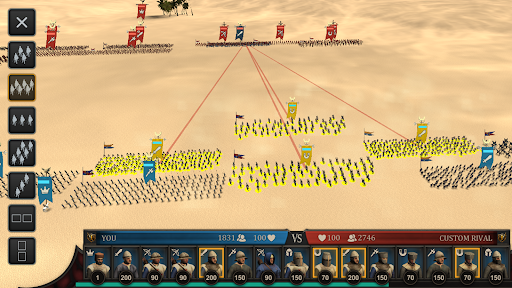
One of the most useful tactical systems is the formation mechanic. After selecting a unit, you can choose its formation from the options displayed on the left side of the screen. The game provides five arrangements:
Neutral: A standard formation suitable for general movement and combat situations.
Horizontal: Spreads soldiers across a wider front, helping cover more ground.
Thin Horizontal: Creates a narrower horizontal line for situations that require a different battlefield arrangement.
Vertical: Places soldiers in a more compact column, changing how the unit occupies space.
Long Vertical: Forms an extended column that can be useful when adjusting the unit’s positioning.
Each formation changes how soldiers are arranged, which can influence their effectiveness during an encounter. A broad line may help cover an approaching enemy, while a compact arrangement can serve different positioning needs. Learning when to switch formations gives you more control over the battlefield and helps prevent your army from becoming disorganized.
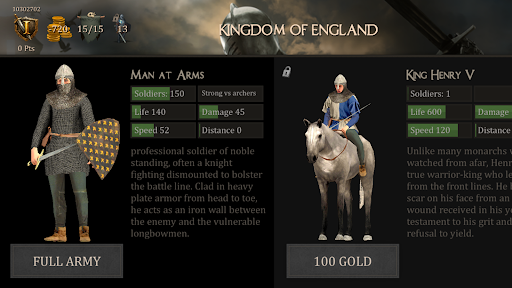
Your army is divided into units, with each group consisting of one specific type of soldier. Depending on the troop category, a unit may contain several dozen or even hundreds of fighters. Since different groups have different combat characteristics, understanding their statistics is essential before sending them into battle.
Here are the main attributes you should pay attention to:
Soldiers: Indicates how many fighters belong to a unit. Losing soldiers reduces the group’s overall strength.
Life: Represents the health of each individual soldier. When a fighter’s health reaches zero, that soldier is removed from the unit.
Damage: Determines how much damage each soldier can inflict with an attack.
Speed: Measures how quickly the formation moves across the battlefield. This attribute matters when advancing, retreating, or repositioning troops.
Distance: Defines the unit’s attack range. A higher value allows soldiers to engage enemies from farther away.
Another important detail is the counter system. Certain troop categories perform better against specific enemy types, allowing them to deal increased damage while taking less in return. Consequently, sending every available unit into the same engagement is not always the best approach. Pay attention to the enemy composition and choose suitable counters to improve your chances of winning.
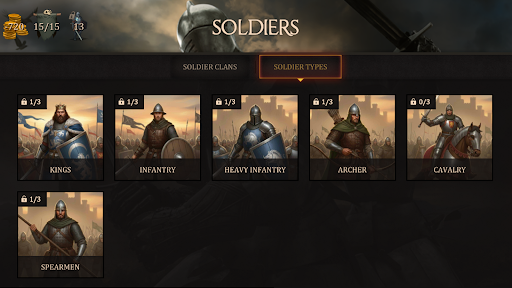
Medieval Battles Online features six main troop categories, each contributing a different role to your army:
King: The central character whose survival helps maintain the combat effectiveness of your forces.
Infantry: Standard ground troops that form an important part of your frontline.
Heavy Infantry: More heavily equipped fighters designed for demanding close-range encounters.
Archers: Ranged attackers who can damage opponents from a distance.
Cavalry: Mounted soldiers that bring mobility to your army.
Spearmen: Troops equipped with spears, offering another specialized option for confronting enemy forces.
These soldiers are distributed across 18 teams belonging to three different empires: the Rebel Army, the British Royal Army, and the Templar Knights Empire. You will not have access to every team immediately. Instead, completing story mode stages rewards you with gold, which can then be used to unlock additional factions and troop selections. Progressing through the campaign gradually expands your tactical options and lets you experiment with different army compositions.
The modified version introduces an additional advantage for players who want more freedom when unlocking and exploring the game’s content.
The MOD version provides unlimited money, reducing the need to repeatedly earn gold through story mode missions. You can use this advantage to access available teams and troop options more conveniently, making it easier to experiment with different army combinations. It also gives you more flexibility when exploring the game’s strategic possibilities without focusing as heavily on currency accumulation.
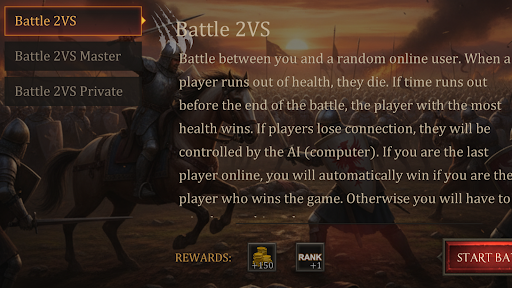
Medieval Battles Online combines accessible controls with surprisingly demanding strategic gameplay. Its large-scale battles, formation system, troop counters, and different factions give you plenty of ways to develop your own approach to warfare. Once you become familiar with commanding an army, you can also enter online matches to challenge other players and compete for a higher leaderboard position.
If you want to install the MOD version on Android, use this checklist to prepare your device:
Locate the game: Visit APKMODY and search for Medieval Battles Online MOD APK.
Check the release details: Open the game page and review the version, Android requirements, and listed MOD feature.
Prepare your device: Make sure you have enough storage space and that your Android settings allow installation from the source you use.
Get the APK: Select the available download option on the page and wait until the installation package is saved.
Complete installation: Find the downloaded file, open it, and follow the prompts displayed by Android.
Enter the battlefield: Launch the game and start organizing your troops for the first confrontation.