home chevron_right Games chevron_right Simulation chevron_right Legendary Pilots


Idle Life Sim
v1.4.8
• Unlimited Money
| Updated On | |
|---|---|
| Google Play ID | com.berkbox.lpilots |
| Category | Simulation |
| Version | 1.0.3 |
| Size | 474 MB |
| MOD Features | Unlimited Money |
| Requires | Android 7.0 |
| Price | |
| Free | |
| Content Rating | |
| Everyone | |
| Internet Required | |
| Unknow | |

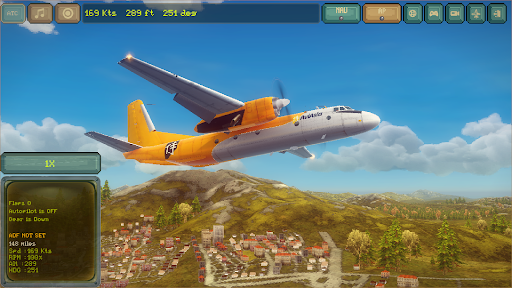
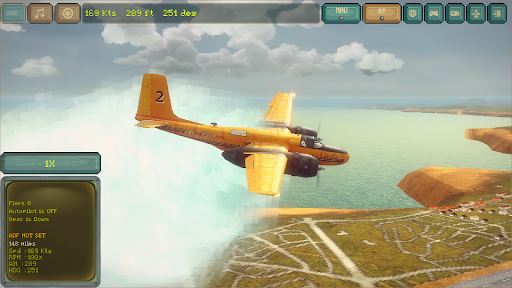
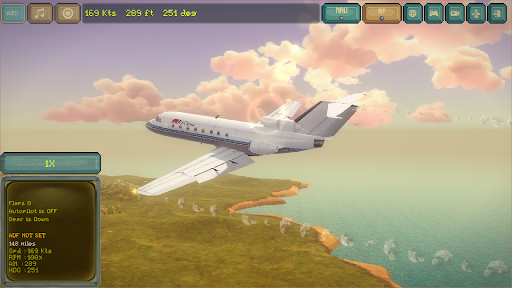
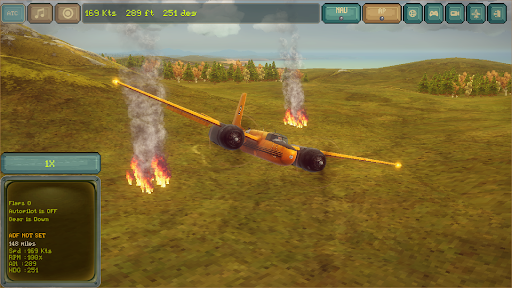
Legendary Pilots MOD APK brings aviation enthusiasts into a detailed flight simulation where piloting skills and airline management go hand in hand. Developed by BerkBox and published by MicroProse Software, the game combines retro-inspired visuals, atmospheric music, and challenging aircraft mechanics. From calibrating flight controls to navigating complex routes and managing an aviation business, every decision contributes to your journey toward becoming a legendary pilot.
Legendary Pilots offers a different approach to mobile flight simulation by combining two important responsibilities: flying aircraft and managing an airline. Instead of simply choosing a plane and taking off, you must understand how different flight systems operate while handling the business activities behind each journey. This combination creates a more demanding experience for players who enjoy technical simulations.
Flying an aircraft requires patience, concentration, and a willingness to learn. You need to understand how altitude, direction, speed, and navigation work together before attempting more complicated flights. At the same time, managing airline operations introduces additional responsibilities beyond the cockpit. Every successful journey helps you develop your skills and become more familiar with the game’s aviation systems.
One of the most distinctive features of Legendary Pilots is its gyroscope control system. Rather than relying entirely on traditional virtual joysticks, the game uses your phone’s built-in motion sensor to translate physical movements into aircraft commands. This creates a more hands-on experience, especially for players who enjoy motion-based controls.
Before starting a flight, you need to calibrate the device to establish a suitable neutral position. The game provides approximately five seconds for this adjustment before displaying a balance indicator. If the reading isn’t satisfactory, you can select the calibration option and repeat the process until the phone is properly positioned.
Sensitivity settings are another important element to consider. Adjusting how strongly the aircraft responds to your phone’s movements can make controlling it more comfortable. Beginners should start with moderate sensitivity and gradually experiment with different settings as they become familiar with the controls.
Understanding how to move your phone correctly is essential for maintaining control during a flight. Legendary Pilots translates changes in device orientation into aircraft movements, allowing you to perform several basic maneuvers:
Bank Left or Right: Tilt your phone toward either side to make the aircraft roll in the corresponding direction. This movement helps you change your flight path.
Climb: Tilt the device backward to raise the aircraft’s nose and begin gaining altitude. Monitor your height to avoid unwanted changes in the flight profile.
Descend: Tilt your phone forward to lower the nose and reduce altitude. Pay attention to your surroundings and maintain enough clearance from obstacles.
Smooth movements are especially important when adjusting the aircraft’s direction. Avoid tilting your device too aggressively, as excessive input can produce steep banking angles and make the aircraft difficult to stabilize. Gradual corrections provide better control and help you maintain a more comfortable flight.
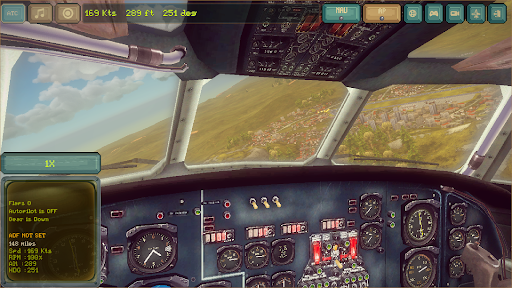
Legendary Pilots introduces several aviation terms that may initially seem confusing to players without flight simulation experience. However, learning these indicators is necessary because they influence navigation, aircraft configuration, and automatic flight operations. Familiarizing yourself with the cockpit panels will make complicated journeys easier to manage.
Navigation panel (NAV):
ADF (Automatic Direction Finder): A radio navigation instrument that helps locate a transmitting station. Enter the appropriate frequency provided by the game to identify the station’s direction.
COURSE: Specifies the desired navigation course in degrees, using a range from 0 to 360. This setting helps establish the intended direction of travel.
HDG (Heading): Represents the direction in which the aircraft’s nose points. You can enter a heading value to guide the aircraft when the relevant autopilot function is active.
ALTITUDE: Sets the target height that the aircraft should maintain when altitude-hold or the corresponding autopilot function is enabled.
Aircraft equipment panel:
FLAPS: Controls the aircraft’s movable auxiliary wing surfaces. The minus and plus buttons decrease or increase the flap setting, respectively, helping you configure the aircraft for different flight phases.
GEAR: Manages the landing gear. Select GEAR UP to retract the wheels after takeoff or GEAR DOWN to extend them when preparing to land.
WHEEL BRAKE: Activates the braking system integrated into the landing gear, helping slow the aircraft during ground operations.
Learning these controls takes time, but they become much easier to understand once you start applying them during actual flights. Pay attention to the cockpit indicators and practice using each function in suitable situations.
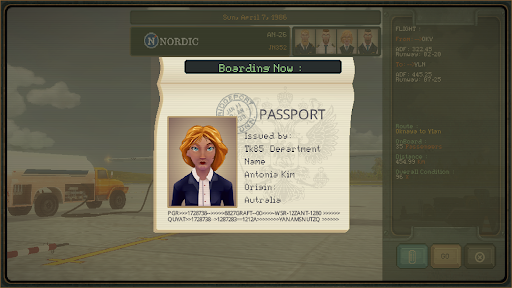
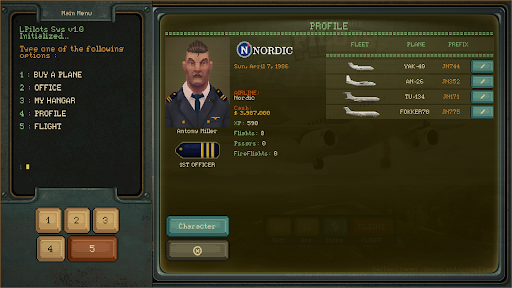
Legendary Pilots offers more than basic aircraft movement and navigation. Its broader simulation systems encourage players to understand how an aviation operation functions beyond the cockpit. You can purchase aircraft, maintain your fleet, and organize the personnel required to keep your business running.
Financial decisions also play an important role in your progress. Managing available resources, maintaining aircraft, and recruiting qualified specialists are all part of building a successful aviation operation. These additional mechanics create a connection between technical flying skills and business strategy, giving the game more depth than a conventional airplane simulator.
The modified edition introduces an additional resource advantage that can make certain aspects of the game more accessible. According to the available modification information, it includes:
Unlimited Money: Provides an unlimited in-game money resource, making it easier to explore aircraft purchases, maintenance activities, and other financial features without the usual currency limitations.
This modification is particularly relevant to players who want to focus on exploring the game’s management systems and aviation content. Actual functionality may depend on the installed release, so check the version information before proceeding.
Ready to take control of your aircraft and build your own aviation business? Follow this alternative installation walkthrough to find Legendary Pilots MOD APK on APKMODY:
Installation walkthrough:
Go to APKMODY: Open your mobile browser and enter the APKMODY website.
Locate the game: Browse the website’s search function and type Legendary Pilots MOD APK.
Review the release: Open the matching game page and check the available version, package information, and Android compatibility.
Select your download option: Scroll to the download area and choose the available APK package you want to install.
Check the downloaded file: Open your browser’s download history or use a file manager to locate the installation package.
Authorize the installation: If Android displays a security prompt, review it and enable installation from that source only if you trust the file.
Finish and launch: Complete the installation, open the game, and start exploring its aircraft and management systems.