
Wall of Insanity 2
v1.5
• Shooter
| Updated On | |
|---|---|
| Google Play ID | com.greengrey.initiative23 |
| Category | Shooter |
| Version | 1.0.12 |
| Size | 229 MB |
| MOD Features | MENU, God Mode |
| Requires | Android 10 |
| Price | |
| Free | |
| Content Rating | |
| Teen | |
| Internet Required | |
| Required | |

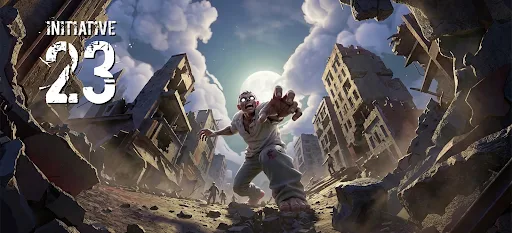
Initiative 23 MOD APK takes you into a post-apocalyptic world where a mysterious virus has transformed humanity into terrifying creatures. Combining third-person shooting, exploration, crafting, and base development, the game challenges you to survive while investigating the origins of the outbreak. With impressive 3D environments and a flexible aiming system, it offers an engaging experience for players who enjoy zombie survival adventures.
The story of Initiative 23 begins in 2015, when researchers discover an unusual species of worm preserved in the glaciers of Alaska. This organism carries RNA associated with an ancient virus estimated to be around 50,000 years old. Scientists name the newly identified virus Theseus after discovering its extraordinary ability to interact with and modify host cells.
Recognizing its potential for genetic engineering and medical research, scientists establish a series of laboratories to investigate its properties. The research program is divided into 22 facilities, each operating under the Initiative codename. Theseus initially appears promising because it can accelerate biological evolution and potentially eliminate harmful pathogens from infected organisms.
One researcher, Victor Eckert, becomes particularly interested in the virus and believes it could represent a revolutionary cure. His experiments eventually produce results that seem capable of eliminating infections. However, the research conceals far more dangerous consequences than anyone anticipated.
Civilization eventually collapses following a catastrophic outbreak involving mutated zombies. As one of the few remaining survivors, you must investigate the Initiative-23 laboratory, locate Victor Eckert, and uncover the truth about Patient Zero. Finding these answers may reveal how the epidemic began and whether humanity still has a chance of survival.
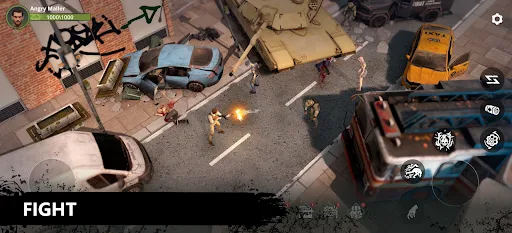
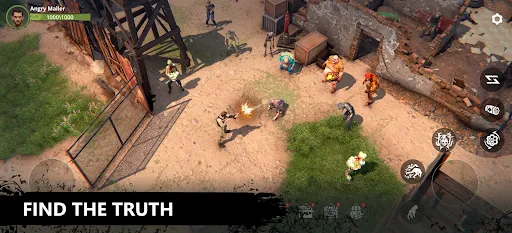
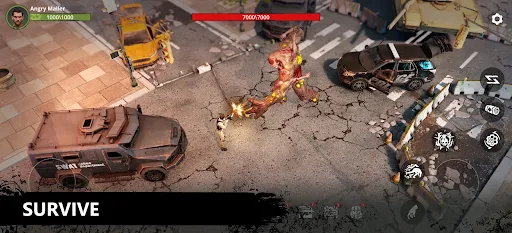
Initiative 23 uses a dual-joystick control layout that should feel familiar to players who have experience with mobile action games. The virtual joystick in the bottom-left corner controls character movement, while the one on the opposite side handles aiming. This arrangement allows you to move and prepare attacks without constantly switching between different control interfaces.
When you touch the aiming joystick, your character raises their weapon and enters aiming mode. A red indicator appears on the screen to show the weapon’s firing direction. If enemies enter this targeting area, the character automatically fires at the nearest eligible target. This system reduces the need for complicated manual shooting while still allowing you to control where your character aims.
An interesting detail is that aiming does not immediately reduce movement speed. You can prepare your weapon while moving, run in one direction while targeting enemies in another, and adjust your position before engaging a group of zombies. However, firing briefly slows your character while the weapon stabilizes, so you should consider this when fighting enemies at close range.
Ammunition management also plays an important role. Although your character has an unlimited overall ammunition supply, individual weapons still have magazine limitations. Once a magazine is empty, you must wait for the reload animation to finish. You can also manually reload through the dedicated button whenever the surrounding area is relatively safe.
Shooting is only one part of surviving in Initiative 23. Your character has additional abilities that help deal with dangerous situations, particularly when several zombies approach simultaneously.
The rolling action allows you to escape from surrounding enemies or avoid incoming attacks. It is especially useful when you need to create distance before reloading or reposition yourself during combat. Grenades provide another tactical option, delivering substantial area damage against groups of enemies. However, both abilities have relatively long cooldown periods, so using them at the wrong moment may leave you without an emergency option.
You can also interact with objects throughout the environment using a multifunctional action button. Depending on the situation, this control allows you to collect resources, climb obstacles, and activate specific environmental interactions. Healing is handled through a separate bandage button. Each use consumes one bandage and restores approximately half of your character’s maximum health, making medical supplies valuable resources that should not be wasted.
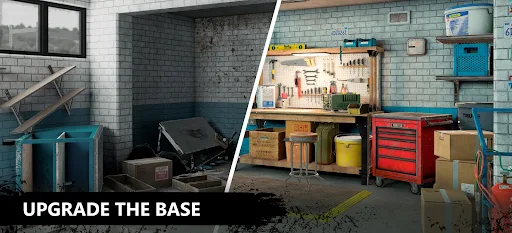
Your survival journey eventually leads you to an abandoned building that becomes your main base of operations. Rather than serving merely as a temporary shelter, this location provides access to crafting and equipment development systems that support your progress throughout the game.
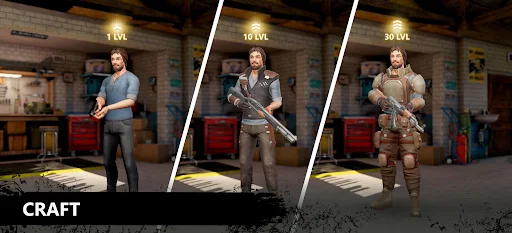
At the base, you can produce different types of equipment, including weapons, protective clothing, and medical supplies. These items help you prepare for increasingly dangerous encounters and reduce your dependence on whatever equipment you find during exploration.
However, not every crafting recipe is available immediately. You must gradually improve your base and upgrade individual crafting stations to unlock more advanced production options. This progression system encourages you to collect materials while completing missions and exploring different areas.
Upgrade resources can be obtained from levels, so exploration and combat are closely connected to base development. You should pay attention to the materials you collect and prioritize upgrades that match your current needs. Better weapons can improve combat effectiveness, while protective equipment and medical supplies help you survive longer expeditions.
The modified version introduces additional options intended to change the difficulty and overall survival experience. According to the advertised MOD feature list, Initiative 23 includes the following modifications:
The MOD Menu provides access to additional options through an in-game interface. Its available functions may depend on the specific release, so check the version description to understand which settings are included before installing.
God Mode is designed to give your character an advantage in dangerous encounters by preventing or reducing damage. This can make exploration and combat less punishing, allowing you to focus more on discovering the storyline and experimenting with different gameplay mechanics.
Note: MOD functions may vary between releases and are not guaranteed to work identically across all game versions.
Before installing the modified version, it is worth checking the release details rather than immediately downloading the first file you find. Use this quick verification process to make sure you select the appropriate package.
1. Find the game page
Open APKMODY in your browser and enter “Initiative 23” in the search field. Select the matching game listing to access its download information.
2. Examine the MOD information
Look for the version that mentions the Menu and God Mode features. Read the accompanying description carefully because modified functions can differ between releases.
3. Check device compatibility
Review the listed Android requirements, file size, and version details. Make sure your device has enough free storage before proceeding.
4. Prepare the installation file
Select the appropriate MOD APK package and start downloading it. Once the download finishes, locate the file through your browser’s download history or your device’s file manager.
5. Install and launch
Tap the APK file to begin installation. If Android asks for permission to install applications from your browser or file manager, review the security prompt and allow it only if you trust the source. After installation, launch Initiative 23 and check whether the advertised features are available.